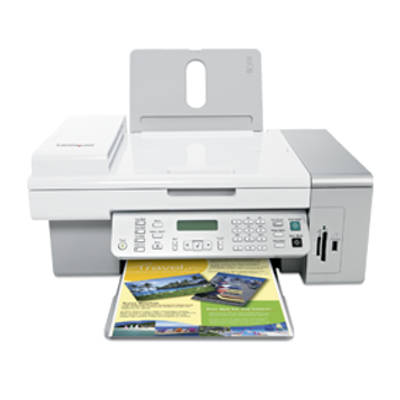
Reliable everyday printing with the Lexmark X5450 The Lexmark X5450 is a popular all-in-one from the Lexmark X Series, designed for home and small-office use where you need printing, copying and scanning in one compact device. To keep it working smoothly, you need the right ink for Lexmark X5450—matched to the printer’s specifications and your printing habits. In this category we offer both Original OEM and compatible ink cartridges for Lexmark X5450, so you can choose exactly what fits your needs and budget. What you get with the right ink for Lexmark X5450 Choosing a proper ink cartridge for Lexmark X5450 directly affects print quality, reliability and cost per page. The Lexmark X5450 uses separate black and color cartridges, which makes it easy to replace only the color you run out of. Whether you print school materials, invoices, emails or family photos, good ink for printer Lexmark X5450 should deliver: - Sharp black text for documents and forms
- Clean, vivid color for charts, graphics and occasional photo prints
- Stable performance with fewer interruptions and consistent results
- Easy installation and correct recognition by the device
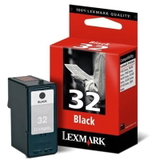
In our offer you’ll find standard and high-yield options (XL), so you can pick what’s best for your printing volume—especially if the Lexmark X5450 is used frequently. Original OEM and compatible cartridges—wide choice in one place We make it simple to buy the right ink for Lexmark X5450. This category includes the most searched and most practical cartridges for the X5450, available as Original OEM ink cartridges and carefully selected compatible ink cartridges that are a smart alternative for everyday printing. Popular choices in this category include: - Original OEM Ink Cartridge Lexmark 32 (18CX032E) (Black) – dependable black for crisp documents
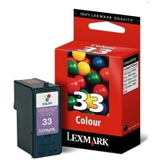
- Original OEM Ink Cartridge Lexmark 33 (18CX033E) (Color) – balanced color for graphics and mixed printing
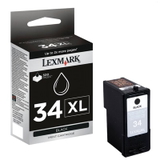
- Original OEM Ink Cartridge Lexmark 34 (18C0034E) (Black) and Original OEM Ink Cartridge Lexmark 34 XL (18C0034E) (Black) – a great option when you want more pages and fewer replacements
- Original OEM Ink Cartridge Lexmark 35 (18C0035E) (Color) – strong everyday color output
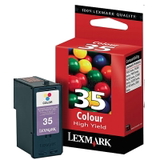
- Compatible Ink Cartridge 32 for Lexmark (18CX032E) (Black) – cost-effective black ink for Lexmark X5450
- Compatible Ink Cartridge 33 for Lexmark (18CX033E) (Color) and Compatible Ink Cartridge 35 for Lexmark (18C0035E) (Color) – affordable color printing without sacrificing quality
- Compatible Ink Cartridge 34 for Lexmark (18C0034E) (Black) – a practical choice for frequent printing
Thanks to this range, you can easily create your own set: black + color, standard + XL, OEM + compatible—exactly as you prefer. How to choose: OEM vs compatible ink cartridges for Lexmark X5450 If you’re wondering which ink cartridge for Lexmark X5450 to buy, start with your priorities: maximum brand consistency, or best value for money. Both routes can be a good decision. - Original OEM ink for Lexmark X5450 is ideal when you want manufacturer cartridges and predictable performance for every type of print.
- Compatible ink for Lexmark X5450 is a great option when you want to reduce printing costs. Our compatible cartridges from the DrTusz.pl offer are as good as the originals in everyday use—clear text, strong color and reliable operation—while keeping your budget under control.
We also recommend paying attention to cartridge symbols and codes. For the Lexmark X5450, correct matching matters—choose the exact number and code (e.g. 18CX032E, 18CX033E, 18C0034E, 18C0035E) to avoid mistakes. Common Lexmark X5450 ink issues—and quick tips Many users search for ink for printer Lexmark X5450 when they notice one of these typical situations: - Faded prints or missing lines – often caused by low ink or a cartridge that has been sitting unused; replacing the cartridge usually solves it quickly.
- Printer not recognizing the cartridge – make sure the cartridge is the correct model and that any protective tape has been removed; reinstalling the cartridge can help.
- Frequent replacements – if you print a lot, consider a higher-yield black option like Lexmark 34 XL to reduce downtime.
- Color prints look dull – a fresh color cartridge (e.g. Lexmark 33 or Lexmark 35, OEM or compatible) brings back vivid graphics.
If you print only occasionally, we recommend printing a quick test page from time to time—this helps keep results consistent and avoids surprises when you urgently need a document. Order your ink for Lexmark X5450 with confidence We encourage you to explore our full selection of ink cartridges for Lexmark X5450—both Original OEM and compatible. Choose the cartridge that matches your printing style, add it to your cart, and enjoy comfortable shopping supported by our experience. Need help choosing the right ink for Lexmark X5450 or deciding between OEM and compatible? Contact us—we’re here to help. Check the available products in this category now and stock up on ink before you run out. |