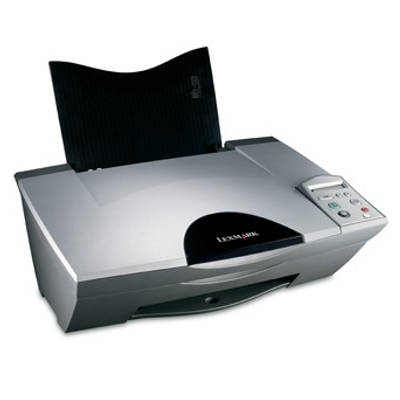
Lexmark X5260 – a practical all‑in‑one for everyday printing Lexmark X5260 from the Lexmark X Series is a popular home and small‑office multifunction printer designed for everyday documents, school materials and occasional color prints. It combines printing, copying and scanning in one compact device, so the right ink for Lexmark X5260 is essential if you want consistent quality and hassle‑free operation. In this category you will find both Original OEM and Compatible ink cartridges for Lexmark X5260, carefully selected to match this model. What makes ink for printer Lexmark X5260 so important? The Lexmark X5260 uses separate cartridges for black and color, which makes it easy to replace only what you actually need. A well‑matched ink cartridge for Lexmark X5260 delivers clear text, readable barcodes and sharp outlines, while color ink ensures lively graphics and smooth transitions in photos and presentations. Our cartridges are a great choice for: - daily black text printing (invoices, notes, homework),
- color charts and simple marketing materials,
- school projects and occasional photo prints,
- copying and scanning workflows where print quality still matters.
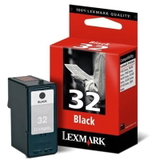
When you choose the right ink for X5260, you reduce the risk of faded prints, streaks or wasted pages caused by poor ink flow. It’s a simple upgrade that makes the printer more reliable day after day. Original OEM and Compatible cartridges – a wide choice in one place We know different customers have different priorities: some prefer manufacturer cartridges, others want the best cost per page. That’s why our offer for ink cartridges for Lexmark X5260 includes both routes—without compromising on convenience. - Original OEM Ink Cartridge Lexmark 32 (18CX032E) (Black) – dependable everyday black printing.
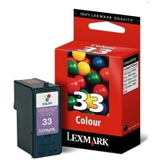
- Original OEM Ink Cartridge Lexmark 33 (18CX033E) (Color) – solid color performance for graphics and mixed documents.
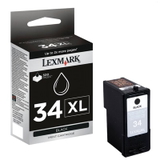
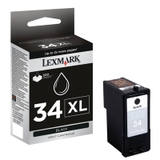
- Original OEM Ink Cartridge Lexmark 34 (18C0034E) (Black) and Original OEM Ink Cartridge Lexmark 34 XL (18C0034E) (Black) – choose standard or higher yield for heavier printing.
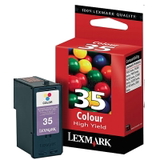
- Original OEM Ink Cartridge Lexmark 35 (18C0035E) (Color) – color printing for everyday needs.
- Compatible Ink Cartridge 32 for Lexmark (18CX032E) (Black) – budget‑friendly black ink for Lexmark X5260.
- Compatible Ink Cartridge 33 for Lexmark (18CX033E) (Color) and Compatible Ink Cartridge 35 for Lexmark (18C0035E) (Color) – affordable color options for frequent use.
- Compatible Ink Cartridge 34 for Lexmark (18C0034E) (Black) – a smart choice for regular document printing.
Thanks to this variety, you can easily match your purchase to your printing style—whether you print occasionally or regularly, mainly in black, or often in color. How to choose the right ink cartridge for Lexmark X5260 When shopping for ink for printer Lexmark X5260, we recommend focusing on three things: cartridge number, color, and expected yield. For this model, you’ll most commonly look for Lexmark 32/34 in black and Lexmark 33/35 in color. If you print a lot of text, consider the higher‑yield option like Lexmark 34 XL, which helps reduce replacement frequency. Original vs compatible—what’s the real difference? - Original OEM cartridges are produced by Lexmark and are a safe go‑to choice for customers who prefer manufacturer supplies.
- Compatible cartridges from our DrTusz.pl offer are designed to be just as good as originals in everyday use: clear prints, stable performance and excellent value per page.
If your goal is to lower printing costs without giving up quality, a compatible ink cartridge for Lexmark X5260 is often the most practical option. Common Lexmark X5260 printing issues – and how the right ink helps Users of the Lexmark X Series, including the X5260, sometimes report problems that are typically linked to consumables or long breaks between prints. The most common are: - Streaks or missing lines – often caused by dried nozzles or inconsistent ink flow; replacing the cartridge and running a cleaning cycle usually helps.
- Faded color – a sign that the color cartridge is running low or has been stored too long after opening.
- Printer not recognizing a cartridge – reinsert the cartridge carefully and make sure the packaging and protective elements were removed properly.
- Blotches or smudges – may occur when the cartridge is near empty or if paper doesn’t match the task; switching to fresh ink and appropriate paper improves results.
Choosing a reliable ink for Lexmark X5260 and replacing it on time is one of the simplest ways to keep your printer working smoothly, especially if you print irregularly. Order ink for Lexmark X5260 with confidence We encourage you to explore our full selection of ink cartridges for Lexmark X5260—both Original OEM and Compatible. Choose the cartridge number that matches your needs, add it to your cart, and keep your Lexmark X5260 ready for every task. If you have any questions about which ink cartridge for X5260 will be best for your printing style, contact us—we’ll help you select the right option quickly. View the available products now and order the ink that keeps your Lexmark X5260 printing crisp, clean and cost‑effective. |