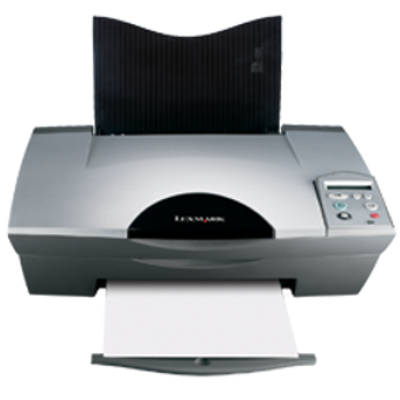
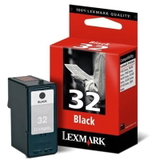
Reliable printing with the Lexmark X5250 Lexmark X5250 is a popular all-in-one inkjet printer from the Lexmark X Series, designed for everyday home and small-office tasks. It handles documents, school materials, simple graphics and photos, offering convenient printing and copying in one compact device. To keep it working smoothly and to maintain consistent print quality, the key is choosing the right ink for Lexmark X5250—matched to your needs and printing habits. What ink cartridges for Lexmark X5250 can do In this category you will find ink cartridges for Lexmark X5250 in both Original OEM and Compatible versions. These cartridges are made for clear black text and vivid color prints, whether you print occasionally or in larger batches. The right ink for printer Lexmark X5250 helps you avoid streaks, faded colors, and interruptions caused by low ink levels. Lexmark X5250 uses separate cartridges for black and color, which makes it easier to replace only what you actually use up. Depending on your needs, you can choose standard capacity or high-capacity versions (XL) for more pages and fewer replacements. Our range: Original OEM and high-quality compatible cartridges We offer a wide selection of cartridges dedicated to the X5250, so you can quickly find the exact model you need. Popular choices in this category include: - Original OEM Ink Cartridge Lexmark 32 (18CX032E) (Black) – a reliable choice for crisp documents.
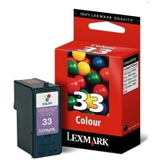
- Original OEM Ink Cartridge Lexmark 33 (18CX033E) (Color) – for colorful graphics, charts and photos.
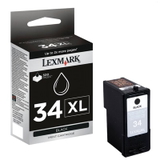
- Original OEM Ink Cartridge Lexmark 34 (18C0034E) (Black) and Original OEM Ink Cartridge Lexmark 34 XL (18C0034E) (Black) – including the XL option for higher yield.
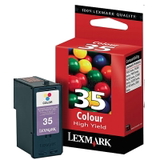
- Original OEM Ink Cartridge Lexmark 35 (18C0035E) (Color) – strong, balanced color output.
- Compatible Ink Cartridge 32 for Lexmark (18CX032E) (Black) – cost-effective everyday printing.
- Compatible Ink Cartridge 33 for Lexmark (18CX033E) (Color) and Compatible Ink Cartridge 35 for Lexmark (18C0035E) (Color) – great for frequent color printing.
- Compatible Ink Cartridge 34 for Lexmark (18C0034E) (Black) – a practical alternative for black text and office documents.
This variety means you can choose ink for Lexmark X5250 that fits your budget and quality expectations—without compromises. How to choose the right ink for Lexmark X5250 When selecting ink cartridges for Lexmark X5250, start with two simple questions: how much do you print, and what do you print most often (text or color)? If you print frequently, black ink can run out quickly—then an XL black cartridge like Lexmark 34 XL may be the most convenient. If you print occasional photos or school projects, a color cartridge such as Lexmark 33 or Lexmark 35 will be essential. Original OEM cartridges are made by the printer manufacturer and are a great choice when you want maximum predictability and brand-certified performance. At the same time, our compatible ink cartridges for Lexmark X5250 are designed to deliver print quality comparable to OEM—clear text, stable coverage and reliable operation—while helping you reduce printing costs. We recommend compatible options especially for everyday documents and high-volume printing, where savings make the biggest difference. Common Lexmark X5250 user issues—and how the right cartridge helps Users of the Lexmark X Series, including X5250, often report a few typical printing problems: faint printouts, missing lines, or colors that look “washed out.” In many cases, the cause is simply low ink, a cartridge nearing the end of its life, or a long break in printing. Replacing the cartridge with a fresh ink for printer Lexmark X5250 often restores quality immediately. If you print rarely, we also suggest printing a test page from time to time to keep ink flowing smoothly. Another common challenge is choosing the correct cartridge number. For this model, the key families are Lexmark 32/34 for black and Lexmark 33/35 for color—available here as both Original OEM and Compatible versions. Order today and keep your X5250 ready to print We encourage you to explore our full selection of ink cartridges for Lexmark X5250—Original OEM and Compatible—so you can print exactly the way you want: cost-effectively, reliably, and with great results. If you are unsure which cartridge is best for your needs (Lexmark 32, 33, 34, 34 XL or 35), we are here to help—contact us and we will guide you to the right ink for Lexmark X5250. Add your chosen cartridges to the cart and enjoy fast, convenient delivery and expert support from a store that specializes in printer consumables. CTA: Choose your ink for Lexmark X5250 now—compare Original OEM and Compatible options and order in a few clicks. |