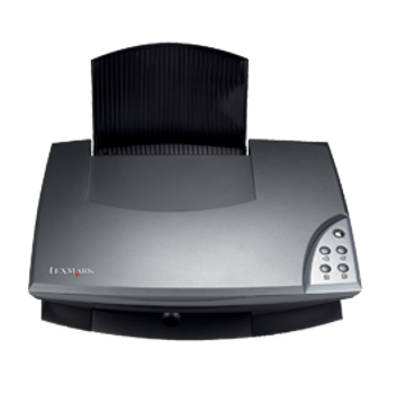
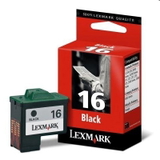
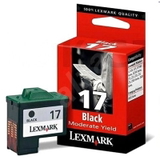
Lexmark X1185 – a compact all‑rounder for home printing The Lexmark X1185 from the popular Lexmark X Series is a classic multifunction inkjet designed for everyday home use: printing school documents, web pages, forms, and occasional photos. To keep this device reliable and cost‑effective, choosing the right ink for Lexmark X1185 matters just as much as the printer itself. In this category we’ve gathered everything you need—both Original OEM and Compatible ink cartridges—so you can print confidently without wasting time searching. Ink cartridges for Lexmark X1185 – what you should know In the Lexmark X1185, print quality and page yield depend on the cartridge type (black or tri‑colour) and how you print (text vs. graphics). A properly selected ink cartridge for Lexmark X1185 delivers crisp text, stable greys, and balanced colours—especially important for documents that need to look clean and professional. Typical applications include: - everyday black text printing (home office, schoolwork, invoices),
- simple colour graphics (charts, presentations),
- occasional colour photos and invitations.
When you choose ink for printer Lexmark X1185 from a trusted source, you reduce the risk of common issues like streaks, fading, or uneven colour fill. Our selection is tailored specifically to the X1185, so you can match the cartridge to your needs quickly. Original OEM and Compatible – a wide choice in one place We know customers have different priorities: some want the manufacturer’s cartridge, others want the best value for everyday printing. That’s why we offer both options in the same category—so you can compare and decide without compromise. Popular choices for ink for Lexmark X1185 include: - Original OEM Ink Cartridge Lexmark 16 (10N0016E) (Black) – a reliable option for sharp black text.
- Original OEM Ink Cartridge Lexmark 17 (80D2954) (Black) – another OEM black cartridge choice for consistent results.
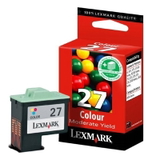
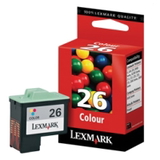
- Original OEM Ink Cartridge Lexmark 26 (10N0026E) (Color) and Original OEM Ink Cartridge Lexmark 27 (10N0026E) (Color) – for colour documents and everyday graphics.
- Compatible Ink Cartridge 16 for Lexmark (10N0016E) (Black) – great value for frequent black printing.
- Compatible Ink Cartridge 26 for Lexmark (10N0026E) (Color) – an affordable way to keep colour printing ready whenever you need it.
Thanks to this range, you can easily build a practical set: black for high‑volume text and colour for mixed documents—exactly how most Lexmark X1185 users print. How to choose the right ink for Lexmark X1185 When selecting an ink cartridge for printer Lexmark X1185, start with two simple questions: What do you print most often, and how frequently do you print? - Mostly text? Choose a black cartridge first (Lexmark 16 / 17). You’ll get crisp letters and economical everyday printing.
- Colour documents and graphics? Add a colour cartridge (Lexmark 26 / 27) to keep charts, images, and headings looking right.
- Print occasionally? Consider printing a test page from time to time—inkjet cartridges are happiest when used regularly.
Original OEM vs. Compatible: OEM cartridges are made by Lexmark and are a straightforward choice for customers who prefer manufacturer supplies. Our compatible ink cartridges for Lexmark X1185 are an equally practical alternative—designed to deliver excellent print quality and reliable performance. Many customers choose compatible cartridges to reduce printing costs while maintaining results that look just as good in everyday use. Common Lexmark X1185 printing issues – and how the right cartridge helps The Lexmark X1185 is dependable, but like any inkjet it can run into typical challenges—especially when cartridges are near empty or the printer is used only from time to time. If you notice light prints, missing lines, or uneven colours, it’s often a sign that the cartridge needs replacing or the printhead nozzles need a quick cleaning cycle. Installing a fresh ink for Lexmark X1185 and running the printer’s maintenance tools can restore clean, even output quickly. If you’re unsure which cartridge your printer needs, we’re here to help you match the correct model numbers and choose between Original OEM and Compatible options. Ready to print? Choose your cartridge and order with confidence We encourage you to explore our full selection of ink cartridges for Lexmark X1185—both OEM and compatible—so you can print exactly the way you want: reliably, affordably, and with consistent quality. Add the right ink for printer Lexmark X1185 to your basket today, and if you have any questions about compatibility or selection, contact us—our team will gladly guide you to the best option. We also provide fast delivery options, so you can get back to printing without unnecessary downtime. |