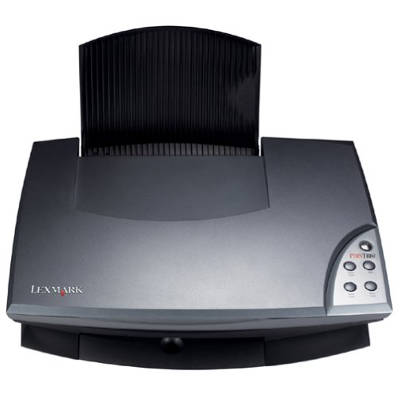
Reliable printing with the Lexmark X1150 Dear Customer, the Lexmark X1150 from the popular Lexmark X Series is a compact all‑in‑one device designed for everyday home use: printing documents, schoolwork, simple graphics and occasional photos. To keep this printer working smoothly, choosing the right ink for Lexmark X1150 is essential—both for print quality and for trouble‑free operation. What to expect from ink for printer Lexmark X1150 Good ink for Lexmark X1150 should deliver clear black text, consistent coverage and predictable drying times. In this model, users typically print a mix of documents and color materials, so it’s worth having both black and color cartridges ready. With properly selected ink cartridges for Lexmark X1150, you can count on: - sharp black text for contracts, invoices and school documents,
- nice color reproduction for charts, simple photos and presentations,
- stable performance across occasional or regular printing,
- easy replacement thanks to dedicated cartridge types matched to the X1150.
Whether you choose an Original OEM cartridge or a Compatible option, the key is correct compatibility with the printer and the right cartridge number—this prevents errors and helps avoid wasted time. Original OEM and Compatible ink cartridges—your choice In our store we offer both Original OEM ink cartridges for Lexmark X1150 and carefully selected Compatible ink for Lexmark X1150. Original OEM cartridges are made by the printer manufacturer and are chosen by customers who want a factory-standard solution. At the same time, we know many customers want excellent results with better value. That’s why our compatible ink cartridges for Lexmark X1150 are a strong alternative: they are designed to fit correctly, print cleanly, and deliver results that are as good as originals—especially for everyday home and office printing. Popular cartridges in this category (black and color) To make shopping easier, we highlight the most frequently chosen products for the Lexmark X1150. In this category you’ll find, among others: - Original OEM Ink Cartridge Lexmark 16 (10N0016E) (Black)
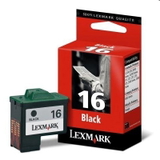
- Original OEM Ink Cartridge Lexmark 17 (80D2954) (Black)
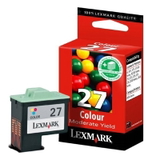
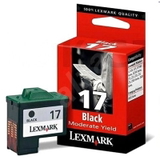
- Original OEM Ink Cartridge Lexmark 27 (10N0026E) (Color)
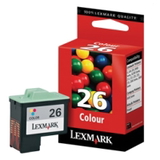
- Original OEM Ink Cartridge Lexmark 26 (10N0026E) (Color)
- Compatible Ink Cartridge 16 for Lexmark (10N0016E) (Black)
- Compatible Ink Cartridge 26 for Lexmark (10N0026E) (Color)
This selection allows you to match your printing needs—black ink for frequent document printing, and color ink for graphics and everyday color pages. How to choose the right ink cartridge for Lexmark X1150 If you want to buy ink for printer Lexmark X1150 confidently, we recommend a quick checklist: - Confirm the cartridge number used in your printer (commonly Lexmark 16/17 for black and 26/27 for color).
- Decide what you print most: documents → prioritize black; charts/photos → keep a fresh color cartridge on hand.
- Choose Original OEM vs Compatible: OEM for manufacturer-standard preference; Compatible for excellent quality at a better price—our compatible cartridges are as good as the originals for typical use.
- Consider printing frequency: if you print rarely, it’s smart to print a test page periodically to keep nozzles working smoothly.
Common Lexmark X1150 issues—and how the right ink helps The Lexmark X1150 is straightforward to run, but users sometimes report issues that are often ink-related. The most common are: - Faded prints or streaks—usually a low cartridge, dried nozzles, or a cartridge nearing end of life.
- Color imbalance—often solved by replacing the color cartridge or running the printer’s cleaning cycle.
- Printer not recognizing a cartridge—make sure the cartridge type matches the printer and that protective elements have been removed before installation.
Choosing the correct ink cartridges for Lexmark X1150—and replacing them in time—keeps your prints consistent and helps reduce unnecessary troubleshooting. Order ink for Lexmark X1150 today We encourage you to explore our full range of ink for Lexmark X1150—both Original OEM and Compatible. Choose the cartridge that fits your printing style and budget, add it to your cart, and enjoy reliable printing again. If you’re unsure which ink cartridge for Lexmark X1150 is best for your needs, contact us—we’ll help you select the right option quickly. Check the available delivery options and order your cartridges conveniently in one place. |