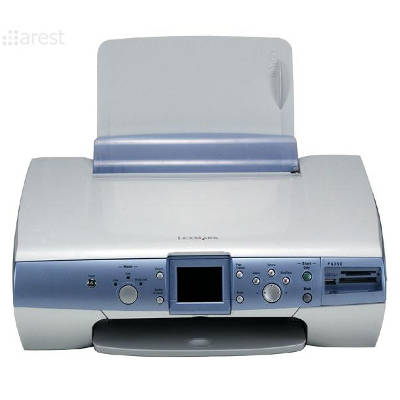
Reliable printing with the Lexmark P6250 Lexmark P6250 is a popular all-in-one inkjet printer from the Lexmark P Series, designed for everyday home printing, copying and scanning. It’s a great choice for school materials, documents, and colorful photos—provided you use the right ink cartridge for Lexmark P6250. In this category we’ve gathered both Original OEM and compatible ink cartridges dedicated to the P6250, so you can easily match the cartridge to your printing style and budget. Ink for Lexmark P6250 – what it’s used for and why it matters The right ink for Lexmark P6250 affects everything you see on paper: crisp black text, smooth grayscale, vivid colors and consistent coverage. This model works with separate black and color cartridges, which makes it convenient—replace only the one that’s empty. Whether you print occasionally or every day, choosing a good ink cartridge for printer Lexmark P6250 helps you: - avoid streaks, faded prints and uneven colors,
- keep documents sharp and readable,
- reduce the risk of printhead issues caused by low-quality supplies,
- get repeatable results for photos, graphics and school projects.
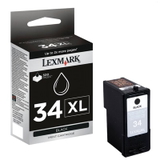
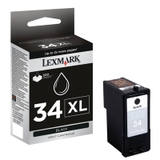
Our selection: Original OEM and high-quality compatible cartridges We offer a wide range of ink cartridges for Lexmark P6250—both manufacturer cartridges and cost-effective alternatives. You’ll find the most commonly chosen items for the P6250 right here, including: - Original OEM Ink Cartridge Lexmark 34 XL (18C0034E) (Black) – higher capacity black for frequent printing,
- Original OEM Ink Cartridge Lexmark 34 (18C0034E) (Black) – standard capacity black,
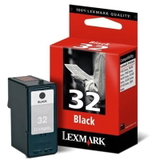
- Original OEM Ink Cartridge Lexmark 32 (18CX032E) (Black) – reliable OEM black cartridge,
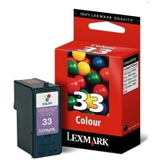
- Original OEM Ink Cartridge Lexmark 33 (18CX033E) (Color) – OEM tri-color for everyday color documents,
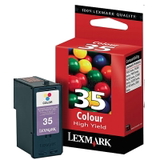
- Original OEM Ink Cartridge Lexmark 35 (18C0035E) (Color) – OEM color option for consistent color output,
- Compatible Ink Cartridge 32 for Lexmark (18CX032E) (Black) – a budget-friendly alternative for black text,
- Compatible Ink Cartridge 34 for Lexmark (18C0034E) (Black) – compatible black for everyday printing,
- Compatible Ink Cartridge 33 for Lexmark (18CX033E) (Color) – compatible tri-color for graphics and photos,
- Compatible Ink Cartridge 35 for Lexmark (18C0035E) (Color) – compatible color cartridge for frequent use.
Thanks to this variety, you can easily choose the best ink for Lexmark P6250 whether you prioritize OEM certainty or maximum savings without sacrificing print quality. How to choose the right ink cartridge for Lexmark P6250 When selecting an ink cartridge for Lexmark P6250 printer, start with two simple questions: how much do you print, and what do you print most often? - Mostly documents and black text – choose a black cartridge; if you print a lot, consider an XL option like Lexmark 34 XL (18C0034E).
- Color pages, charts, photos – add a color cartridge such as Lexmark 33 (18CX033E) or Lexmark 35 (18C0035E).
- Occasional printing – select what you need now, but remember that leaving a cartridge unused for a long time may lead to drying; printing a small test page every now and then helps.
Also, always match the symbol on the cartridge to your device. For this Lexmark P Series model, the markings like 32 / 33 / 34 / 35 and codes such as 18CX032E or 18C0034E are the safest way to confirm compatibility. Original OEM vs compatible – what’s the real difference? Original OEM ink cartridges for Lexmark P6250 are made by the printer manufacturer. They are a great choice if you want to keep everything strictly OEM and you value predictable results across different paper types. Compatible ink cartridges for Lexmark P6250 are designed as high-quality replacements that fit and work just as well in everyday use. In our offer, compatible cartridges from DrTusz.pl are a proven solution for customers who want excellent print quality and reliability while keeping printing costs under control. If you print a lot, a compatible ink for Lexmark P6250 can make a noticeable difference in your budget—without compromising readability, black density or color vibrancy. Common Lexmark P6250 printing issues and quick tips Many users look for ink for printer Lexmark P6250 when prints start to fade or colors become uneven. Here are the most frequent situations and what usually helps: - Streaks or missing lines – run the printer’s cleaning/nozzle check and replace an empty cartridge.
- Washed-out black – choose a fresh black cartridge (often Lexmark 34 or Lexmark 32), and ensure print settings aren’t set to draft mode.
- Color not printing correctly – replace the color cartridge (33 or 35) and print a test page to stabilize colors.
- Cartridge not detected – confirm you selected the correct model code (e.g., 18C0034E) and reinstall the cartridge carefully.
Choose your ink and start printing today We encourage you to browse the full range of ink cartridges for Lexmark P6250 in this category—both Original OEM and compatible. If you’re not sure whether you need Lexmark 32, Lexmark 34 (or 34 XL), or which color cartridge will be best for your needs, contact us—our team will help you pick the right ink for Lexmark P6250 quickly and confidently. View the available cartridges, choose OEM or compatible, and place your order—we’ll take care of fast processing and convenient delivery options so you can get back to printing without delay. |