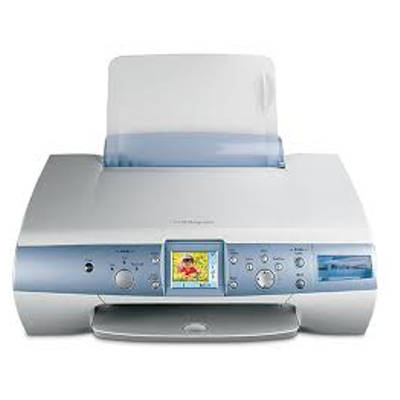
Reliable everyday printing with the Lexmark P6210 If you use the Lexmark P6210 from the Lexmark P Series, you know it’s a practical inkjet printer for home and light office tasks—perfect for school worksheets, invoices, emails, and occasional color prints. To keep this model working smoothly, it’s worth choosing the right ink cartridge for Lexmark P6210—one that delivers consistent quality and helps you avoid typical problems like streaks, faded colors, or frequent cartridge replacements. Ink for Lexmark P6210 – what matters most The right ink for Lexmark P6210 affects not only print quality, but also day-to-day comfort: fewer interruptions, fewer cleaning cycles, and more predictable results. In this category we offer both Original OEM cartridges and carefully selected Compatible cartridges—so you can match your choice to your printing style and budget without giving up performance. Lexmark P6210 ink cartridges are typically used for: - Black text printing (documents, forms, notes)
- Color printing (charts, photos, school projects)
- Mixed home use, where reliability and easy replacement matter
Whether you print occasionally or regularly, choosing the right cartridge type (standard or high-yield) helps you control costs and reduce downtime. Original OEM and Compatible cartridges – one category, two smart options We offer two trusted paths for your Lexmark P6210 ink cartridge: - Original OEM ink cartridges – made by Lexmark, designed specifically for the printer. They’re a great choice if you want maximum predictability and manufacturer-standard results.
- Compatible ink cartridges – a cost-effective alternative. The compatibles available at DrTusz.pl are designed to deliver print quality and reliability that are as good as originals, making them a smart option for everyday printing and larger volumes.
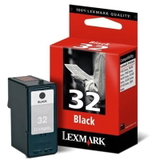
Both options are simple to install and meant to work seamlessly with the Lexmark P Series printers, including the P6210. Popular ink cartridges for Lexmark P6210 in our offer We make it easy to find the exact cartridge you need. In this category you’ll find, among others: - Original OEM Ink Cartridge Lexmark 32 (18CX032E) (Black) – dependable black printing for crisp documents.
- Original OEM Ink Cartridge Lexmark 34 (18C0034E) (Black) – a common choice for everyday black text printing.
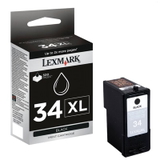
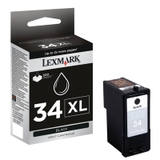
- Original OEM Ink Cartridge Lexmark 34 XL (18C0034E) (Black) – high-yield option for users who print more and want fewer replacements.
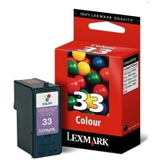
- Original OEM Ink Cartridge Lexmark 33 (18CX033E) (Color) – balanced color output for home and school printing.
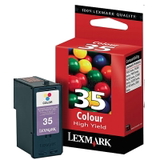
- Original OEM Ink Cartridge Lexmark 35 (18C0035E) (Color) – reliable color cartridge for frequent color use.
- Compatible Ink Cartridge 32 for Lexmark (18CX032E) (Black) – a budget-friendly way to print sharp black text.
- Compatible Ink Cartridge 34 for Lexmark (18C0034E) (Black) – a strong everyday alternative with excellent value.
- Compatible Ink Cartridge 33 for Lexmark (18CX033E) (Color) – an economical option for color charts and graphics.
- Compatible Ink Cartridge 35 for Lexmark (18C0035E) (Color) – great for regular color printing while keeping costs under control.
Thanks to this range, you can easily choose an ink cartridge for Lexmark P6210 that matches your needs—Original OEM for maximum manufacturer consistency or Compatible for a smarter cost per page. How to choose the right cartridge (and avoid common printing issues) When selecting ink for printer Lexmark P6210, we recommend checking two things: the cartridge number and your printing habits. Cartridge codes like 18CX032E or 18C0034E help you confirm compatibility quickly. Practical tips we often share with customers: - Print mostly documents? Choose a black cartridge and consider the XL version (like Lexmark 34 XL) to reduce how often you replace it.
- Print in color occasionally? A standard color cartridge may be enough; print a small color page from time to time to keep nozzles in good condition.
- Seeing streaks or missing lines? Run the printer’s cleaning/nozzle check function, and make sure the cartridge is properly seated.
- Ink drying out? If the printer is used rarely, store cartridges correctly and try to print a quick test page weekly.
- “Cartridge not recognized” messages? Reinstall the cartridge, gently clean the contacts, and ensure you chose the correct model code.
If you’re deciding between Original OEM and Compatible: we encourage you to choose based on your priorities. Original OEM is a classic, manufacturer-made option. Our Compatible cartridges are a great alternative—especially if you want excellent print quality and real savings without compromises. For Lexmark P6210 users printing at home or for school, Compatible ink is often the most cost-effective choice. Choose your Lexmark P6210 ink today We encourage you to explore our selection of ink cartridges for Lexmark P6210—both Original OEM and Compatible. If you’re not sure which cartridge is best for your Lexmark P Series printer, we’re here to help: contact us and we’ll guide you to the right product based on what you print and how often you print it. CTA: Add your chosen Lexmark P6210 ink cartridge to the cart now, or message us for quick support—so you can get back to clean, reliable printing without delays. |