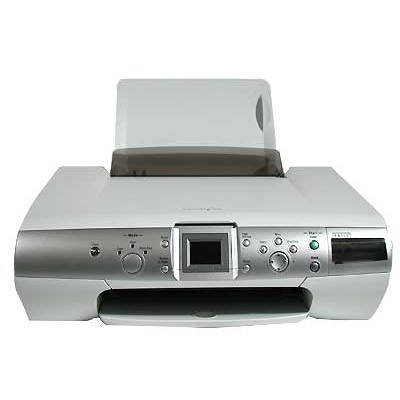
| The Lexmark P4350 from the Lexmark P Series is a versatile inkjet device designed for everyday home printing—documents, school materials, forms, and colorful photos. To keep this printer working smoothly and to maintain consistent print quality, it’s essential to choose the right ink cartridge for Lexmark P4350. In this category we’ve gathered both Original OEM and Compatible ink cartridges, so you can easily match the solution to your needs and budget. Reliable ink for Lexmark P4350 for daily printing Whether you print occasionally or regularly, good-quality ink for Lexmark P4350 affects everything: sharp text, even black coverage, vivid colors, and fewer interruptions during printing. The Lexmark P4350 uses separate cartridges for black and color, which lets you replace only what you actually run out of. In our selection you’ll find cartridges suitable for common tasks such as: - clear black text for documents and invoices,
- color graphics for presentations and school projects,
- everyday photo printing with balanced tones,
- mixed printing at home (color + black) with predictable results.
Original OEM and Compatible cartridges — choose what fits you best We offer two proven paths for your ink cartridge for Lexmark P4350: - Original OEM ink cartridge — manufactured by Lexmark, designed specifically for the P4350. It’s a great choice if you want maximum brand consistency and predictable output for both black and color printing.
- Compatible ink cartridge — a cost-effective alternative. The compatible cartridges available in our store (DrTusz.pl) are selected to deliver print quality and reliability comparable to OEM, while helping you lower printing costs—especially when you print frequently.
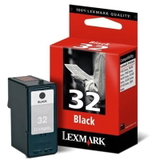
If you’re looking for ink for printer Lexmark P4350 that balances performance and price, compatible cartridges are often the smartest everyday option. If you prefer sticking to the manufacturer’s solution, Original OEM cartridges are ready to go as well. Popular ink cartridges for Lexmark P4350 available in this category To make your choice easier, here are some of the most frequently selected products for the Lexmark P4350: - Original OEM Ink Cartridge Lexmark 32 (18CX032E) (Black) — dependable black text for everyday documents.
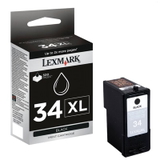
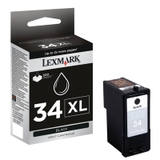
- Original OEM Ink Cartridge Lexmark 34 (18C0034E) (Black) and Original OEM Ink Cartridge Lexmark 34 XL (18C0034E) (Black) — ideal if you want a standard or higher-capacity option for black printing.
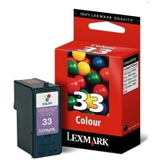
- Original OEM Ink Cartridge Lexmark 33 (18CX033E) (Color) — solid choice for color graphics and photos.
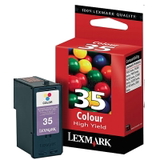
- Original OEM Ink Cartridge Lexmark 35 (18C0035E) (Color) — another OEM color option for the P4350, great for mixed color use.
- Compatible Ink Cartridge 32 for Lexmark (18CX032E) (Black) — a budget-friendly black cartridge without sacrificing day-to-day usability.
- Compatible Ink Cartridge 34 for Lexmark (18C0034E) (Black) — a practical alternative for users printing lots of black pages.
- Compatible Ink Cartridge 33 for Lexmark (18CX033E) (Color) and Compatible Ink Cartridge 35 for Lexmark (18C0035E) (Color) — cost-effective color printing for home and school needs.
Thanks to this range, you can easily build a set: black + color, OEM + OEM, compatible + compatible, or mix them according to what you print most. How to choose the right ink for printer Lexmark P4350 When selecting ink for Lexmark P4350, we recommend focusing on three practical points: - Cartridge code — match the cartridge to your printer using the code (e.g., 32, 33, 34, 34 XL, 35) and the reference number (e.g., 18CX032E, 18CX033E, 18C0034E, 18C0035E).
- Your printing style — if you print mostly text, prioritize a black cartridge (like 32 or 34/34 XL). If you print photos and graphics, keep a fresh color cartridge (33 or 35) on hand.
- Cost per page — for frequent printing, compatible cartridges can significantly reduce costs while keeping excellent everyday print results.
Not sure which ink cartridge for Lexmark P4350 to choose? Tell us what you print (documents, photos, school materials) and how often—we’ll help you pick the best match. Common user issues with Lexmark P4350 and simple solutions Many printing problems are related to cartridges and maintenance rather than the printer itself. With the Lexmark P4350, users most often mention: - Faded prints or missing lines — usually caused by low ink or clogged nozzles; running the printer’s cleaning cycle and replacing an empty cartridge typically resolves it.
- Printer not recognizing the cartridge — reseat the cartridge, check protective tape removal (for new cartridges), and gently clean the contacts.
- Color prints look “off” — replacing an old color cartridge and performing alignment often restores accurate colors.
Choosing a high-quality ink for printer Lexmark P4350—OEM or our proven compatible options—reduces the risk of these issues and helps the printer deliver stable results. Order your ink for Lexmark P4350 with confidence We encourage you to browse the full selection of ink cartridges for Lexmark P4350 in Original OEM and Compatible versions and choose the option that fits your expectations. If you need help verifying the right cartridge (Lexmark P Series, P4350), contact us—our team will gladly assist. Add the cartridges to your cart and enjoy fast, convenient delivery and support from a store that specializes in printing supplies. CTA: Explore the available products now and choose the best ink for your Lexmark P4350—if you have any questions, message or call us and we’ll guide you to the right cartridge. |