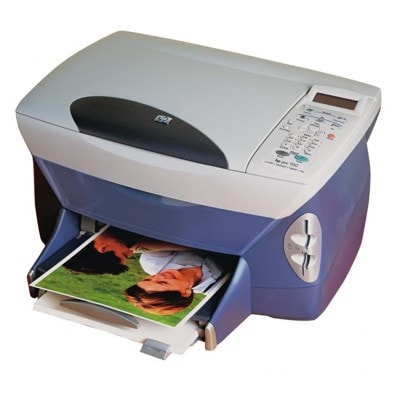
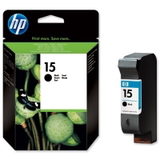
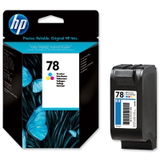
HP PSC 950c – a reliable all‑in‑one that still delivers great prints HP PSC 950c (also searched as HP 950c or HP PSC 900 Series) is a classic multifunction printer built for everyday home and small-office tasks. It’s valued for simple operation, solid photo and document quality, and the convenience of printing, scanning and copying in one device. To keep this model working smoothly, the key is choosing the right ink for HP PSC 950c—matched to the correct cartridge codes and your real printing needs. Ink cartridges for HP PSC 950c – what you need to know This category includes ink cartridges for HP PSC 950c in two versions: Original OEM and Compatible. The printer uses a separate black and color cartridge setup, which makes it easy to tailor your purchase: you can replace only what you actually run out of. For this model you will find cartridges identified by popular codes and searches such as C8433A, HP 15 (black) and HP 78 (color). If you type “950c”, “950 c”, “950 C” or “950C”, you’re in the right place—these are common ways customers look for the same printer and supplies. - Black ink for HP PSC 950c is ideal for crisp text, invoices, school prints and everyday office documents.
- Color ink for HP PSC 950c is designed for charts, presentations and photos, offering natural tones and smooth gradients.
- Choosing the right cartridge helps avoid streaking, fading and unnecessary printhead cleaning cycles.
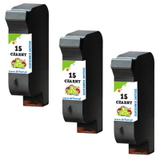
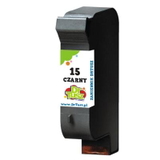
Compatible and Original OEM – one printer, two smart options We offer both Original OEM ink cartridges and carefully selected compatible ink cartridges for HP PSC 950c. Original OEM cartridges are produced by the printer manufacturer and are often chosen by users who want to stick to factory supplies. At the same time, our compatible ink for HP PSC 950c is a strong alternative: it’s built to match the printer’s requirements and deliver reliable, everyday performance. Many customers choose compatible cartridges for their excellent value and consistent results—especially when they print a lot. In our DrTusz.pl offer, compatible cartridges are as good as the originals in practical, day-to-day use: sharp black text, vivid color, and dependable operation. Popular ink cartridges in this category (HP 15 / HP 78) To make your choice easier, here are some of the most frequently selected products for ink for printer HP PSC 950c: - Compatible Ink Cartridge 15 for HP (C6615DE) (Black) – a great everyday choice for text-heavy printing.
- Original OEM Ink Cartridge HP 15 (C6615DE) (Black) – manufacturer original for users who prefer OEM supplies.
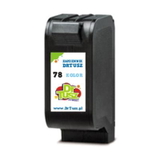
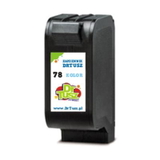
- Compatible Ink Cartridge 78 for HP (C6578DE) (Color) and Compatible Ink Cartridge 78 for HP (C6578AE) (Color) – reliable color printing for photos and graphics.
- Original OEM Ink Cartridge HP 78 (C6578DE) (Color) and Original OEM Ink Cartridge HP 78 (C6578AE) (Color) – original color cartridges for consistent photo and color output.
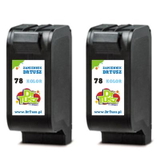
- Compatible Ink Cartridges 78 for HP (C6578AE-2) (Color) (2-pack) – convenient for frequent color printing.
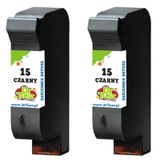
- Compatible Ink Cartridges 15 for HP (C6615DE-2) (Black) (2-pack) and (C6615DE-3) (Black) (3-pack) – smart multipacks for busy homes and offices.
Thanks to the variety of options—single cartridges and multipacks, compatible and Original OEM—you can easily plan supplies and reduce the risk of running out of ink at the wrong time. How to choose the right ink for HP PSC 950c – practical tips When selecting ink for HP 950c, start with the basics: what do you print most often and how frequently do you print? - Mostly documents and black text? Choose a black cartridge HP 15 (C6615DE). Multipacks can lower the cost per page and keep you prepared.
- Photos, school projects, colorful charts? Add a color HP 78 (C6578DE / C6578AE) cartridge for balanced color output.
- Printing regularly? Compatible cartridges are a cost-effective way to maintain steady supplies without compromising everyday quality.
- Printing occasionally? Consider buying a fresh set (black + color) so you can print immediately when needed.
Common issues reported by users of older multifunction printers like the HP PSC 950c are usually ink-related: faded prints, missing lines, streaks, or the printer not recognizing a cartridge after replacement. In many cases, the solution is straightforward: confirm the cartridge code (HP 15 / HP 78), install it firmly, and run the printer’s cleaning/alignment routine. If you need help choosing the correct ink cartridge for HP PSC 950c or troubleshooting, we encourage you to contact us—our team will guide you quickly and clearly. Order ink for HP PSC 950c with confidence We make it easy to buy the right ink for HP PSC 950c—whether you prefer Original OEM cartridges or want a high-quality compatible ink cartridge that performs just as well in everyday printing. Browse the available HP 15 and HP 78 options, choose a single cartridge or a convenient multipack, and keep your HP PSC 950c ready for work. CTA: We encourage you to explore the products in this category and pick the best ink cartridges for your printing style. If you’re unsure which version or code to choose (C6615DE, C6578DE, C6578AE, C8433A), contact us—together we’ll select the perfect ink for your HP PSC 950c and arrange fast, convenient delivery. |