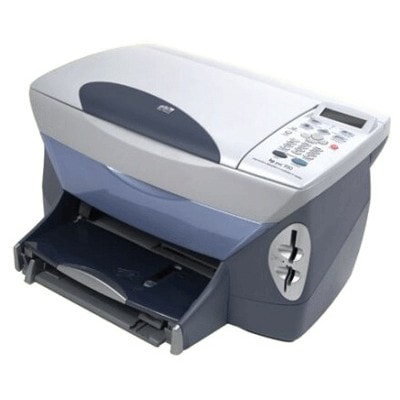
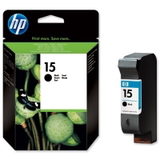
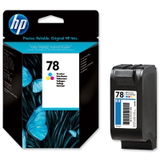
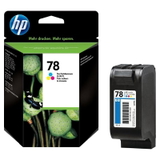
HP PSC 900 Series – a proven all‑in‑one for everyday printing HP PSC 900 (also searched as HP PSC 900 Series or simply HP 900) is a classic multifunction inkjet designed for home and small‑office tasks: printing documents, copying forms, and scanning photos. It’s a reliable device, but like any inkjet, it delivers its best only with the right cartridge. In this category we’ve gathered ink cartridges for HP PSC 900 in two trusted options: Original OEM and high‑quality Compatible replacements—so you can choose what fits your needs and budget. Ink for HP PSC 900 – what matters in daily use When you choose ink for printer HP PSC 900, pay attention not only to the price, but also to print stability and color consistency. This model typically uses a black cartridge for crisp text and a color cartridge for graphics, charts, and photos. Good ink cartridges for HP PSC 900 help you achieve: - Sharp black text for invoices, school materials and office documents
- Consistent color output for presentations and everyday photo prints
- Smooth printing with fewer streaks and interruptions
- Predictable results whether you print occasionally or frequently
If you’re printing from time to time, choosing a dependable cartridge is especially important—older inkjet designs can be sensitive to long breaks between prints. That’s why we focus on proven solutions for ink for HP PSC 900, both OEM and compatible. Compatible and Original OEM cartridges – one printer, two smart choices In our store you’ll find both Original OEM ink cartridges for HP PSC 900 and carefully selected compatible ink cartridges for HP PSC 900. What’s the difference? - Original OEM cartridges are produced by the printer manufacturer and are a great choice if you want a “factory-default” solution.
- Compatible cartridges are high‑quality replacements designed to match the same cartridge codes and fit the printer correctly. The compatible cartridges in the DrTusz.pl offer are as good as the originals in everyday printing—while often being a more cost‑effective option.
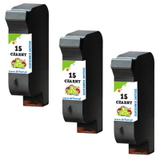
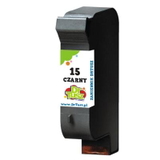
Both options in this category are selected specifically for HP PSC 900 Series, so you can shop confidently and avoid guessing. Popular products in this category (black, color, and multipacks) We’ve prepared a clear selection of the most commonly used cartridges for this device—ideal if you want to quickly reorder your usual ink for HP PSC 900: - Compatible Ink Cartridge 15 for HP (C6615DE) (Black) – a practical choice for frequent text printing
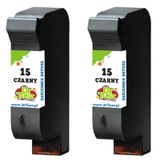
- Original OEM Ink Cartridge HP 15 (C6615DE) (Black) – manufacturer cartridge for dependable black output
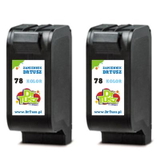
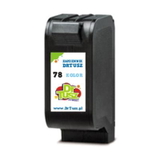
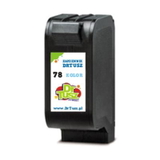
- Compatible Ink Cartridge 78 for HP (C6578DE) (Color) and Compatible Ink Cartridge 78 for HP (C6578AE) (Color) – for graphics, photos and color documents
- Original OEM Ink Cartridge HP 78 (C6578DE) (Color) and Original OEM Ink Cartridge HP 78 (C6578AE) (Color) – OEM color cartridges matched to this printer
- Compatible Ink Cartridges 78 for HP (C6578AE-2) (Color) (2-pack) – convenient when you print color more often
- Compatible Ink Cartridges 15 for HP (C6615DE-2) (Black) (2-pack) and Compatible Ink Cartridges 15 for HP (C6615DE-3) (Black) (3-pack) – multipacks to reduce cost per page and keep a spare ready
Thanks to the wide range—single cartridges and multipacks, compatible and OEM—you can easily tailor your purchase to how you print. How to choose the right ink cartridge for HP PSC 900 If you want to avoid mismatches, the safest method is to choose by cartridge code. For ink for printer HP PSC 900, the key codes you’ll see in this category are HP 15 (black) and HP 78 (color), also shown as C6615DE, C6578DE or C6578AE. Before ordering, we recommend: - Check whether you need Black, Color, or both (many users replace black more often).
- If you print regularly, consider a 2-pack or 3-pack to keep a backup at home.
- If you print rarely, do a small test print from time to time—this helps maintain consistent ink flow and reduces issues like fading or streaks.
Common user issues with HP PSC 900 – and how the right cartridge helps With HP PSC 900 Series devices, customers most often report practical, everyday issues such as: faint printouts, missing lines, uneven colors, or the printer “not seeing” a cartridge after replacement. In many cases, these are solved by choosing the correct cartridge variant and installing it carefully. Our tip: always match the cartridge code (HP 15 / HP 78), keep cartridges sealed until use, and print a test page after installation to confirm everything is working properly. If you’re unsure which ink cartridge for HP PSC 900 will be best for your printing style, we’re here to help—just contact us and we’ll guide you to the right option. Choose your ink for HP PSC 900 and print with confidence We encourage you to explore our selection of ink cartridges for HP PSC 900—both Compatible and Original OEM. Add the right cartridge (or a money‑saving multipack) to your cart and enjoy smooth, reliable printing again. If you have any questions about matching codes like C6615DE or C6578AE, delivery options, or choosing between OEM and compatible—contact us. We’ll help you place the best order for your HP PSC 900. CTA: Check the available HP 15 and HP 78 cartridges in this category, choose compatible or original OEM, and order today—so you’re never caught without ink when you need it most. |