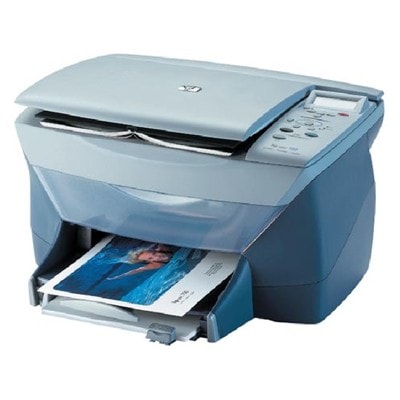
| The HP PSC 700 (also found under names such as HP 700 or HP PSC 700 Series) is a classic all-in-one inkjet printer designed for everyday home and small-office tasks. It combines printing, copying and scanning in one compact device, and it’s still valued for its simplicity and reliable performance. To keep it working smoothly, the key is choosing the right ink cartridge for HP PSC 700—especially when you print documents frequently or want colors to look clean and vivid. Reliable ink for HP PSC 700 – what you can expect When you choose an ink for HP PSC 700 matched to this model, you get predictable results: clear black text, readable charts and consistent color in everyday prints. The HP PSC 700 uses two main cartridges—one black and one tri-color—so it’s easy to manage supplies and replace only what you need. Our cartridges for this printer are a great fit for: - home printing (schoolwork, forms, travel documents),
- small office tasks (invoices, shipping labels, reports),
- basic color printing (presentations, simple graphics),
- occasional photo printing on suitable paper.
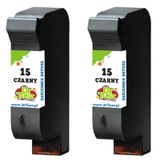
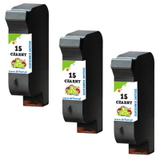
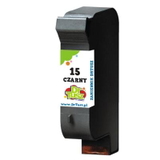
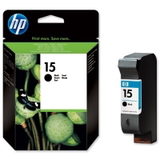
Whether you print a few pages a week or run bigger batches, a good ink cartridge for HP 700 helps maintain clean output and reduces the risk of streaks, fading or uneven coverage. Compatible and Original OEM cartridges – a wide choice in one place In our store we offer both Original OEM and Compatible options, so you can pick what best matches your printing style and budget. If you want manufacturer-branded supplies, Original OEM cartridges are available. If you’re looking for smart savings without sacrificing quality, our compatible solutions are a strong alternative—our compatible ink cartridge for HP PSC 700 prints just as well as the original, while keeping costs under control. Popular picks in this category include: - Compatible Ink Cartridge 15 for HP (C6615DE) (Black) – a practical everyday black cartridge for sharp text.
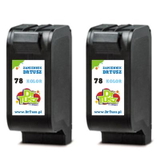
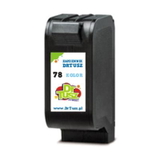
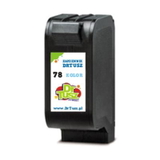
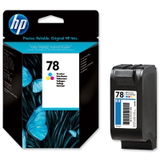
- Compatible Ink Cartridge 78 for HP (C6578DE) (Color) – tri-color printing for charts and colorful documents.
- Original OEM Ink Cartridge HP 15 (C6615DE) (Black) – the original black cartridge for those who prefer OEM supplies.
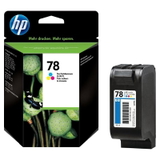
- Original OEM Ink Cartridge HP 78 (C6578DE) (Color) and Original OEM Ink Cartridge HP 78 (C6578AE) (Color) – original color cartridges to keep your prints consistent.
- Compatible Ink Cartridges 78 for HP (C6578AE-2) (Color) (2-pack) – a convenient option if you print in color regularly.
- Compatible Ink Cartridges 15 for HP (C6615DE-2) (Black) (2-pack) and Compatible Ink Cartridges 15 for HP (C6615DE-3) (Black) (3-pack) – great for higher-volume black printing and better value per page.
How to choose the right ink cartridge for HP PSC 700 Choosing the correct ink for printer HP PSC 700 is straightforward—just match the cartridge symbol and code. For this printer series, you’ll typically select: - HP 15 (C6615DE) – Black
- HP 78 (C6578DE / C6578AE) – Color
Then decide between Original OEM and Compatible: - Original OEM ink cartridge for HP PSC 700 – ideal if you prefer manufacturer-branded supplies and want to keep everything fully OEM.
- Compatible ink cartridge for HP PSC 700 – ideal if you want to reduce printing costs while still getting strong black density and clean color. Our compatible cartridges are designed to deliver quality comparable to OEM, so you don’t have to choose between savings and results.
If you print mostly text, consider a multipack black option (2-pack or 3-pack) to avoid running out at the wrong time. If you often print colored charts or graphics, a color multipack can be a smart way to stay prepared. Common HP PSC 700 printing issues – and simple tips that help Users of the HP PSC 700 Series often report a few typical ink-related problems. The good news is that many of them are easy to prevent: - Streaks or missing lines – often caused by infrequent printing. We recommend printing a small test page in black and color every 1–2 weeks.
- Faded color or weak black – usually a sign the cartridge is running low or needs a cleaning cycle.
- Cartridge not recognized – make sure protective tape is removed, contacts are clean and the cartridge is seated firmly.
- Drying out – store spare cartridges properly and don’t leave the printer unused for long periods.
Need help choosing the right ink cartridge for HP 700 or troubleshooting? We’re here to support you—just tell us what cartridge you currently use and what your printer shows on the screen. Order ink for HP PSC 700 and keep printing without interruptions We encourage you to explore our full selection of ink cartridges for HP PSC 700—both Compatible and Original OEM. Choose a single cartridge for occasional use or grab a convenient multipack if you print more often. Add your cartridges to the cart today and enjoy fast delivery options and helpful customer support if you have any questions. CTA: Check the available ink for HP PSC 700 in this category now, and if you’re unsure which version to choose (OEM or compatible), contact us—we’ll help you pick the best option for your printing needs. |