Haven't found what you were looking for? Click here! ▼
Describe below exactly what you are looking for and we will see how we can help. You will receive a reply to your e-mail address by 09:15 on wednesday (23 September 2026) at the latest
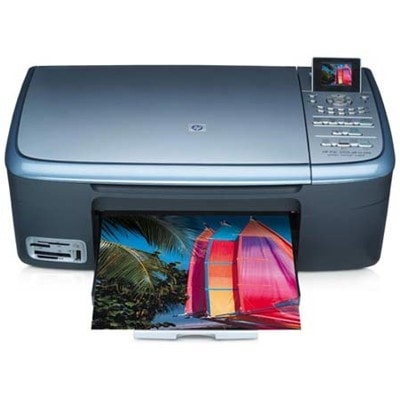
Ink cartridges for HP PSC 2355p - compatible and original OEM
Keep your HP PSC 2355p printing sharp and reliable with our selection of inkjet cartridges designed for the HP PSC 2300 Series (Q5793B). This category brings together the most popular black, color, and photo options, so you can match the cartridge to your everyday documents or vibrant image printing.
Choose between Original OEM cartridges for consistent manufacturer-grade results or compatible ink cartridges for a smart, cost-effective alternative. You’ll find HP 338 black, HP 343 and 344 color, and HP 348 photo cartridges, plus practical multipacks and 2-packs for better value and fewer replacements—fully suited for HP 2355p / 2355 P / 2355p printers.
Stock up today and print with confidence—pick the right ink cartridges for HP PSC 2355p in just a few clicks. Explore the full range of HP PSC 2355p ink cartridges and choose the option that fits your budget and print needs.
Product Number: Q5793B Other names: All-In-One Printer HP PSC 2355p, All-In-One Printer HP PSC 2355 p, All-In-One Printer HP PSC 2355 P, All-In-One Printer HP PSC 2355P
Reliable printing with the HP PSC 2355p (HP PSC 2300 Series)
The HP PSC 2355p (also searched as HP 2355p, 2355 p, 2355P or Q5793B) is a popular all‑in‑one device from the HP PSC 2300 Series, designed for everyday home and small office tasks. It combines printing, scanning and copying in one compact unit, and it’s known for being easy to use and surprisingly versatile—especially when you choose the right ink for HP PSC 2355p.
Ink cartridges for HP PSC 2355p – what you get and what they’re used for
In this category we offer ink cartridges for HP PSC 2355p in two versions: Original OEM and Compatible. Both options are made for inkjet technology and are perfect for daily printing such as:
documents, invoices and school materials (deep black text),
colour charts, presentations and handouts,
family photos and occasional photo printing (with the right colour/photo cartridge).
Choosing a good ink for printer HP PSC 2355p helps you keep consistent colour, avoid streaks and reduce the risk of drying nozzles—an important factor for users who print less frequently.
Compatible vs Original OEM: choose what fits your needs
Many customers ask us which option is better: original ink cartridges for HP PSC 2355p or compatible ink cartridges for HP PSC 2355p. Here’s the practical difference:
Original OEM cartridges are produced by HP and are a great choice if you want to stay with the manufacturer’s solution for predictable results.
Compatible cartridges are designed as high-quality replacements. The compatible cartridges available at DrTusz.pl are as good as the originals in everyday use—offering clear text, strong blacks and vivid colours, while typically being more budget-friendly.
If you print often, compatibles can be an excellent way to lower the cost per page without sacrificing quality. If you print occasionally and want a manufacturer-branded cartridge, Original OEM is a safe, straightforward choice.
Popular ink cartridges in our range for HP PSC 2355p
We keep this category wide and practical—so you can pick exactly the cartridge you need (black, colour, photo) or choose a convenient multipack. Among the most popular products you’ll find:
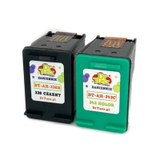
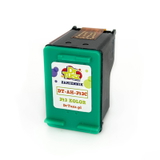
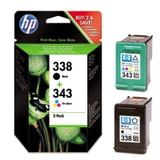
Compatible Ink Cartridges 338 + 343 for HP (SD449EE) (multi pack) – a convenient set for everyday black + colour printing.
Original OEM Ink Cartridges HP 338 + 343 (SD449EE) (multi pack) – OEM reliability in a single bundle.
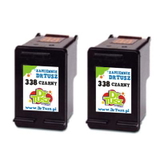
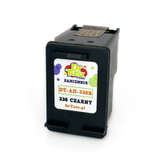
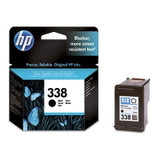
Compatible Ink Cartridge 338 for HP (C8765EE) (Black) and Original OEM Ink Cartridge HP 338 (C8765EE) (Black) – for crisp text and strong black output.
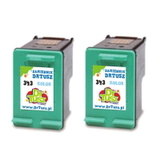
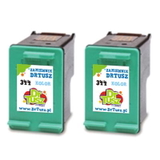
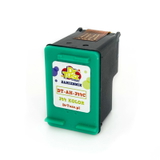
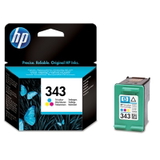
Compatible Ink Cartridge 343 for HP (C8766EE) (Color) and Original OEM Ink Cartridge HP 343 (C8766EE) (Color) – for colourful documents and graphics.
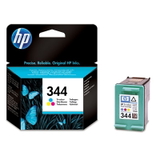
Compatible Ink Cartridge 344 for HP (C9363EE) (Color) and Original OEM Ink Cartridge HP 344 (C9363EE) (Color) – an alternative colour option used in many printing scenarios.
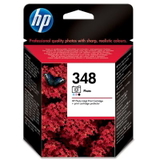
Original OEM Ink Cartridge HP 348 (C9369EE) (Foto) – for users who want improved photo output on compatible media.
Compatible Ink Cartridges 338 for HP (CB331EE) (Black) (2-pack), Compatible Ink Cartridges 343 for HP (CB332EE) (Color) (2-pack), Compatible Ink Cartridges 344 for HP (C9505EE) (Color) (2-pack) – smart options if you want запас/backup and fewer reorders.
Thanks to this variety, you can easily match your printing style—whether you print mainly text, need colour regularly, or want an extra cartridge ready when the current one runs out.
How to choose the right ink for HP PSC 2355p (and avoid common issues)
To select the best ink for HP 2355p, start with what you print most:
Mostly documents? Choose a black cartridge like HP 338 (C8765EE) (Compatible or Original OEM).
Colour documents and graphics? Add a colour cartridge such as HP 343 (C8766EE) or HP 344 (C9363EE).
Photos? Consider the HP 348 (C9369EE) (Foto) for more photo-focused results.
Want convenience and better value? Pick a multipack SD449EE or a practical 2-pack.
Common user problems with the HP PSC 2355p are usually simple to solve: dried ink after long breaks, faint prints, or streaks. We recommend printing a test page occasionally, running the printer’s cleaning utility when needed, and keeping a spare cartridge on hand—especially if you rely on the device for school or work deadlines.
Order ink cartridges for HP PSC 2355p with confidence
We encourage you to explore our full selection of ink cartridges for HP PSC 2355p—both Compatible and Original OEM. If you’re unsure which cartridge fits your needs (or you searched using terms like HP PSC 2300 Series or Q5793B), contact us—we’ll help you choose quickly and correctly. Add your chosen ink for printer HP PSC 2355p to the cart and enjoy fast, convenient delivery and support from a team that knows printing supplies inside out.
CTA: Check the available cartridges above, compare Compatible vs Original OEM, and order your ink for HP PSC 2355p today—or message us if you want a tailored recommendation.