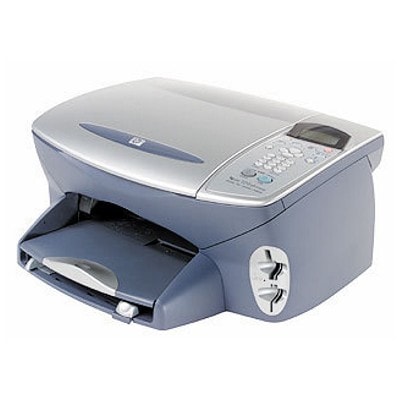
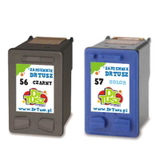
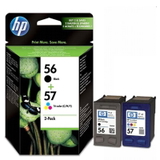
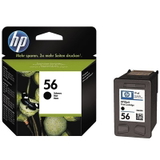
HP PSC 2210 – a reliable all-in-one for everyday printing The HP PSC 2210 (also searched as HP 2210 or HP PSC 2200 Series) is a popular inkjet all-in-one designed for home and small office use. It combines printing, scanning and copying in one compact device, and it’s still valued for its simple operation and solid print quality. To keep it working at its best, the key is choosing the right ink for HP PSC 2210—matched to the correct cartridge series and your printing style. What ink cartridges does the HP PSC 2210 use? This model works with the well-known HP cartridge family: HP 56 (black) and HP 57 (tri-color). For photo-focused work, many users also choose HP 58 (photo) — often searched by code C8658A / C6658AE. In our category you’ll find both Original OEM and compatible ink cartridges, so you can choose what fits your needs: maximum OEM consistency or a cost-effective compatible alternative. - HP 56 (C6656AE) – black ink cartridge for HP PSC 2210 for sharp text and everyday documents
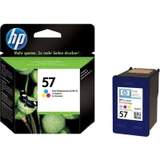
- HP 57 (C6657AE) – color ink cartridge for HP PSC 2210 for graphics, school materials and photos
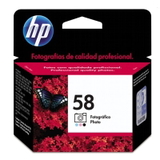
- HP 58 (C6658AE / C8658A) – photo ink cartridge for HP PSC 2210 for smoother tonal transitions in photo prints
Print results that match your tasks: documents, color and photos When you choose the right ink for printer HP PSC 2210, you get clearer text, more stable colors and fewer interruptions. Black ink is ideal for invoices, contracts and notes, while the color cartridge handles charts, presentations and everyday images. If you print photos on photo paper, adding the photo cartridge can improve detail and reduce graininess. We focus on providing inks that deliver consistent output and safe everyday use. Our compatible ink cartridges for HP PSC 2210 are selected to be as good as originals in day-to-day printing—helping you control costs without sacrificing print quality. Popular picks in this category (Compatible and Original OEM) We offer a wide selection—from single cartridges to convenient multipacks—so you can stock up the way you prefer: - Compatible Ink Cartridges 56 + 57 for HP (SA342AE) (multi pack) – a practical set for balanced black and color printing
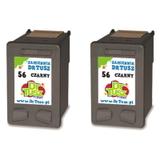
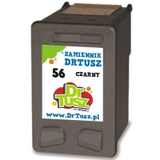
- Compatible Ink Cartridge 56 for HP (C6656AE) (Black) – great when you print mainly text
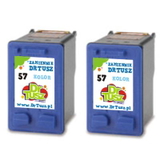
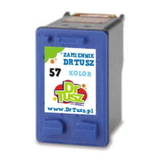
- Compatible Ink Cartridges 57 for HP (C6657AE) (Color) – for frequent color printing at a lower cost
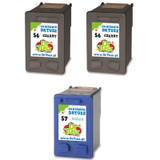
- Compatible Ink Cartridges 56 for HP (C9502AE) (Black) (2-pack) – extra black ink for heavy document users
- Compatible Ink Cartridges 57 for HP (C9503AE) (Color) (2-pack) – convenient запас for families and home offices
- Original OEM Ink Cartridge HP 56 (C6656AE) (Black) – OEM choice for those who prefer original HP supplies
- Original OEM Ink Cartridge HP 57 (C6657AE) (Color) – original color cartridge for predictable results
- Original OEM Ink Cartridges HP 56 + 57 (SA342AE) (multi pack) – OEM set for complete everyday printing
- Original OEM Ink Cartridge HP 58 (C6658AE) (Foto) – photo cartridge for enhanced photo output
How to choose: Original OEM vs compatible cartridges If you want the safest “set-and-forget” option, Original OEM ink for HP PSC 2210 is a classic choice—ideal for users who print occasionally and want OEM-standard repeatability. If you print more and want to reduce cost per page, compatible ink cartridges for HP PSC 2210 from our DrTusz.pl offer are an excellent alternative—selected for strong quality, reliable performance and very good everyday results. - Choose OEM if you prioritize the original brand supply chain and the most predictable output in every scenario.
- Choose compatible if you want great quality comparable to originals and better value for frequent printing.
- Choose multipacks / 2-packs if you don’t want to run out at the worst moment and you print regularly.
Common HP PSC 2210 ink-related issues – and quick tips Users of the HP PSC 2210 often face a few typical situations: fading prints, missing colors, streaks, or the printer not recognizing a cartridge after replacement. In many cases, these are easy to solve: - Streaks or missing lines – run the printer’s cleaning utility; print a test page; ensure the cartridge is properly seated.
- Colors look dull – check if the color cartridge is low; for photos, consider using HP 58 (C6658AE / C8658A) and photo paper.
- Cartridge not detected – remove and reinsert; gently clean contacts; restart the printer.
- Ink dries out (common with occasional printing) – print a small test page weekly and store cartridges properly.
If you’re unsure which ink cartridge for HP PSC 2210 you need (HP 56, 57, or 58), we’re here to help you match the correct cartridge code to your exact printing needs. Order ink for HP PSC 2210 with confidence We encourage you to explore our full selection of ink for HP PSC 2210—both compatible and Original OEM—and choose the option that best fits your printing volume and budget. Add a multipack for convenience, or pick a single black or color cartridge when you need a quick replacement. CTA: Choose your cartridge today and keep your HP PSC 2210 ready for every document and photo. If you have any questions about compatibility, product codes (like C6656AE, C6657AE, C6658AE / C8658A), or which set will work best, contact us—we’ll gladly advise and help you place the right order. We also ensure fast, convenient delivery options so you can get back to printing without delay. |