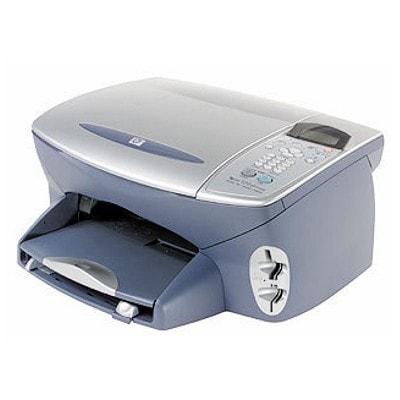
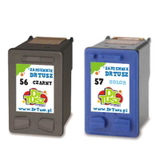
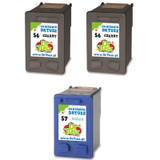
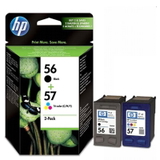
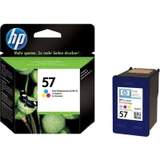
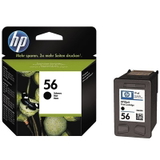
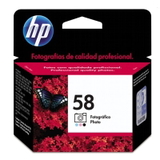
HP PSC 2200 Series – a proven all-in-one for home and small office HP PSC 2200 (also searched as HP 2200 or HP PSC 2200 Series) is a classic all‑in‑one inkjet device designed for everyday printing, copying and scanning. It’s valued for simple operation and reliable results in home use, schoolwork and light office tasks. To keep it working at its best, you need the right ink for HP PSC 2200—matched to the cartridge system used in this model. What ink cartridges does HP PSC 2200 use? This printer works with the well-known HP cartridge set: HP 56 (black) and HP 57 (tri‑color), and additionally HP 58 (photo) for enhanced photo printing. Choosing the right ink cartridge for HP PSC 2200 helps maintain sharp text, consistent color, and correct cartridge recognition. With properly selected cartridges, you can print: - clear documents and forms (black HP 56)
- color graphics, charts and school materials (color HP 57)
- photos with smoother tonal transitions (photo HP 58)
In our store, you’ll find both Original OEM and Compatible solutions—so you can decide whether you want maximum OEM consistency or a budget-friendly alternative without sacrificing quality. Compatible and Original OEM – two smart ways to print When you’re shopping for ink for HP PSC 2200, the key choice is between Original OEM cartridges and compatible cartridges. Original OEM means the cartridge comes directly from HP and is designed to meet HP’s internal specifications. Compatible cartridges are an alternative made to fit and work with the same printer model. Our compatible cartridges from DrTusz.pl are built to deliver printing quality comparable to originals—crisp black text, vivid color, and dependable performance—while helping you reduce printing costs. If you print a lot (homework, invoices, occasional photos), a compatible ink cartridge for HP PSC 2200 can be the most economical choice. Popular ink cartridges for HP PSC 2200 in our range We keep the offer wide so you can choose exactly what matches your printing style—single cartridges, twin packs, or convenient multipacks. Customers often pick these proven options: - Compatible Ink Cartridge 56 for HP (C6656AE) (Black) – a practical choice for everyday text printing
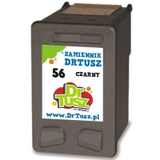
- Original OEM Ink Cartridge HP 56 (C6656AE) (Black) – for those who prefer OEM solutions
- Compatible Ink Cartridge 57 for HP (C6657AE) (Color) – great for color documents and graphics
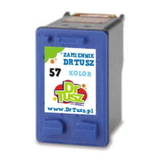
- Original OEM Ink Cartridge HP 57 (C6657AE) (Color) – OEM color for consistent results
- Original OEM Ink Cartridge HP 58 (C6658AE) (Foto) – dedicated photo cartridge for better photo output
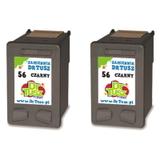
- Compatible Ink Cartridges 56 for HP (C9502AE) (Black) (2-pack) – a reserve set to avoid running out at the wrong moment
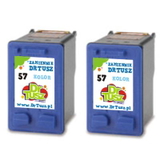
- Compatible Ink Cartridges 57 for HP (C9503AE) (Color) (2-pack) – convenient and cost-effective for frequent color printing
- Compatible Ink Cartridges 56 + 57 for HP (SA342AE) (multi pack) – a balanced set for home users
- Compatible Ink Cartridges 2x 56 + 57 for HP (SD399AE) (multi pack) – for higher volumes and fewer re-orders
- Original OEM Ink Cartridges HP 56 + 57 (SA342AE) (multi pack) – a classic OEM duo in one purchase
Thanks to these configurations, you can easily match your order to what you print most: mostly black documents, lots of color pages, or occasional photo projects. How to choose the right cartridge and avoid common HP PSC 2200 issues If your printer is listed as 2200 or HP PSC 2200 Series, selecting the correct cartridge number is what matters most. For everyday use, we recommend keeping both black and tri‑color on hand—HP PSC 2200 often works best when both cartridges are installed. Common situations reported by users include: “the printer doesn’t recognize the cartridge”, “prints are streaky”, or “colors look faded”. In many cases, these problems can be reduced by: - choosing the correct model: HP 56 / HP 57 / HP 58
- removing protective tape carefully before installation
- running the printer’s cleaning/alignment function after replacement
- printing regularly to prevent ink from drying in the nozzles
If you print mainly text, a reliable ink for HP PSC 2200 in black (HP 56) will do most of the work. If you print photos, consider adding the photo cartridge (HP 58) to improve photo depth and smoother gradients. Order ink for HP PSC 2200 with confidence We encourage you to choose the best ink cartridge for HP PSC 2200 from our Compatible and Original OEM range and enjoy hassle-free printing again. Add a multipack to save time, keep a 2-pack as a backup, or choose OEM if you prefer HP-branded cartridges—either way, we’re here to help. CTA: Browse the selection above and pick the cartridge set that matches your needs. If you’re unsure whether you need HP 56, HP 57 or HP 58, contact us—we’ll help you select the right ink for HP PSC 2200 quickly. We also offer fast delivery options, so you can get back to printing without unnecessary downtime. |