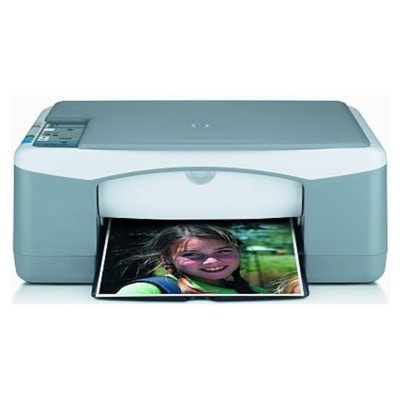
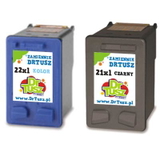
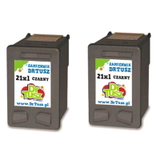
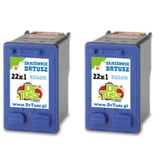
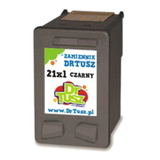
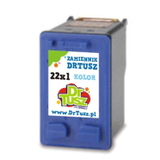
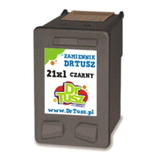
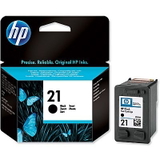
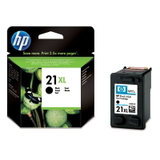
HP PSC 1401 – a reliable all-in-one for everyday printing The HP PSC 1401 (also searched as HP 1401 or HP PSC 1400 Series) is a compact all‑in‑one device designed for home and small office tasks. It handles everyday documents, school materials and simple graphics, combining printing, copying and scanning in one practical unit. To keep it working smoothly and to maintain consistent print quality, it’s worth choosing the right ink for printer HP PSC 1401—matched to your needs and printing style. What ink cartridges are used in the HP PSC 1401? This model works with two main cartridges: black and tri‑colour. In our category you’ll find both Original OEM and high‑quality Compatible options, including standard and XL versions, so you can easily choose the best ink for HP PSC 1401 for home or office use. - Black cartridge: HP 21 (C9351AE) and HP 21 XL (C9351CE)
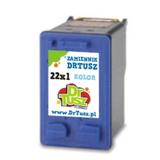
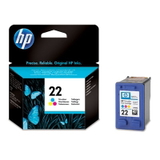
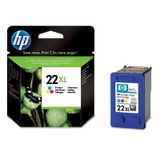
- Colour cartridge: HP 22 (C9352AE) and HP 22 XL (C9352CE)
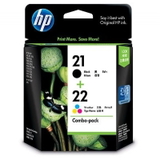
- Multipacks: sets like SD367AE for convenient replacement of both colours at once
Choosing XL versions is a great option when you print more often—more pages, fewer replacements, and typically a better cost per page. If you print occasionally, standard cartridges are a sensible and budget-friendly choice. Print quality, applications and everyday performance The right ink for HP 1401 affects not only how your printouts look, but also how reliably your printer operates. A good cartridge provides solid black text for documents and balanced colours for charts, homework, invitations or simple photos on suitable paper. Whether you’re printing occasionally or every day, we focus on offering cartridges that deliver: - clear, readable text and smooth fills,
- stable colour reproduction for everyday graphics,
- consistent performance from the first page to the last,
- easy installation and safe operation in the HP PSC 1401.
If your prints look faded, streaky or uneven, it’s often a sign the cartridge is empty, dried out (common when the printer sits unused), or simply at the end of its life. Replacing the cartridge with the right ink cartridge for HP PSC 1401 usually solves these issues quickly. Our selection – Original OEM and Compatible options in one place We make it easy to compare and choose the best ink for printer HP PSC 1401—from manufacturer originals to proven compatibles that are a smart alternative. Among the most popular choices in this category are: - Original OEM Ink Cartridge HP 21 (C9351AE) (Black) – dependable OEM quality for crisp text
- Original OEM Ink Cartridge HP 22 (C9352AE) (Color) – balanced tri-colour printing for everyday use
- Original OEM Ink Cartridge HP 21 XL (C9351CE) (Black) and Original OEM Ink Cartridge HP 22 XL (C9352CE) (Color) – higher yield for frequent printing
- Original OEM Ink Cartridges HP 21 XL + 22 XL (SD367AE) (multi pack) – convenient set for full replacement
- Compatible Ink Cartridge 21 XL for HP (C9351CE) (Black) – an efficient option for everyday documents
- Compatible Ink Cartridge 22 XL for HP (C9352CE) (Color) – great for colourful prints at a lower cost
- Compatible Ink Cartridges 21 XL + 22 XL for HP (SD367AE) (multi pack) – a practical bundle for home and office
- Compatible Ink Cartridges 21 XL for HP (CC627AE) (Black) (2-pack) and Compatible Ink Cartridges 22 XL for HP (C9352AE-2) (Color) (2-pack) – ideal if you want a spare ready to go
Thanks to this variety, you can choose exactly what you need—one cartridge, XL capacity, or a multipack—without overpaying or compromising on everyday usability. How to choose: Original vs Compatible ink for HP PSC 1401 Many customers ask which option is best. The honest answer is: it depends on your priorities. Original OEM cartridges are made by HP and are a classic choice for those who prefer manufacturer-branded supplies. At the same time, our compatible cartridges available at DrTusz.pl are designed to be just as good as originals in everyday use—offering reliable performance, clear prints and excellent value. - Choose Original OEM if you want to stay strictly with HP-branded consumables and prefer the manufacturer’s line.
- Choose Compatible if you want a cost-effective solution with very good print quality and dependable performance for documents and daily colour printing.
- Choose XL if you print often and want fewer cartridge changes.
- Choose a multipack if you want to replace black and colour together and keep everything consistent.
Tip: if you see codes like C9351AE, C9351CE, C9352AE, C9352CE or the multipack SD367AE (also associated with Q7299A searches), you’re looking at the correct family of cartridges for the HP PSC 1401. Common user issues with the HP PSC 1401 – and quick fixes To help you get the most from your ink for HP PSC 1401, here are problems users most often report and what usually helps: - Faded prints or missing lines: replace the cartridge, run a cleaning cycle, and print a test page.
- Colour looks wrong: the tri-colour cartridge may be low in one chamber—swapping to a fresh HP 22/22 XL often restores balance.
- Ink dries out when rarely used: print a small test page once a week to keep ink flowing.
- Printer doesn’t recognize a cartridge: remove and reinsert it firmly; gently clean contacts if needed; make sure you’ve chosen the correct cartridge code for HP PSC 1401.
When in doubt, we encourage you to contact us—we’ll help you match the right cartridge and version (standard, XL, single, or multipack) to your actual printing habits. Choose your ink for HP PSC 1401 and start printing with confidence We encourage you to explore our full range of ink cartridges for HP PSC 1401—Original OEM and Compatible—so you can print exactly the way you want: economically, reliably and with consistently good results. Add your chosen cartridge to the cart and enjoy a smooth ordering process, fast delivery options, and helpful customer support if you need assistance selecting the best ink for printer HP PSC 1401. If you have any questions, contact us—we’re here to help. |