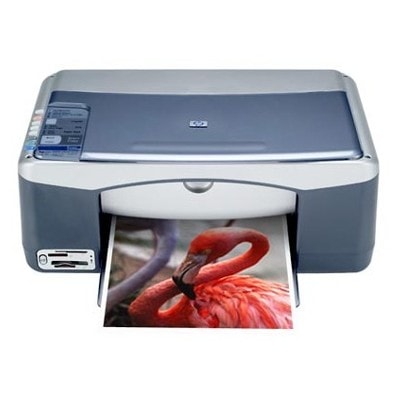
Reliable printing with the HP PSC 1209 (HP PSC 1200 Series) If you use the HP PSC 1209 (also searched as HP 1209 or HP PSC 1200 Series), you already know why this multifunction device is still popular: it’s simple, dependable, and perfect for everyday home and small-office tasks. Whether you print school materials, invoices, forms, or occasional photos, the key to consistent results is choosing the right ink for HP PSC 1209—and replacing it on time. What to expect from ink for HP PSC 1209: quality, readability, and color To keep your printer working smoothly, you need an ink cartridge for HP PSC 1209 that delivers clean black text and balanced color output. This model uses classic HP inkjet cartridges, typically in a black + tri-color setup. With a properly matched cartridge, you can count on: - sharp text for documents and forms,
- clear graphics for charts and school projects,
- natural colors for everyday photo prints,
- stable operation with fewer interruptions and fewer “cartridge not recognized” messages.
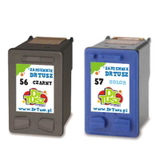
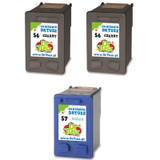
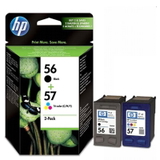
In this category you’ll find both Original OEM and Compatible options—so you can choose exactly what fits your printing style and budget. Compatible and Original OEM cartridges—one category, many options We offer a wide selection of ink cartridges for HP PSC 1209, including the most commonly used models and multipacks. If you like convenience and value, multipacks are a great way to ensure you always have black and color ready to go. Popular choices in this category include: - Compatible Ink Cartridges 56 + 57 for HP (SA342AE) (multi pack) – a practical everyday set for text and color printing,
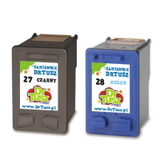
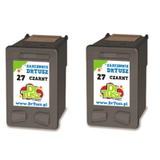
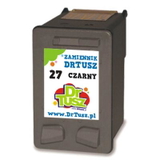
- Compatible Ink Cartridges 27 + 28 for HP (CC628AE) (multi pack) – a reliable bundle when your device uses the 27/28 combination,
- Compatible Ink Cartridges 2x 56 + 57 for HP (SD399AE) (multi pack) – smart for higher monthly volume,
- Original OEM Ink Cartridges HP 56 + 57 (SA342AE) (multi pack) – OEM set for those who prefer manufacturer originals.
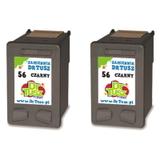
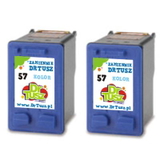
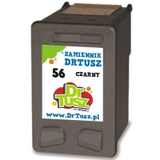
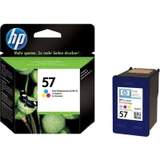
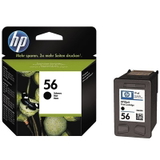
Prefer to replace only what’s empty? Choose single cartridges such as Compatible Ink Cartridge 56 for HP (C6656AE) (Black) or Compatible Ink Cartridge 57 for HP (C6657AE) (Color). We also carry efficient 2-packs like Compatible Ink Cartridges 56 for HP (C9502AE) (Black) (2-pack) and Compatible Ink Cartridges 57 for HP (C9503AE) (Color) (2-pack), as well as the OEM versions: Original OEM Ink Cartridge HP 56 (C6656AE) (Black) and Original OEM Ink Cartridge HP 57 (C6657AE) (Color). How to choose the right cartridge: C6656AE, C6657AE, C8727AE, C8728AE Customers often find this printer using codes like Q7284A and then wonder which cartridge is correct. The easiest method is to match the cartridge symbol printed on the old cartridge or in the printer’s software. In this category, you’ll find the key HP references: - HP 56 (C6656AE) – black ink cartridge,
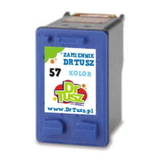
- HP 57 (C6657AE) – tri-color ink cartridge,
- HP 27 (C8727AE) – black ink cartridge (in certain configurations),
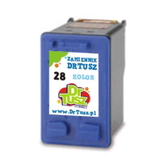
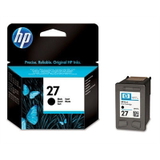
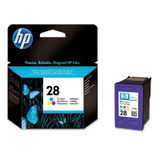
- HP 28 (C8728AE) – color ink cartridge (in certain configurations).
Still unsure which ink for HP PSC 1209 you need? We encourage you to contact us—tell us what codes you see (e.g., C6656AE or C8727AE) and we’ll help you select the right product. Original OEM vs compatible: what’s the difference and what should you pick? Original OEM ink cartridges for HP PSC 1209 are made by the printer manufacturer and are a straightforward choice for users who want to stick with OEM supplies. Compatible ink cartridges for HP PSC 1209 are designed as high-quality alternatives that fit and work just like OEM cartridges. At DrTusz.pl, we focus on compatibility and print reliability—our compatible cartridges are as good as the originals in everyday use, while usually offering a better cost per page. If you print frequently (school, office, home documents), compatible multipacks can be the most cost-effective solution. If you print occasionally and prefer the manufacturer’s ecosystem, Original OEM may be your preferred route. Common HP PSC 1209 ink issues—and how to avoid them With inkjet printers like the HP PSC 1209, the most common challenges are simple and preventable. Here’s what we recommend: - Faded prints or missing lines – run a nozzle/printhead cleaning cycle and replace the cartridge if it’s low.
- “Cartridge not recognized” message – remove and reinsert the cartridge, check protective seals, and clean contacts gently.
- Color prints look off – replace the tri-color cartridge (often HP 57 / C6657AE or HP 28 / C8728AE) and print a test page.
- Ink dries out with rare printing – print a small test page once every 1–2 weeks to keep ink flowing.
Choosing a trusted ink cartridge for HP PSC 1209 and replacing it before it’s fully depleted helps maintain stable print quality and reduces downtime. Order your ink for HP PSC 1209 and print with confidence We invite you to explore our full range of ink cartridges for HP PSC 1209—both Compatible and Original OEM—including single cartridges, 2-packs, and convenient multipacks. Add your preferred option to the cart and enjoy a smooth purchase process, fast dispatch options, and helpful support if you need it. CTA: Choose your ink for HP PSC 1209 today—browse the products above or contact us, and we’ll help you match the right cartridge code and the best option for your printing needs. |