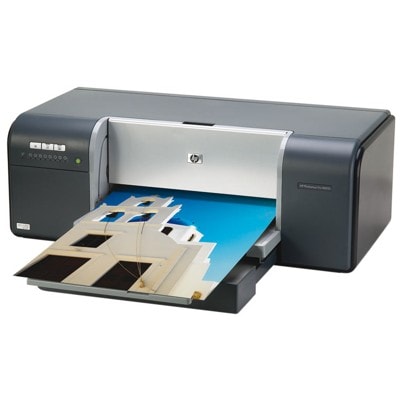
HP Photosmart Pro B8850 – a photo printer that deserves the right ink The HP Photosmart Pro B8850 (also found as HP B8850 or HP Photosmart Pro B8800 Series, code Q7161A) is a popular choice among photography enthusiasts and home studios. It’s designed for high-quality colour printing, smooth tonal transitions and accurate photo reproduction. To keep that quality consistent from the first print to the last, you need reliable ink cartridges for HP Photosmart Pro B8850—matched perfectly to the printer’s ink system. What you gain with the right ink for HP Photosmart Pro B8850 The B8850 uses a multi-cartridge photo set, which means each colour is replaced separately. This is convenient, economical, and helps maintain colour balance—especially in photo printing. Choosing a proven ink for HP Photosmart Pro B8850 helps you achieve: - deep blacks and clean contrast in photo prints,
- natural skin tones and smooth gradients,
- vivid colours without oversaturation,
- predictable results on photo paper and everyday media.
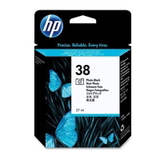
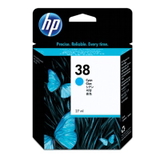
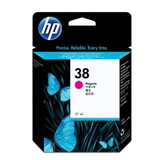
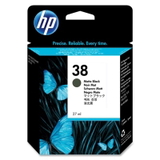
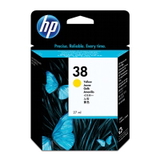
If you print photos, portfolios, creative projects or colour-rich documents, the right ink cartridge for HP Photosmart Pro B8850 isn’t an accessory—it’s what your print quality depends on. Original OEM HP 38 cartridges – the full colour set for B8850 In this category you’ll find Original OEM ink cartridges designed specifically for the HP Photosmart Pro B8850. The printer works with the HP 38 series, offering a wide palette for photo-realistic results. We provide the complete set, including the most frequently replaced colours: - Original OEM Ink Cartridge HP 38 (C9412A) (Black)
- Original OEM Ink Cartridge HP 38 (C9413A) (Foto)
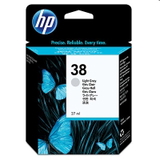
- Original OEM Ink Cartridge HP 38 (C9414A) (Light gray)
- Original OEM Ink Cartridge HP 38 (C9415A) (Cyan)
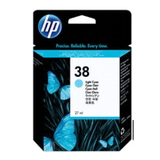
- Original OEM Ink Cartridge HP 38 (C9418A) (Light cyan)
- Original OEM Ink Cartridge HP 38 (C9416A) (Magenta)
- Original OEM Ink Cartridge HP 38 (C9419A) (Light magenta)
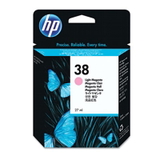
- Original OEM Ink Cartridge HP 38 (C9417A) (Yellow)
Thanks to this selection, you can easily complete your colour set or replace only the cartridge that has run out—without compromising on consistency. How to choose the best cartridge for your printing style When selecting an ink cartridge for HP B8850, start with your printing habits. If you print mainly photos, pay special attention to the photo-related colours (Photo, Light Gray, Light Cyan, Light Magenta), because they strongly influence gradients and fine detail. If you print mixed content, make sure you keep Black and the core CMY colours on hand. To avoid mismatches, always verify the cartridge symbol on the product page and on your current cartridge (e.g., C9412A, C9413A). If you’re searching online, the phrases ink for HP Photosmart Pro B8850, ink for HP B8850 or ink for HP Photosmart Pro B8800 Series will help you find the correct family quickly. Original vs compatible – what’s the difference and what do we recommend? Customers often ask us whether it’s worth choosing an Original OEM cartridge or a compatible alternative. In general: - Original OEM cartridges are produced by the printer manufacturer and are a safe choice for those who want strict OEM consistency.
- Compatible cartridges are a cost-effective option—especially when you print frequently. The key is quality and proven sourcing.
Even though this subpage focuses on Original OEM ink cartridges for HP Photosmart Pro B8850, we encourage you to consider compatible options as well—our compatible cartridges at DrTusz.pl are built to be as good as the originals in everyday use, with strong colour, reliable performance and excellent value. If you want help comparing options, we’re here to guide you. Common user issues with HP Photosmart Pro B8850 inks (and how to avoid them) The B8850 is a photo-focused printer, so small maintenance habits make a big difference. The most common issues we hear about include: - Colour shifts or dull photos – often caused by one depleted cartridge or an uneven colour set. Replacing the specific missing colour usually solves it.
- Streaks or missing lines – typically related to clogged nozzles after long breaks in printing. Regular printing and correct storage of cartridges helps prevent this.
- Printer not recognising a cartridge – can happen if a cartridge isn’t seated properly. Reinstalling carefully and checking for protective elements is a good first step.
If you’re unsure which ink for HP Photosmart Pro B8850 you need, we encourage you to contact us—we’ll help you choose the correct HP 38 cartridge quickly and confidently. Order your HP Photosmart Pro B8850 ink today We make it easy to buy the right ink cartridge for HP Photosmart Pro B8850—whether you’re replacing one colour or building a full photo set. Browse our selection of HP 38 Original OEM cartridges, compare the variants, and choose the colours you need right now. CTA: We encourage you to view the available cartridges in this category and place your order today. If you have any questions about compatibility with HP B8850 / HP Photosmart Pro B8800 Series / Q7161A, contact us—our team will gladly help, and we’ll make sure your ink arrives quickly and ready for printing. |