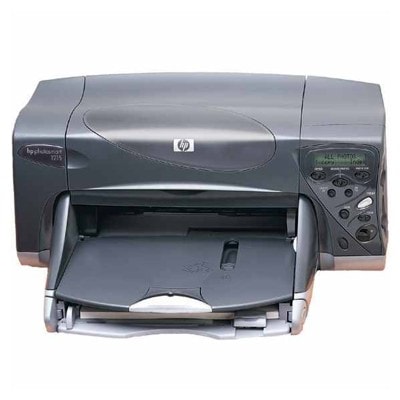
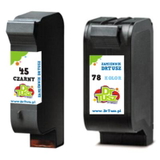
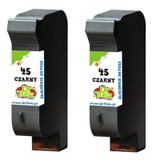
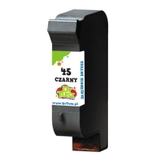
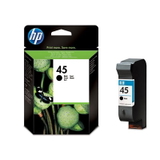
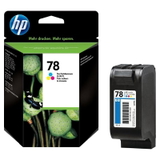
Ink cartridges for HP Photosmart P1215 – reliable printing for the HP P1100 Series HP Photosmart P1215 (also searched as HP P1215 or HP Photosmart P1100 Series) is a proven inkjet photo printer designed for home users who value vivid color, smooth gradients, and clear text. It’s a great choice for printing photos, school materials, and everyday documents—provided you use the right ink for HP Photosmart P1215. In this category, we offer both Original OEM and compatible ink cartridges, so you can match performance and budget exactly to your needs. What ink does the HP Photosmart P1215 use? This model works with two classic cartridge families: HP 45 black and HP 78 color. You may also encounter the most popular part numbers used to identify them, such as 51645AE (black), C6578AE / C6578DE (color), as well as the convenient multi pack SA308AE. Choosing the correct ink cartridge for HP Photosmart P1215 means consistent print quality, fewer interruptions, and predictable results—especially important for photo printing. - HP 45 (51645AE) – crisp black text and clean outlines, ideal for documents.
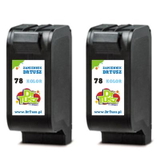
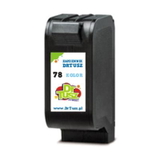
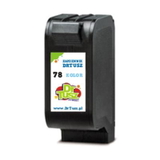
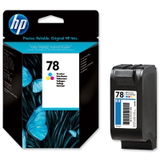
- HP 78 (C6578AE / C6578DE) – balanced color reproduction for photos and graphics.
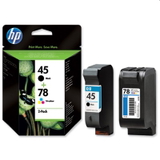
- SA308AE multi pack – a practical set with black + color for everyday convenience.
Printing results you can see: photo color, sharp text, everyday reliability Good ink for HP P1215 is not just “something that fits.” It directly affects color depth, black density, drying time, and how cleanly the printer places ink on paper. With the right cartridge, your HP Photosmart P1215 can deliver: - clear documents without smudges and faded letters,
- smooth color transitions and more natural photos,
- stable operation with fewer errors during printing,
- better value—especially when you print often.
Whether you print family photos or simple forms, selecting a dependable ink cartridge for HP Photosmart P1215 keeps your printer performing the way it should. Compatible or Original OEM: choose what fits your expectations We offer two classes of products in one place: Original OEM and Compatible cartridges. Original OEM ink is the manufacturer’s cartridge—perfect if you want to keep everything strictly “factory.” At the same time, our compatible cartridges from DrTusz.pl are made to match the printer’s requirements and deliver results that are as good as the originals in everyday use—often at a more attractive cost per page. - Original OEM ink for HP Photosmart P1215 – maximum brand consistency and classic OEM printing characteristics.
- Compatible ink for HP Photosmart P1215 – excellent quality-to-price ratio, great for frequent printing at home or in a small office.
Popular cartridges in this category (and why customers choose them) To make selection easier, we’ve gathered the most sought-after options for ink for HP Photosmart P1215—single cartridges and value packs: - Original OEM Ink Cartridge HP 45 (51645AE) (Black) – dependable black for everyday documents.
- Original OEM Ink Cartridge HP 78 (C6578AE) (Color) and Original OEM Ink Cartridge HP 78 (C6578DE) (Color) – OEM color options depending on your preferred code/version.
- Original OEM Ink Cartridges HP 45 + 78 (SA308AE) (multi pack) – convenient set for users who print both text and photos.
- Compatible Ink Cartridge 45 for HP (51645AE) (Black) – a cost-effective way to keep text crisp.
- Compatible Ink Cartridge 78 for HP (C6578AE) (Color) and Compatible Ink Cartridge 78 for HP (C6578DE) (Color) – vivid color for everyday photo printing.
- Compatible Ink Cartridges 78 for HP (C6578AE-2) (Color) (2-pack) – a smart choice if you print lots of color and want fewer replacements.
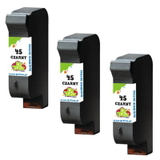
- Compatible Ink Cartridges 45 for HP (51645AE-3) (Black) (3-pack) and Compatible Ink Cartridges 45 for HP (SA294AE) (Black) (2-pack) – value packs that lower the cost per print.
- Compatible Ink Cartridges 45 + 78 for HP (SA308AE) (multi pack) – balanced everyday bundle for the HP P1100 Series.
How to choose the right ink for HP Photosmart P1215 If you want a quick, confident decision, focus on three things: what you print, how often you print, and whether you prefer single units or multipacks. - Mainly text? Choose HP 45 (51645AE)—compatible or Original OEM.
- Photos and color graphics? Add HP 78 (C6578AE / C6578DE) for accurate color output.
- Regular printing? Consider multipacks like SA308AE or black packs (51645AE-3, SA294AE) to reduce downtime.
Tip: If you are comparing codes such as C6578AE and C6578DE, both are color cartridges for the same family—choose the version listed as available and appropriate for your printer and region. If you’re unsure, we’re here to help you pick the right ink cartridge for HP Photosmart P1215. Common user issues with the HP Photosmart P1215—and how the right cartridge helps Because HP Photosmart P1215 is a well-known model, customers often ask us about a few typical situations: - Faded prints or missing colors – usually linked to an empty or dried color cartridge; replacing with a fresh HP 78 often solves it.
- Streaks in black text – commonly resolved by replacing the HP 45 or running a basic cleaning cycle after installing a new cartridge.
- Printing becomes expensive – switching to our compatible ink for HP Photosmart P1215 and choosing multipacks is the simplest way to reduce cost per page while maintaining strong quality.
We focus on offering cartridges that work reliably in day-to-day use—so you can print more and troubleshoot less. Order ink for HP P1215 with confidence In our store, you’ll find a wide selection of ink cartridges for HP Photosmart P1215: from Original OEM staples to high-quality compatible alternatives, plus practical multipacks for frequent printing. We ship quickly, pack safely, and if you have any doubts about whether you need 51645AE, C6578AE, C6578DE, or the SA308AE set—just contact us. We’ll help you match the right ink for HP Photosmart P1215 to your printing style. CTA: Browse the available options in this category, choose compatible or Original OEM cartridges, and order today to keep your HP Photosmart P1215 ready whenever you need it. |