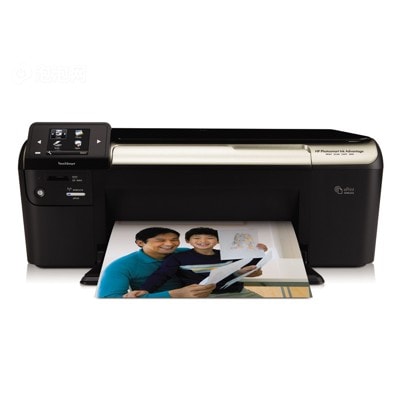
Reliable printing with the HP Photosmart Ink Advantage K510a The HP Photosmart Ink Advantage K510a (also searched as HP K510a, CQ796A, K510A or HP Photosmart Ink Advantage e-All-in-One - K510) is a popular home and small-office inkjet printer designed for everyday documents and colorful prints. To keep this model working smoothly and producing clean text plus vivid images, choosing the right ink cartridges for HP Photosmart Ink Advantage K510a matters just as much as the paper you use. What you can expect from ink for HP K510a Good-quality ink for printer HP Photosmart Ink Advantage K510a delivers sharp black text, well-balanced colors, and consistent results from the first page to the last. Whether you print school materials, invoices, web pages, or occasional photos, the right cartridge helps avoid streaks, uneven color, and wasted paper. In this category we focus on Ink Cartridges for the K510a, including both Original OEM and Compatible options. This gives you the freedom to match your printing style and budget without giving up reliability. - Black ink cartridges – best for crisp text, forms, and everyday office printing.
- Color ink cartridges – ideal for graphics, charts, and photo-oriented prints.
- Multipacks – convenient sets that keep you stocked and usually reduce cost per page.
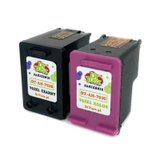
Compatible and Original OEM cartridges – wide choice in one place We offer a carefully selected range of ink cartridges for HP Photosmart Ink Advantage K510a, so you can choose exactly what you need—single black, single color, or a practical multipack. Popular choices in this category include: - Compatible Ink Cartridges 703 for HP (F6V32AA) (multi pack) – a great everyday set for frequent printing.
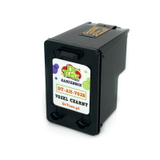
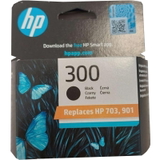
- Compatible Ink Cartridge 703 for HP (CD887AE) (Black) – dependable black ink for documents and text-heavy pages.
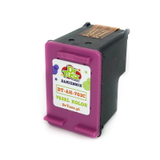
- Compatible Ink Cartridge 703 for HP (CD888AE) (Color) – bright color for charts, graphics, and home prints.
- Original OEM Ink Cartridge HP 703 (CD887AE) (Black) – OEM quality for users who prefer manufacturer cartridges.
- Original OEM Ink Cartridge HP 703 (CD888AE) (Color) – consistent color output and predictable performance.
- Original OEM Ink Cartridges HP 703 (F6V32AA) (multi pack) – an OEM set for convenience and continuity.
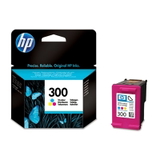
- Original OEM Ink Cartridge HP 300 (CC640EE) (Black) and Original OEM Ink Cartridge HP 300 (CC643EE) (Color) – another OEM option often chosen by users looking for original HP cartridges.
Thanks to this selection, you can quickly find the right ink for HP K510a without guessing—whether your priority is maximum savings or sticking with original OEM. How to choose the right ink cartridge for HP Photosmart Ink Advantage K510a If you print regularly, we recommend considering a multipack—especially when both black and color are used. If you print mainly documents, a black cartridge is the best starting point. For school projects, presentations, and images, adding a color cartridge keeps your prints looking complete and professional. Many customers ask about the difference between Original OEM and Compatible cartridges. Here is the practical answer: - Original OEM ink for HP Photosmart Ink Advantage K510a – made by the printer manufacturer, offering factory-standard consistency.
- Compatible ink cartridges for HP Photosmart Ink Advantage K510a – a cost-effective alternative. Our compatible cartridges from the DrTusz.pl offer are as good as the originals in everyday use: they provide clear text, strong blacks, and pleasing color while helping reduce printing costs.
Common user issues and simple tips for smoother printing With inkjet printers like the K510a, the most common problems are usually not “printer failures” but ink-related maintenance situations. If you notice faded prints, missing colors, or streaks, it can help to: - Run the printer’s built-in cleaning/alignment utility (often solves missing lines or pale areas).
- Print at least once in a while—very long breaks can cause ink to dry in the nozzles.
- Replace the cartridge when you see quality drop or when the printer reports low ink.
- Double-check the cartridge code before ordering, especially if you search by phrases like K510 a, K510 A, or CQ796A.
If you are unsure which ink cartridge for HP Photosmart Ink Advantage K510a is the best match for your needs, we are here to help—just contact us and we will guide you quickly. Choose your cartridge and start printing with confidence We encourage you to explore our full selection of compatible and original OEM ink cartridges for HP Photosmart Ink Advantage K510a and pick the option that fits your printing habits. Order today to enjoy a smooth shopping experience, fast delivery options, and helpful support if you need advice. Add the right cartridge to your cart now, or contact us—together we’ll make sure your HP K510a prints exactly the way you expect. |