Haven't found what you were looking for? Click here! ▼
Describe below exactly what you are looking for and we will see how we can help. You will receive a reply to your e-mail address by 13:18 at the latest
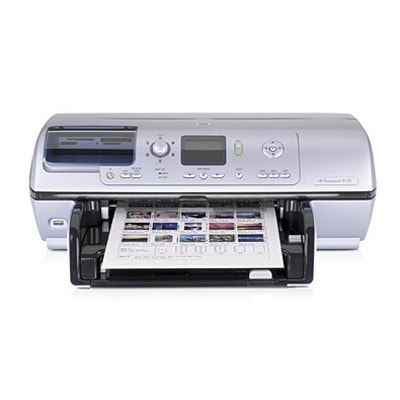
Ink cartridges for HP Photosmart 8150w - compatible and original OEM
Keep your HP Photosmart 8150w producing crisp photos and sharp documents with the right Inkjet cartridges—available here as both Compatible and Original OEM options. This selection is designed for the HP Photosmart 8100 Series (including Q3401A / 8150W), so you can replace your ink quickly and get back to printing without hassle.
Choose from popular HP 338, 339, 343, 344, and 348 ink cartridges, including black, color, and photo cartridges, plus convenient multi-packs and 2-packs (such as 338 + 343 sets and twin black/color packs). Whether you prefer the confidence of Original OEM ink cartridges or the value-focused performance of compatible ink cartridges for HP Photosmart 8150w, you’ll find options that match your printing needs and budget.
Every cartridge in this category is selected for reliable compatibility and consistent print quality—so your photos stay vibrant and your text stays clean page after page. Pick your cartridge type, stock up with a multipack, and print with confidence—shop the full range now and find the best fit for your HP 8150w.
Product Number: Q3401A Other names: Printer HP Photosmart 8150w, Printer HP Photosmart 8150 w, Printer HP Photosmart 8150 W, Printer HP Photosmart 8150W
The HP Photosmart 8150w (also searched as HP 8150w, HP Photosmart 8100 Series, Q3401A or simply 8150W) is a popular photo inkjet printer designed for people who value vivid color, smooth gradients and crisp text. It’s a great choice for home photo printing and everyday documents alike—provided you use the right ink for HP Photosmart 8150w. In this category you’ll find both Original OEM and compatible ink cartridges, so you can match the cartridge to your printing style and budget.
Reliable color and sharp black — what ink for HP Photosmart 8150w is made for
Ink cartridges for the HP Photosmart 8150w are built to deliver consistent results on photo paper and plain paper. Whether you print family photos, invitations, school projects or office documents, the right ink cartridge for HP 8150w helps you keep colors accurate and blacks deep—without streaks, banding or fading.
With the correct set of cartridges you can expect:
strong, readable black for everyday text printing,
natural-looking color for graphics and photos,
stable ink flow to reduce the risk of missing lines,
convenient options like single cartridges and money-saving multi-packs.
Compatible and Original OEM ink cartridges — a wide choice in one place
We know that different customers need different solutions, so we offer both Original OEM ink for HP Photosmart 8150w and carefully selected compatible ink for HP Photosmart 8150w. Original cartridges are made by the printer manufacturer and are a classic choice for users who want to stay with OEM supplies. Compatible cartridges are an excellent alternative for anyone who prints more and wants to lower the cost per page—while still expecting great quality.
In our store, compatible cartridges are not “second-rate”. We select compatible ink cartridges so that they work smoothly with the HP Photosmart 8100 Series and deliver prints that are as good as originals in everyday use—sharp text, clean color and dependable performance.
Popular cartridges for HP Photosmart 8150w available in this category
To make shopping easier, here are some of the most frequently chosen products for this model. You can pick a single cartridge, a handy 2-pack, or a multi pack to cover both black and color needs:
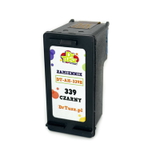
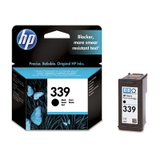
Original OEM Ink Cartridge HP 339 (C8767EE) (Black) and Compatible Ink Cartridge 339 for HP (C8767EE) (Black)
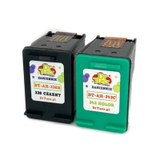
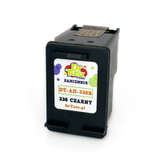
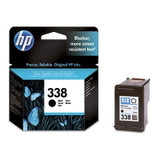
Original OEM Ink Cartridge HP 338 (C8765EE) (Black) and Compatible Ink Cartridge 338 for HP (C8765EE) (Black)
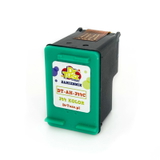
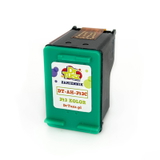
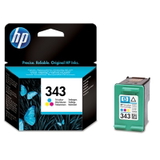
Original OEM Ink Cartridge HP 343 (C8766EE) (Color) and Compatible Ink Cartridge 343 for HP (C8766EE) (Color)
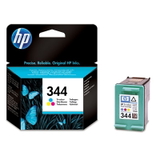
Original OEM Ink Cartridge HP 344 (C9363EE) (Color) and Compatible Ink Cartridge 344 for HP (C9363EE) (Color)
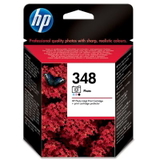
Original OEM Ink Cartridge HP 348 (C9369EE) (Foto) for photo-focused printing
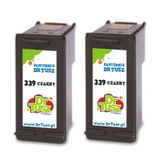
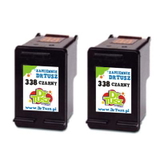
Compatible Ink Cartridges 339 for HP (C9504EE) (Black) (2-pack) and Compatible Ink Cartridges 338 for HP (CB331EE) (Black) (2-pack) for higher volume
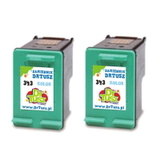
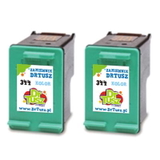
Compatible Ink Cartridges 343 for HP (CB332EE) (Color) (2-pack) and Compatible Ink Cartridges 344 for HP (C9505EE) (Color) (2-pack) for frequent color printing
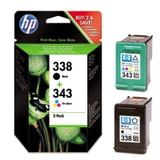
Original OEM Ink Cartridges HP 338 + 343 (SD449EE) (multi pack) and Compatible Ink Cartridges 338 + 343 for HP (SD449EE) (multi pack) for an all-in-one refill
How to choose the best ink cartridge for HP 8150w
When choosing ink for printer HP Photosmart 8150w, start with what you print most:
If you print mostly documents, choose a reliable black cartridge such as HP 338 or HP 339 (Original OEM or compatible).
If you print lots of charts, school projects or color images, add a color cartridge like HP 343 or HP 344.
If photo quality is your priority, consider the photo option: HP 348 (C9369EE) (Foto).
If you print regularly, a 2-pack or multi pack often gives the best value and reduces last-minute “out of ink” surprises.
Common user issues with the HP Photosmart 8150w typically include messages about an “empty” cartridge sooner than expected, streaks after long breaks between prints, or colors that look dull on plain paper. Our practical tips:
Print a quick test page occasionally if the printer sits unused—this helps keep nozzles clear.
Use the printer’s built-in cleaning/alignment tools when you notice missing lines.
Match paper type to your goal—photo paper for photos, plain paper for documents—to get the most from your ink for HP 8150w.
Original OEM vs compatible ink for HP Photosmart 8150w — what’s the difference?
Original OEM ink cartridges are produced by the manufacturer and are often chosen for maximum predictability. Compatible ink cartridges are designed to fit and work with the same printer model at a more budget-friendly price. In our offer, compatible cartridges are a smart alternative: they’re selected for quality and trouble-free use, so you can print confidently while keeping costs under control.
Order ink for HP Photosmart 8150w easily — we’re here to help
We encourage you to explore our full range of ink cartridges for HP Photosmart 8150w—both Compatible and Original OEM. Choose a single cartridge if you need a quick replacement, or stock up with multi-packs and 2-packs for convenient, cost-effective printing. If you’re unsure which ink cartridge for HP Photosmart 8100 Series is right for your needs, contact us—we’ll help you match the cartridge number and pick the best option. Add your chosen ink to the cart and enjoy fast, hassle-free delivery and friendly support from a team that knows printers and supplies inside out.