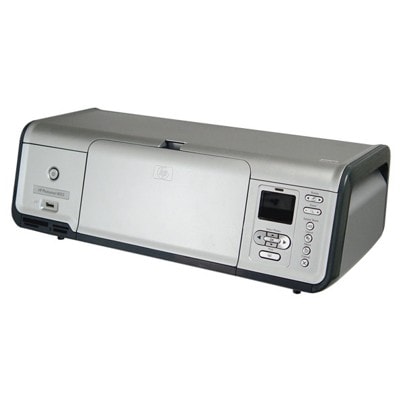
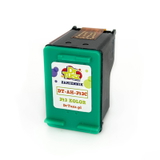
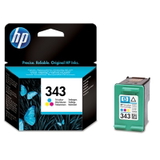
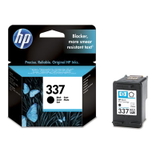
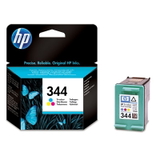
HP Photosmart 8053 – a photo printer made for everyday creativity The HP Photosmart 8053 (also searched as HP 8053 or the HP Photosmart 8000 Series) is a popular inkjet photo printer designed for people who want great-looking prints at home—especially photos. It’s valued for vivid colors, smooth tonal transitions, and the ability to produce lab-like results when paired with the right paper and the right ink. In our store you’ll find both original OEM and compatible ink cartridges for HP Photosmart 8053, so you can choose the option that best matches your printing style and budget. What ink cartridges are used in HP Photosmart 8053 and why it matters To keep your printer working reliably, it’s essential to use cartridges designed for this model. The right ink for HP Photosmart 8053 delivers consistent black text, natural skin tones, deep shadows, and clean highlights in photos. This printer commonly works with black and tri-color cartridges, and for photo enthusiasts it also supports a dedicated photo cartridge for richer tonal depth. When you choose a matching ink cartridge for HP Photosmart 8053, you gain: - Stable print quality from the first page to the last,
- Better color accuracy in photos and graphics,
- Reduced risk of streaks and fading when using good paper,
- Fewer interruptions thanks to reliable chip recognition and ink flow.
If you search by codes such as Q6351D or by the series name, you’re in the right place—this category is dedicated to cartridges that fit the HP Photosmart 8053 family. Compatible and Original OEM – choose what suits your printing We offer two proven paths: Original OEM ink cartridges and compatible ink cartridges. OEM options are ideal if you prefer the manufacturer’s solution and want to stay within HP’s original ecosystem. Our compatible cartridges are made for customers who expect excellent results and want to optimize printing costs—without sacrificing quality. Importantly, our compatible ink for HP Photosmart 8053 from DrTusz.pl is designed to be as good as the original in everyday use: sharp text, vivid color, and stable performance. If you print often—documents, school materials, or many photos—compatibles are a smart way to keep printing comfortable and affordable. Popular cartridges in this category – what customers choose most often To make selection easier, here are some of the most frequently chosen items for ink for HP Photosmart 8053 in our offer: - Compatible Ink Cartridge 337 for HP (C9364EE) (Black) – a solid choice for clear black text and everyday printing.
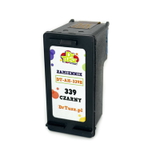
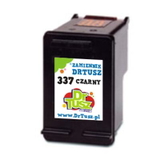
- Original OEM Ink Cartridge HP 337 (C9364EE) (Black) – manufacturer-original black for those who prefer OEM.
- Compatible Ink Cartridge 344 for HP (C9363EE) (Color) – great for color documents and photos.
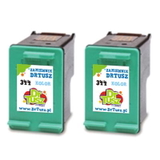
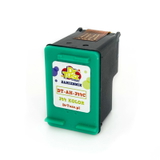
- Original OEM Ink Cartridge HP 344 (C9363EE) (Color) – original tri-color cartridge for predictable color output.
- Original OEM Ink Cartridge HP 343 (C8766EE) (Color) and Compatible Ink Cartridge 343 for HP (C8766EE) (Color) – popular color options depending on your preference for OEM or compatible.
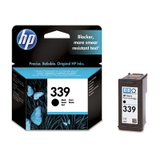
- Original OEM Ink Cartridge HP 339 (C8767EE) (Black) and Compatible Ink Cartridge 339 for HP (C8767EE) (Black) – strong black choices for frequent printing.
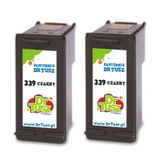
- Compatible Ink Cartridges 339 for HP (C9504EE) (Black) (2-pack) – convenient if you print a lot and want a spare ready.
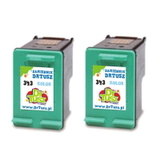
- Compatible Ink Cartridges 344 for HP (C9505EE) (Color) (2-pack) and Compatible Ink Cartridges 343 for HP (CB332EE) (Color) (2-pack) – cost-effective multipacks for regular color printing.
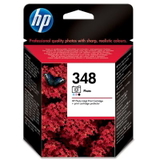
- Original OEM Ink Cartridge HP 348 (C9369EE) (Foto) – a dedicated photo cartridge for those who want the best photo look and smooth gradients.
Thanks to this variety, you can easily build a set tailored to your needs—black for documents, color for graphics, and photo ink for prints you want to frame. How to choose the right ink for HP Photosmart 8053 When selecting an ink cartridge for HP Photosmart 8053, we recommend focusing on three practical points: - Your printing type – for mainly text: choose black (e.g., 337/339). For mixed use: add a color cartridge (343/344). For photos: consider the HP 348 (C9369EE) Foto cartridge.
- Original vs. compatible – OEM is the classic choice; compatible is a budget-friendly option that still delivers excellent results. Our compatibles are tested for fit and performance and are a dependable everyday solution.
- Single cartridge vs. multipack – if you print often, a 2-pack reduces the risk of running out at the wrong time.
Common user issues with HP Photosmart 8053 – and simple prevention Customers using the HP Photosmart 8053 most often report problems typical for inkjet photo printers: dried nozzles after longer breaks, faded colors, or streaks on photos. In many cases, the solution is straightforward: - Print regularly (even a small color test page once in a while) to prevent ink drying.
- Use the printer’s built-in cleaning/alignment functions when you notice stripes or missing colors.
- Store cartridges properly and install them soon after opening.
- Match ink to purpose—for photos, combining good paper with a photo cartridge can noticeably improve tonal smoothness.
If you’re unsure which cartridge number to choose for your printer or you’re searching by model phrase like HP Photosmart 8053, HP 8053, or the HP Photosmart 8000 Series, we’re here to help you pick the correct ink quickly. Order ink cartridges today – print more, worry less We encourage you to explore our selection of ink cartridges for HP Photosmart 8053—both compatible and original OEM. Choose a single cartridge or a convenient multipack, stock up for home and office use, and keep your photo printer ready whenever inspiration strikes. Add the right ink to your cart now, and if you have any questions, contact us—our team will help you choose the best option and arrange fast, safe delivery. |