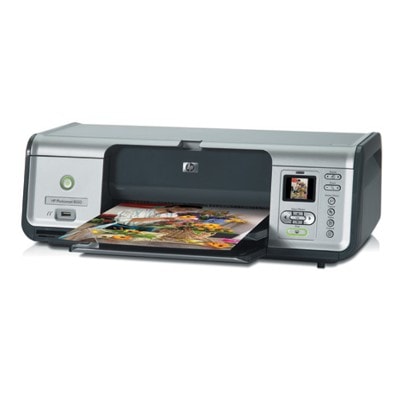
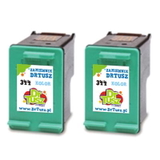
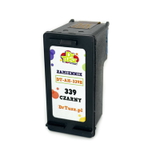
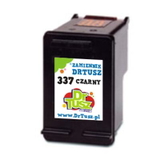
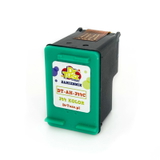
HP Photosmart 8050 – a proven photo printer for everyday and creative printing The HP Photosmart 8050 (also searched as HP 8050 or HP Photosmart 8000 Series) is a classic inkjet photo printer designed for people who value vivid colour, smooth gradients, and sharp text. It’s ideal for home photo printing, school projects, invitations, and everyday documents. To keep this model performing at its best, you need the right ink cartridge for HP Photosmart 8050—reliable, efficient, and matched to your printing habits. Ink for HP Photosmart 8050 – what you gain with the right cartridges Choosing a good ink for HP Photosmart 8050 means consistent print quality and fewer interruptions. This printer typically uses separate black and colour cartridges, and for photo enthusiasts there is also a dedicated photo cartridge option. With well-matched cartridges you can expect: - clean, crisp black text for documents and labels,
- natural-looking colours for photos and graphics,
- better colour transitions and more depth on glossy photo paper,
- stable performance with fewer cleaning cycles and less wasted ink.
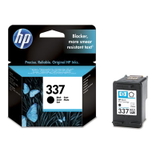
In this category you’ll find both Original OEM and compatible ink cartridge options—so you can decide whether you prefer the manufacturer’s originals or a cost-effective alternative without compromising results. Compatible and Original OEM cartridges – a wide choice for HP 8050 We offer a carefully selected range of ink cartridges for HP Photosmart 8050, including popular black, colour, and photo options—also in convenient multipacks for higher-volume printing. Our customers frequently choose: - Compatible Ink Cartridge 337 for HP (C9364EE) (Black) and Original OEM Ink Cartridge HP 337 (C9364EE) (Black) – dependable black for everyday documents.
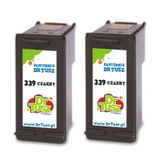
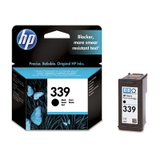
- Compatible Ink Cartridge 339 for HP (C8767EE) (Black) or the Compatible Ink Cartridges 339 for HP (C9504EE) (Black) (2-pack) – a smart option if you print a lot of text.
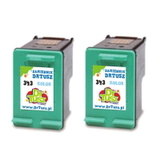
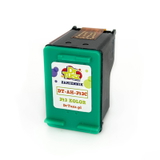
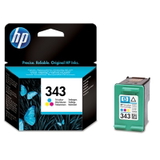
- Compatible Ink Cartridge 343 for HP (C8766EE) (Color) and Original OEM Ink Cartridge HP 343 (C8766EE) (Color) – great for colourful graphics and photo prints.
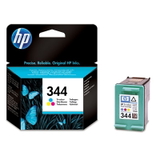
- Compatible Ink Cartridge 344 for HP (C9363EE) (Color) and Original OEM Ink Cartridge HP 344 (C9363EE) (Color), plus the Compatible Ink Cartridges 344 for HP (C9505EE) (Color) (2-pack) – ideal for frequent colour printing and better value per page.
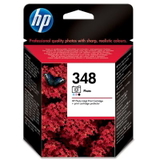
- Original OEM Ink Cartridge HP 348 (C9369EE) (Foto) – a dedicated photo cartridge for users focused on high-quality photo output.
If you’re searching by code, this page covers popular identifiers such as Q6353A and cartridge numbers used with the Photosmart 8000 Series. How to choose the best ink cartridge for HP Photosmart 8050 Dear Customer, the best choice depends on what you print and how often. Here are practical tips we recommend: - For mainly documents: choose a black cartridge like HP 337 or HP 339. If you print often, consider a 2-pack to reduce downtime.
- For mixed printing (text + colour): pair black (337/339) with colour (HP 343 or HP 344) to keep colours accurate and blacks deep.
- For photos: consider adding the HP 348 (Foto) Original OEM cartridge—especially when printing on photo paper where subtle tones matter.
- Check the cartridge symbol/number: matching codes like C9364EE or C8766EE is the fastest way to ensure compatibility.
Original OEM vs compatible – what’s the difference? Original OEM ink cartridge for HP Photosmart 8050 is produced by HP and chosen by customers who want the manufacturer’s solution—often for critical prints or personal preference. Compatible ink cartridge for HP Photosmart 8050 is a cost-effective alternative designed to fit and work just like the original. Importantly, our compatible cartridges from DrTusz.pl are made to deliver print quality that is as good as originals for everyday use and photo printing—so you can save money without sacrificing sharpness or colour. It’s a popular choice for households, students, and anyone printing regularly. Common user issues with HP Photosmart 8050 inks – and how we help With printers from the Photosmart 8000 Series, users sometimes report issues such as cartridge not being recognised, faded prints, or streaks after long breaks. In many cases, the solution is simple: - make sure the cartridge code matches (e.g., C9363EE / C8767EE),
- run a standard cleaning cycle after replacing ink,
- print a small colour page periodically if the printer sits unused,
- store spare cartridges properly and install them soon after opening.
If you’re unsure which ink for HP 8050 to choose, we’re here to help—just tell us what you print and how often, and we’ll recommend the best set. Choose your HP Photosmart 8050 ink today We encourage you to browse our full selection of ink cartridges for HP Photosmart 8050—both compatible and Original OEM. Pick a single cartridge or a practical multipack and keep your printer ready whenever you need it. Add your chosen cartridges to the cart, and if you have any questions about HP Photosmart 8050 ink, contact us—we’ll gladly help you make the right choice and get your prints looking their best. |