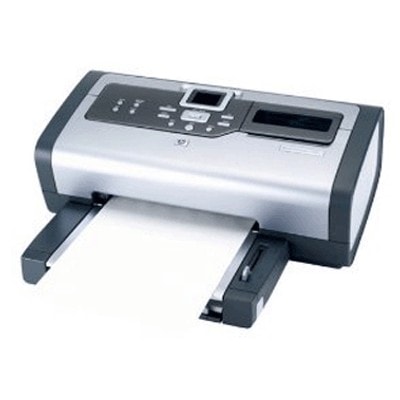
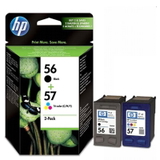
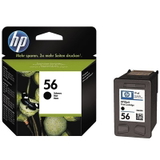
Ink cartridges for HP Photosmart 7655 – reliable printing for photos and everyday documents The HP Photosmart 7655 (also searched as HP 7655 or HP Photosmart 7600 Series) is a classic inkjet photo printer designed for crisp documents and impressive home photo prints. To keep it performing at its best, you need the right ink for printer HP Photosmart 7655—properly matched to the printer’s requirements and your printing style. In our store, we offer both Original OEM and high-quality Compatible ink cartridges, so you can choose exactly what you need: maximum brand assurance or excellent value without compromising quality. What makes ink for HP Photosmart 7655 so important? This model is built to handle both text and color printing, which means cartridge selection matters. The right ink for HP Photosmart 7655 affects not only color accuracy and black density, but also drying time, smudge resistance and overall reliability. The printer typically works with the well-known cartridge set: - HP 56 (C6656AE) – Black for sharp text and everyday printing
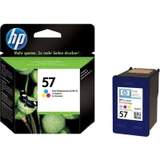
- HP 57 (C6657AE) – Color for graphics and vibrant images
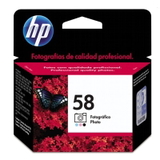
- HP 58 (C6658AE) – Photo for smoother transitions and better photo tones
If you print mixed content (emails, school materials, web pages, photos), choosing the right combination—black + color, or black + color + photo—helps you get the best effect while controlling cost per page. Compatible vs Original OEM ink cartridges – how to choose? Many customers ask us whether it’s better to pick Original OEM ink for HP Photosmart 7655 or a compatible alternative. The good news: you can choose based on your priorities, because our compatible cartridges from DrTusz.pl are designed to be as good as the originals in everyday use—clear text, strong blacks and vivid colors. - Original OEM cartridges are ideal if you want maximum manufacturer consistency and you often print important documents or demanding photos.
- Compatible cartridges are a smart choice if you want excellent quality at a more budget-friendly price—perfect for frequent home and office printing.
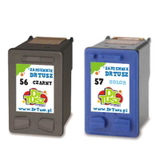
Tip: If you print a lot, consider multipacks or 2-packs—having a spare cartridge prevents downtime when ink runs out at the worst moment. Popular ink cartridges in this category (wide choice, proven combinations) We’ve built this category to make it easy to find the right ink cartridge for HP Photosmart 7655 by name, code or set. Customers often choose: - Compatible Ink Cartridge 56 for HP (C6656AE) (Black) – a reliable everyday black for text
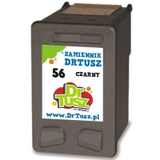
- Compatible Ink Cartridge 57 for HP (C6657AE) (Color) – for colorful graphics and photos
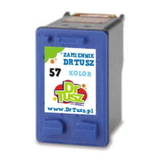
- Compatible Ink Cartridges 56 for HP (C9502AE) (Black) (2-pack) – ideal for frequent black printing
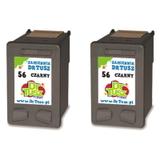
- Compatible Ink Cartridges 57 for HP (C9503AE) (Color) (2-pack) – convenient option for high color usage
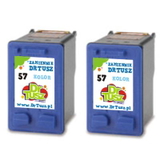
- Compatible Ink Cartridges 56 + 57 for HP (SA342AE) (multi pack) – a practical set for mixed printing
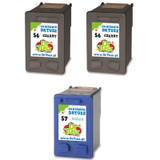
- Compatible Ink Cartridges 2x 56 + 57 for HP (SD399AE) (multi pack) – a higher-volume choice for busy households
- Original OEM Ink Cartridge HP 56 (C6656AE) (Black) – manufacturer cartridge for crisp black text
- Original OEM Ink Cartridge HP 57 (C6657AE) (Color) – original color performance and consistency
- Original OEM Ink Cartridge HP 58 (C6658AE) (Foto) – for improved photo gradients and tones
- Original OEM Ink Cartridges HP 56 + 57 (SA342AE) (multi pack) – classic OEM set for daily printing
If you search by codes like Q3011A or by the printer family name HP Photosmart 7600 Series, you’re in the right place—this category is tailored precisely to those queries. Practical tips and common user issues with HP Photosmart 7655 To keep your printer working smoothly, we recommend a few simple habits when using ink for printer HP Photosmart 7655: - Printing fades or streaks: run the printer’s cleaning cycle and check if the cartridge is correctly installed. If the printer sits unused for long periods, ink can dry in the nozzles—printing a small test page weekly helps.
- Colors look different than expected: make sure you’re using the right cartridge type (Color vs Photo). For photo printing, adding HP 58 (C6658AE) Foto can noticeably improve results.
- Cartridge not recognized: remove and reinstall the cartridge, ensuring protective tape is removed and contacts are clean and dry.
- High printing costs: consider compatible cartridges or multipacks—many customers reduce cost per page significantly without losing quality.
If you tell us what you print most often (documents, schoolwork, photos), we’ll help you choose the best option—OEM, compatible, single cartridge or a multi pack. Choose your ink and start printing again We encourage you to explore our selection of ink cartridges for HP Photosmart 7655—both Compatible and Original OEM. We focus on clear product naming, easy matching by codes (like C6656AE, C6657AE, C6658AE) and a wide choice of sets, 2-packs and multipacks, so you can buy exactly what you need. CTA: Add the right ink for HP Photosmart 7655 to your cart today, or contact us if you want a quick recommendation—we’ll help you pick the best cartridge for your printing style. We provide fast delivery options and friendly support, so you can get back to printing without unnecessary delays. |