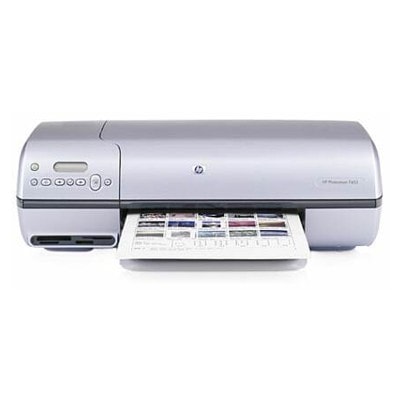
HP Photosmart 7500 Series – photo printing you can still rely on The HP Photosmart 7500 (also searched as HP 7500 or HP Photosmart 7500 Series) is a classic inkjet printer designed with home photo printing in mind. It’s known for smooth colour transitions, vivid snapshots and easy everyday printing. To keep that quality consistent, the key is choosing the right ink for HP Photosmart 7500—whether you prefer the peace of mind of Original OEM cartridges or want a cost-effective, fully reliable compatible option. Ink cartridges for HP Photosmart 7500 – what they do and why it matters This category includes ink cartridges built for the HP Photosmart 7500 platform: black for sharp text, colour for graphics and photos, and photo ink for improved image depth. The right ink for printer HP Photosmart 7500 affects more than just colour—it also influences drying time, smudge resistance and the clarity of fine details. Typical uses customers choose this printer for include: - printing photos on glossy or matte paper,
- everyday home documents (school, work, invoices),
- colour projects, invitations and occasional creative prints.
Compatible and Original OEM – the choice is yours In our store we offer both Original OEM ink cartridges and carefully selected compatible ink cartridges for HP Photosmart 7500. If you want manufacturer-branded supplies, choose OEM. If you want to lower printing costs without sacrificing quality, our compatible cartridges from DrTusz.pl are a dependable alternative—made to fit and work just as smoothly in everyday use. Both options are available in popular configurations: single cartridges for quick replacement and multi packs for better value and fewer interruptions. Popular cartridges in this category (black, colour and photo) To make shopping easier, here are some of the most frequently chosen products for ink for HP Photosmart 7500 Series: - Original OEM Ink Cartridge HP 56 (C6656AE) (Black) – crisp black text and reliable output for daily printing.
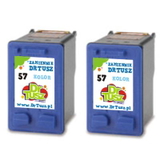
- Original OEM Ink Cartridge HP 57 (C6657AE) (Color) – balanced colour for photos, charts and colourful documents.
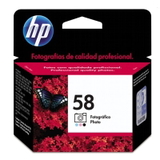
- Original OEM Ink Cartridge HP 58 (C6658AE) (Foto) – photo-focused ink for smoother gradations and more natural tones.
- Original OEM Ink Cartridges HP 56 + 57 (SA342AE) (multi pack) – an удобный bundle for black + colour users.
- Compatible Ink Cartridge 56 for HP (C6656AE) (Black) – a cost-efficient choice for frequent text printing.
- Compatible Ink Cartridge 57 for HP (C6657AE) (Color) – great for everyday colour and family photos.
- Compatible Ink Cartridges 56 + 57 for HP (SA342AE) (multi pack) – a popular value set for mixed printing needs.
- Compatible Ink Cartridges 2x 56 + 57 for HP (SD399AE) (multi pack) – a bigger supply for high-volume households.
- Compatible Ink Cartridges 56 for HP (C9502AE) (Black) (2-pack) and Compatible Ink Cartridges 57 for HP (C9503AE) (Color) (2-pack) – fewer orders, more printing continuity.
How to choose the right ink for HP 7500 – practical tips When selecting ink for HP Photosmart 7500, we recommend thinking about what you print most often: - Mostly documents? Choose a black cartridge (HP 56) or a 2-pack if you print regularly.
- Photos and colour graphics? Add HP 57 (colour) and consider HP 58 photo ink for improved photo finish.
- Want the best price-per-print? Multi packs like 56 + 57 help reduce costs and prevent downtime.
Original vs compatible—what’s the difference? Original OEM cartridges are made and branded by the manufacturer. Compatible cartridges are an alternative made to match the printer requirements. Our compatible options are tested for fit and performance and are designed to deliver results comparable to OEM—so you can choose based on your budget and printing style. Common HP Photosmart 7500 user issues (and how the right cartridge helps) Customers using the HP Photosmart 7500 Series most often mention: - faded colours or weak black – usually a sign the cartridge is near empty or has been stored too long,
- streaks / missing lines – typically resolved by replacing the cartridge and running the printer’s cleaning cycle,
- printing stops at the worst moment – solved by keeping a spare multi pack at home.
Choosing a fresh, correctly matched ink cartridge for HP Photosmart 7500 is the quickest way to restore clean text and vibrant photos—without troubleshooting for hours. Order your ink cartridges today – we’re here to help We encourage you to explore our full selection of ink cartridges for HP Photosmart 7500: compatible and Original OEM. Choose a single cartridge, a 2-pack, or a convenient multi pack and keep your printer ready for every document and photo. If you’re unsure which ink for printer HP Photosmart 7500 is best for your needs, contact us—we’ll help you match the right cartridge set quickly. Add your chosen products to the cart and enjoy fast, convenient delivery and expert support from our team. |