Haven't found what you were looking for? Click here! ▼
Describe below exactly what you are looking for and we will see how we can help. You will receive a reply to your e-mail address by 13:18 at the latest
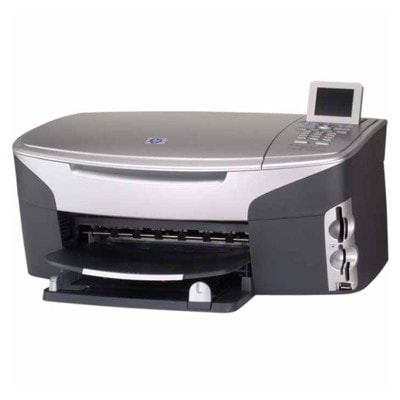
Ink cartridges for HP Photosmart 2610xi - compatible and original OEM
Keep your HP Photosmart 2610xi printing sharp with the right ink cartridge choice—whether you prefer cost-effective compatible options or genuine Original OEM supplies. This category covers the most popular black, color, and photo ink solutions used across the HP Photosmart 2600 Series (also searched as HP 2610xi, 2610 xi, Q5550C, and 2610XI), so you can match your printer and printing habits with confidence.
Choose from Compatible ink cartridges for everyday savings, including single cartridges and convenient multi-packs like 338 + 343 sets, plus 2-packs for high-volume printing. If you want manufacturer-matched results, pick Original OEM ink cartridges such as HP 338 (Black), HP 343/344 (Color), HP 339 (Black), and the HP 348 (Photo) cartridge for vivid photo output. All options in this collection are selected for fit and functionality as HP Photosmart 2610xi ink cartridges, making it easy to replace and get back to printing.
Whether you’re printing documents, color graphics, or photos, you’ll find the right ink cartridges for HP Photosmart 2610xi here—available as compatible and original OEM choices. Pick your cartridge, stock up with multipacks, and print without interruptions—explore the full selection and find your best match today.
Product Number: Q5550C Other names: All-In-One Printer HP Photosmart 2610xi, All-In-One Printer HP Photosmart 2610 xi, All-In-One Printer HP Photosmart 2610 XI, All-In-One Printer HP Photosmart 2610XI
HP Photosmart 2610xi – a versatile home photo lab and office helper
The HP Photosmart 2610xi (also found as HP 2610xi, 2610 xi or HP Photosmart 2600 Series, code Q5550C) is a classic all-in-one inkjet printer designed for everyday printing, copying and scanning, with a strong focus on photos. It’s a popular choice for home users who want sharp text documents and vibrant family prints without having to use a photo lab. To keep this model running at its best, choosing the right ink for HP Photosmart 2610xi is key—especially when you print frequently or care about consistent colours.
What ink cartridges for HP Photosmart 2610xi can do for your prints
In this category you’ll find ink cartridges for HP Photosmart 2610xi in both Original OEM and Compatible versions—so you can match the cartridge to your needs and budget. The HP Photosmart 2610xi uses separate black and colour cartridges, which makes it easier to control costs: you replace only the colour that runs out.
With the right ink for HP 2610xi, you can expect:
clear, readable black text for school, work and home documents,
strong colour saturation for photos and graphics,
reliable everyday printing for bills, forms and shipping labels,
smooth colour transitions—especially important for photo printing.
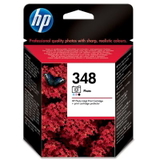
If you print photos often, consider adding a dedicated photo cartridge to your setup. The HP 348 (C9369EE) Photo option can enhance photo tones and improve the look of prints on photo paper.
Compatible and Original OEM – wide choice in one place
We make it easy to find the right ink cartridge for HP Photosmart 2610xi by offering both factory Original OEM cartridges and carefully selected Compatible alternatives. Our compatible cartridges from DrTusz.pl are designed to be just as good as the originals in everyday use—excellent print quality, dependable performance and a very attractive cost per page.
Popular picks in this category include:
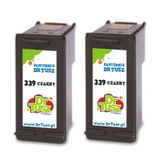
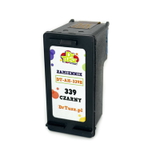
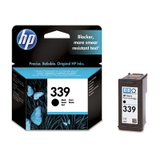
Compatible Ink Cartridge 339 for HP (C8767EE) (Black) – a great everyday black cartridge for documents.
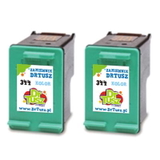
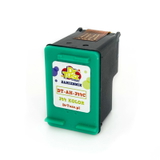
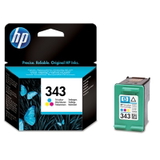
Compatible Ink Cartridge 343 for HP (C8766EE) (Color) – reliable colour printing for school projects and photos.
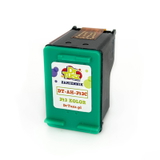
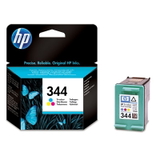
Compatible Ink Cartridge 344 for HP (C9363EE) (Color) – ideal when you want vivid colour output.
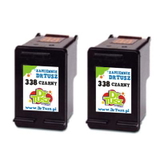
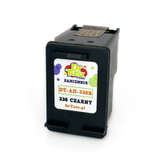
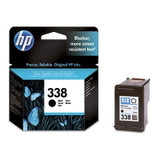
Compatible Ink Cartridge 338 for HP (C8765EE) (Black) – a solid choice for regular black printing.
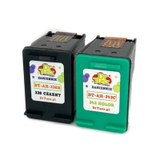
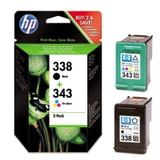
Compatible Ink Cartridges 338 + 343 for HP (SD449EE) (multi pack) – convenient set for balanced printing.
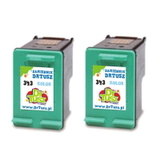
Compatible Ink Cartridges 339 for HP (C9504EE) (Black) (2-pack) and Compatible Ink Cartridges 343 for HP (CB332EE) (Color) (2-pack) – smart options if you print often and want a backup.
If you prefer manufacturer solutions, we also stock Original OEM classics:
Original OEM Ink Cartridge HP 338 (C8765EE) (Black)
Original OEM Ink Cartridge HP 343 (C8766EE) (Color)
Original OEM Ink Cartridge HP 344 (C9363EE) (Color)
Original OEM Ink Cartridge HP 339 (C8767EE) (Black)
Original OEM Ink Cartridges HP 338 + 343 (SD449EE) (multi pack)
Original OEM Ink Cartridge HP 348 (C9369EE) (Foto) – for photo enthusiasts.
How to choose the best ink for HP Photosmart 2610xi
When selecting ink for printer HP Photosmart 2610xi, start with your printing style:
Mostly documents? Choose a reliable black cartridge (HP 338 / HP 339 equivalents) and consider a 2-pack to avoid downtime.
Colour documents and photos? Add a colour cartridge (HP 343 / HP 344 equivalents) and consider a multipack for convenience.
Photo-heavy printing? Combine colour + black with the HP 348 Photo cartridge for better photo tones.
Original OEM vs compatible: Original OEM cartridges are made by the printer manufacturer and are a safe, familiar choice. Compatible cartridges are an excellent alternative when you want to lower printing costs without giving up quality. Our compatible inks from DrTusz.pl are tested for dependable printing, consistent colour and trouble-free installation—so you can confidently choose the option that fits your budget.
Common user issues with HP Photosmart 2610xi – and simple fixes
The HP Photosmart 2610xi is a reliable device, but like any inkjet printer it can run into typical ink-related problems. Here’s what we recommend:
Faded prints or missing colours: run the printer’s cleaning cycle and check if the correct cartridge is installed (black vs colour). If the cartridge is empty, replace it promptly.
Streaks on photos: perform printhead cleaning and use good-quality photo paper; old or low-quality paper can cause uneven ink absorption.
Cartridge not recognized: remove and reinstall the cartridge, gently clean the contacts, and restart the printer. If the problem persists, we’re here to help you choose a replacement.
Ink dries out when printing rarely: print a small colour test page every 1–2 weeks to keep ink flowing smoothly.
Choosing the right ink cartridge for HP 2610xi and keeping basic maintenance habits can significantly improve print quality and reduce wasted ink.
Choose your cartridge and start printing today
We encourage you to explore our full range of ink cartridges for HP Photosmart 2610xi—both Compatible and Original OEM. Whether you want the most cost-effective option for everyday printing or you’re building the best setup for photo output, we’ll help you find the right cartridge quickly and confidently.
Call to action: Choose your ink for HP Photosmart 2610xi from the list above, add it to your cart, and order today. If you’re unsure which cartridge (338, 339, 343, 344, 348 or SD449EE) is best for your needs, contact us—we’ll gladly help you match the right ink to your printer and printing habits. We offer fast delivery options and responsive customer support, so you can get back to printing without delay.