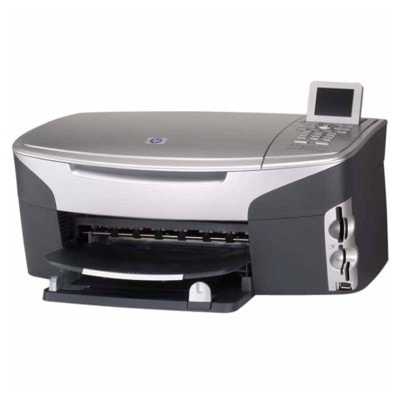
HP Photosmart 2605 – a compact photo printer that still delivers HP Photosmart 2605 (also found as HP 2605 or HP Photosmart 2600 Series) is a popular inkjet printer built for everyday home printing with a strong focus on photos. It’s valued for easy operation, good color reproduction, and the ability to print family pictures, school materials, and documents without complicated setup. To keep this model working at its best, you need reliable ink for HP Photosmart 2605—matched to the right cartridge number and your printing habits. What makes ink for HP Photosmart 2605 important? The right ink cartridge for HP Photosmart 2605 impacts everything you see on the page: crisp black text, smooth gradients, vivid colors, and photo longevity. This printer uses a classic HP cartridge system with separate black and color cartridges, and in some sets an additional photo cartridge. In our category you’ll find both Original OEM and compatible solutions, so you can choose whether you prioritize brand-original supplies or maximum savings without sacrificing quality. Depending on what you print, you can select: - Black ink for clear documents and sharp outlines (ideal for school and office pages).
- Color ink for graphics, presentations, and everyday color printing.
- Photo ink for smoother transitions and better-looking photos on photo paper.
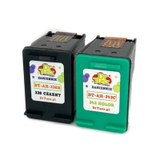
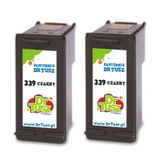
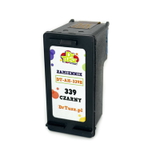
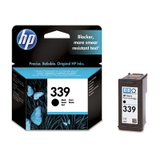
When customers search by codes like Q5551B or by the model name, they typically want fast confirmation they’re buying the correct ink for printer HP Photosmart 2605. We make that easy by clearly listing cartridge symbols and equivalents. Compatible and Original OEM cartridges – one printer, two smart options We offer both Original OEM ink cartridges and carefully selected compatible ink cartridges for HP Photosmart 2605. Original cartridges are produced by HP and are a great choice for users who prefer brand-matched consumables. Compatible cartridges, on the other hand, are a cost-effective alternative—especially for frequent printing. And an important note: our compatible ink for HP Photosmart 2605 from DrTusz.pl is designed to be as good as the original in everyday use. You can expect strong coverage, reliable performance, and consistent results—while keeping printing costs under control. Popular picks from our HP Photosmart 2605 ink cartridge range In this category you’ll find single cartridges and convenient multi-packs, so you can restock exactly the way you prefer. Customers often choose these proven options: - Compatible Ink Cartridge 339 for HP (C8767EE) (Black) – a reliable choice for text-heavy printing.
- Original OEM Ink Cartridge HP 339 (C8767EE) (Black) – for those who want HP’s original black cartridge.
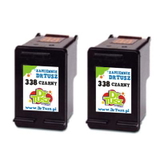
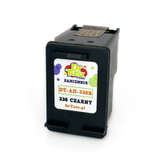
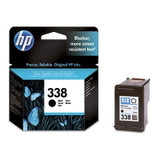
- Original OEM Ink Cartridge HP 338 (C8765EE) (Black) and Compatible Ink Cartridge 338 for HP (C8765EE) (Black) – popular black options depending on your preference for OEM or compatible.
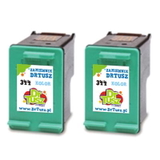
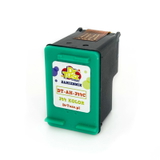
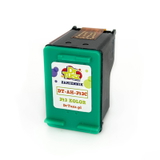
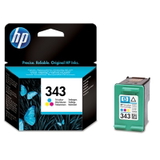
- Original OEM Ink Cartridge HP 343 (C8766EE) (Color) and Compatible Ink Cartridge 343 for HP (C8766EE) (Color) – a go-to for everyday color printing.
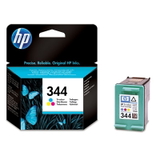
- Original OEM Ink Cartridge HP 344 (C9363EE) (Color) and Compatible Ink Cartridge 344 for HP (C9363EE) (Color) – another commonly used color cartridge type.
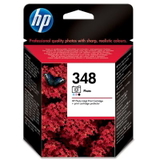
- Original OEM Ink Cartridge HP 348 (C9369EE) (Foto) – dedicated photo cartridge for improved photo output.
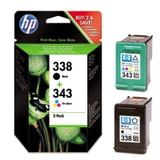
- Original OEM Ink Cartridges HP 338 + 343 (SD449EE) (multi pack) and Compatible Ink Cartridges 338 + 343 for HP (SD449EE) (multi pack) – convenient sets for balanced black + color use.
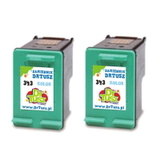
- 2-pack compatible sets such as Compatible Ink Cartridges 339 for HP (C9504EE) (Black) (2-pack), Compatible Ink Cartridges 338 for HP (CB331EE) (Black) (2-pack), Compatible Ink Cartridges 343 for HP (CB332EE) (Color) (2-pack), and Compatible Ink Cartridges 344 for HP (C9505EE) (Color) (2-pack) – perfect if you want a spare ready to go.
How to choose the right ink cartridge for HP 2605 To pick the best ink for HP 2605, we recommend a simple approach: - Match the cartridge code: look for symbols like 338, 339, 343, 344, or 348 (and the detailed codes such as C8765EE, C8767EE, C8766EE, C9363EE, C9369EE).
- Decide between OEM and compatible: choose Original OEM for brand-original supplies, or choose compatible to reduce printing costs while maintaining quality.
- Think about what you print most: documents = prioritize black; photos = consider adding the photo cartridge; mixed printing = multi-pack is usually the most convenient.
Common user issues with HP Photosmart 2605 – and how the right cartridge helps Users of the HP Photosmart 2600 Series sometimes report issues such as faded prints, missing colors, streaks, or the printer not recognizing a cartridge after replacement. In many cases, these problems are related to an empty/expired cartridge, clogged nozzles after long breaks in printing, or installing a cartridge that doesn’t match the printer’s required type. What we recommend: - Print regularly (even a small color test) to reduce the risk of dried nozzles.
- Run the printer’s cleaning/alignment utility if you notice lines or missing colors.
- Choose the correct cartridge model for your HP Photosmart 2605—this is the fastest way to avoid compatibility issues.
If you’re unsure whether you need 338/339 or 343/344 (or you want the photo option), we’re here to help you choose the best ink cartridge for HP Photosmart 2605 for your exact needs. Order your HP Photosmart 2605 ink with confidence We encourage you to explore our full range of ink cartridges for HP Photosmart 2605—both compatible and Original OEM. Choose a single cartridge when you’re topping up, or pick a value multi-pack/2-pack when you want better convenience and cost control. CTA: Add the right ink for printer HP Photosmart 2605 to your cart today, and if you have any questions about cartridge selection, codes, or print quality—contact us. We’ll help you quickly match the correct cartridge and get your printer back to perfect printing, with fast delivery options available. |