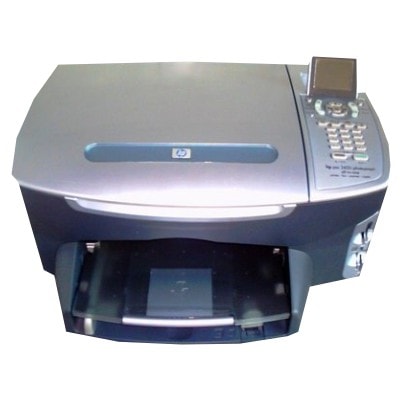
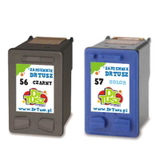
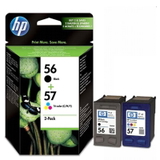
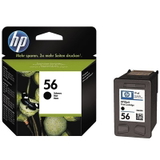
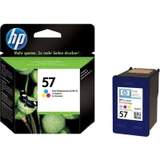
Ink cartridges for HP Photosmart 2405 – reliable printing in the HP 2400 Series If you use the HP Photosmart 2405 (also known as HP Photosmart 2400 Series / HP 2405, part no. Q3086A), you know it was designed for home photo printing and everyday documents. To keep this printer delivering sharp text and vivid colors, you need the right ink cartridge for HP Photosmart 2405—matched to the system and your printing habits. In this category we offer both Original OEM and proven compatible ink cartridges, so you can choose exactly what fits your budget and expectations. What you get with the right ink for HP Photosmart 2405 The HP Photosmart 2405 uses two classic cartridges: HP 56 (black) and HP 57 (tri-color). Choosing the correct ink for HP 2405 ensures consistent results whether you print schoolwork, invoices, recipes, or photo projects. A fresh ink cartridge for HP Photosmart 2405 helps you avoid faded prints, uneven color areas, or missing lines—issues that often appear when a cartridge is empty, clogged, or simply worn out. With a properly selected set (black + color), you can expect: - clear, high-contrast black text for documents and drafts,
- natural-looking color for photos and graphics,
- stable performance and fewer interruptions during printing,
- simple replacement—just swap the cartridge and keep printing.
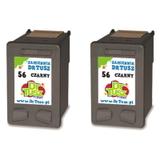
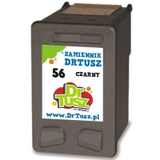
Compatible and Original OEM cartridges – wide choice in one place We stock ink for HP Photosmart 2405 in two product classes: Original OEM and Compatible. Original OEM cartridges are produced by HP and are ideal for customers who want to stay with manufacturer-branded supplies. Our compatible ink cartridges are a smart alternative for cost-conscious printing—carefully selected to deliver print quality comparable to the originals. In DrTusz.pl we focus on compatibility and repeatable results, so you can print confidently without overpaying. Popular products in this category (HP 56 / HP 57) To make selection easy, we offer both single cartridges and convenient multipacks. Here are some of the most frequently chosen options: - Compatible Ink Cartridge 56 for HP (C6656AE) (Black) – a practical choice for everyday black printing.
- Original OEM Ink Cartridge HP 56 (C6656AE) (Black) – OEM black ink for HP Photosmart 2405 for users who prefer original HP supplies.
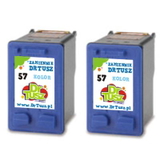
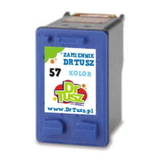
- Compatible Ink Cartridge 57 for HP (C6657AE) (Color) – vivid tri-color printing for photos and color documents.
- Original OEM Ink Cartridge HP 57 (C6657AE) (Color) – OEM color cartridge for consistent HP results.
- Compatible Ink Cartridges 56 + 57 for HP (SA342AE) (multi pack) – a balanced set for complete black + color printing.
- Original OEM Ink Cartridges HP 56 + 57 (SA342AE) (multi pack) – original HP multipack for the HP 2405.
- Compatible Ink Cartridges 56 for HP (C9502AE) (Black) (2-pack) and Compatible Ink Cartridges 57 for HP (C9503AE) (Color) (2-pack) – great if you want to stock up and avoid running out at the wrong time.
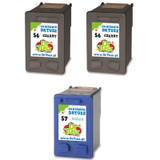
- Compatible Ink Cartridges 2x 56 + 57 for HP (SD399AE) (multi pack) – a high-value multipack for frequent printing.
All items in this category are ink cartridges for the HP Photosmart 2405 / HP Photosmart 2400 Series, so you can shop faster without guessing. How to choose the best ink cartridge for HP Photosmart 2405 When selecting ink for HP Photosmart 2405, start with your printing style: - Mostly text and black documents: choose an HP 56 (black), ideally a 2-pack if you print often.
- Photos, school projects, colorful graphics: add an HP 57 (color) for smooth color transitions.
- All-purpose home printing: the best option is usually a HP 56 + 57 multipack—you always have both colors ready.
Original OEM vs compatible – what’s the difference? Original OEM ink is HP-branded. Compatible cartridges are made as an alternative for the same printer and are a great way to reduce printing costs. Our compatible ink for HP 2405 is selected to be as good as the original in everyday use—sharp text, strong blacks, and vibrant color—while remaining budget-friendly. Common issues with HP 2405 printing – and quick tips Users of the HP Photosmart 2405 sometimes report typical ink-related problems such as streaks, faded prints, missing colors, or the printer not recognizing a cartridge after replacement. In many cases, the solution is simple: - Run the printer’s cleaning/alignment utility after installing a new ink cartridge for HP Photosmart 2405.
- Make sure the protective tape is removed before installation.
- If prints are faint, the cartridge may be near empty—replacing with a fresh HP 56 or HP 57 often fixes it immediately.
- Print regularly (even a small test page) to help prevent ink drying in the nozzles.
If you’re unsure which cartridge your printer needs—C6656AE, C6657AE, SA342AE, SD399AE, C9502AE, or C9503AE—we’re here to help you match the correct ink for HP Photosmart 2405 quickly. Order your HP Photosmart 2405 ink today We encourage you to explore our selection of compatible and Original OEM ink cartridges for HP Photosmart 2405 and choose the set that best matches your needs. Add your cartridge to the cart, stock up with a multipack, and enjoy smooth printing without interruptions. If you have any questions, contact us—our team will gladly help you pick the right ink for HP 2405 and arrange fast delivery. |