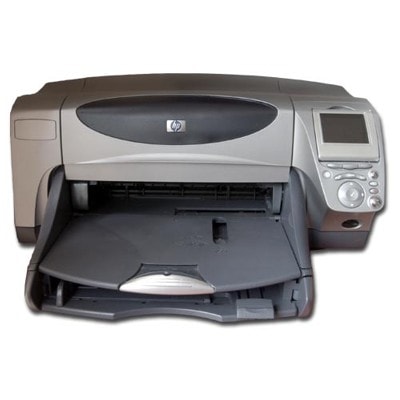
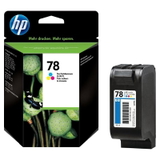
Reliable printing with the HP Photosmart 1315 HP Photosmart 1315 (also searched as HP 1315 or HP Photosmart 1300 Series) is a classic home inkjet device designed for everyday printing—documents, school materials, and colorful photos. To keep this printer working smoothly and to maintain crisp text plus vivid colors, choosing the right ink for HP Photosmart 1315 matters. In this category you will find both Original OEM and compatible ink cartridges for HP Photosmart 1315, so you can match the option to your budget and printing habits without compromising quality. What these cartridges do best: sharp black and true color The HP Photosmart 1315 uses two main cartridge families: a black cartridge and a tri-color cartridge. The right ink cartridge for HP Photosmart 1315 ensures clean, readable black text and well-balanced color graphics—ideal for homework, invoices, recipes, photos, and everyday office-style documents. When your prints start fading, showing streaks, or colors look “off,” it’s usually a sign the cartridge is running low or the nozzles need a quick cleaning cycle. In this selection you’ll see the most common references used by customers when looking for ink for this printer, including C8634A, 51645AE and C6578AE/C6578DE. If you search by the printer name (HP Photosmart 1315) or by the cartridge codes, you’re in the right place. Compatible and Original OEM ink for HP Photosmart 1315—choose your best fit We offer two proven routes for your ink for HP 1315: - Original OEM cartridges—made by HP, a great choice for customers who prefer the manufacturer’s solution.
- Compatible cartridges—our carefully selected alternatives that deliver printing results comparable to originals. If you print often, compatible ink cartridges for HP Photosmart 1315 are an excellent way to reduce cost per page while keeping strong quality.
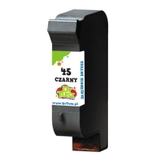
Many customers ask whether a compatible cartridge will “work the same.” Our answer: yes—compatible cartridges from our offer are designed to fit correctly, print reliably, and provide very good everyday results, just like the originals. If you’d like help selecting the safest option for your needs, we’re ready to advise. Popular picks in this category (single packs and value multipacks) To make ordering easy, we stock both single cartridges and convenient sets. Among the most frequently chosen products are: - Compatible Ink Cartridge 45 for HP (51645AE) (Black) – a dependable option for sharp black text in daily printing.
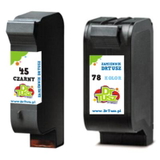
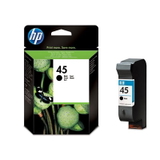
- Original OEM Ink Cartridge HP 45 (51645AE) (Black) – the manufacturer’s black cartridge for HP Photosmart 1315.
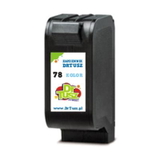
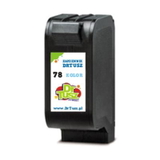
- Compatible Ink Cartridge 78 for HP (C6578AE) (Color) and Compatible Ink Cartridge 78 for HP (C6578DE) (Color) – great for color documents and photos.
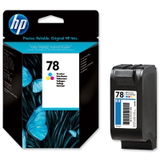
- Original OEM Ink Cartridge HP 78 (C6578AE) (Color) / Original OEM Ink Cartridge HP 78 (C6578DE) (Color) – OEM color cartridges for users who prefer HP originals.
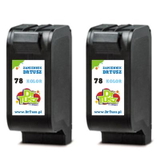
- Compatible Ink Cartridges 78 for HP (C6578AE-2) (Color) (2-pack) – smart value if you print a lot in color.
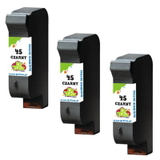
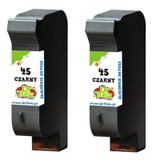
- Compatible Ink Cartridges 45 for HP (SA294AE) (Black) (2-pack) and Compatible Ink Cartridges 45 for HP (51645AE-3) (Black) (3-pack) – ideal for frequent document printing.
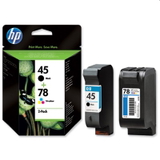
- Compatible Ink Cartridges 45 + 78 for HP (SA308AE) (multi pack) and Original OEM Ink Cartridges HP 45 + 78 (SA308AE) (multi pack) – a complete set when you want to refresh both black and color at once.
This variety means you can choose exactly the configuration you need—one cartridge now, or a multipack to stay stocked and avoid downtime. How to choose the right ink cartridge for HP Photosmart 1315 When you’re selecting ink for printer HP Photosmart 1315, we recommend a quick checklist: - Match the cartridge code: black is typically HP 45 (51645AE), color is HP 78 (C6578AE / C6578DE).
- Decide OEM vs compatible: OEM for brand preference; compatible for excellent value with quality comparable to originals.
- Think about your printing style: documents = consider black multipacks; photos and presentations = keep an extra color cartridge ready.
- Choose sets if you want convenience: a black+color multipack helps you avoid printing interruptions.
Common HP Photosmart 1315 printing issues—and simple fixes Because HP Photosmart 1315 is often used occasionally (rather than daily), customers sometimes experience typical inkjet issues. Here’s what usually helps: - Streaks or missing lines: run the printer’s cleaning/printhead maintenance cycle and print a test page.
- Faded color: check if the color cartridge is low; replace the tri-color cartridge if needed.
- Cartridge not recognized: remove and reinsert the cartridge, gently clean the contacts, and restart the printer.
- Ink drying out (rare prints): print a small color page once in a while to keep nozzles active.
If you tell us what you see on the page (e.g., which color is missing, whether black is patchy), we can help you pick the right ink cartridge for HP 1315 and suggest quick troubleshooting steps. Order ink for HP Photosmart 1315 with confidence We encourage you to explore our full range of compatible and Original OEM ink cartridges for HP Photosmart 1315 and choose the option that best matches your needs—whether you want manufacturer originals or cost-effective compatibles that perform just as well in everyday use. Add the right cartridge (or a convenient multipack) to your cart and keep your HP Photosmart 1315 ready for everything from documents to photos. If you have any questions about choosing between 51645AE, C6578AE, C6578DE or a set like SA308AE, contact us—we’ll help you select the perfect ink for HP Photosmart 1315 and get it delivered quickly and safely. |