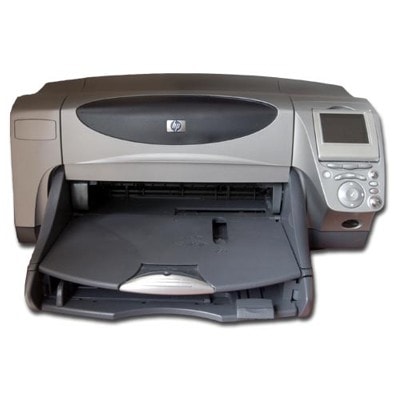
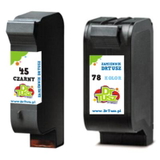
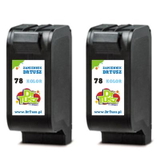
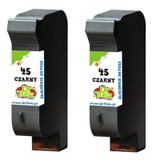
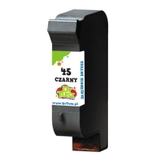
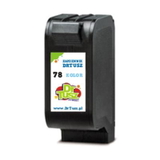
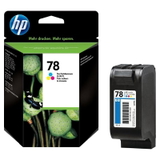
Reliable printing with the HP Photosmart 1300 HP Photosmart 1300 and the HP Photosmart 1300 Series are classic photo inkjet printers designed for vivid home photo printing and everyday documents. When you choose the right ink for HP Photosmart 1300, you get crisp black text, natural-looking colors, and consistent results page after page. In this category we’ve gathered both Original OEM and high-quality compatible ink cartridges for HP 1300, so you can match your purchase to your needs and budget without compromising on print quality. What ink cartridges does HP Photosmart 1300 use? This model works with two key cartridge families: HP 45 for black and HP 78 for color. These cartridges are widely known for dependable performance in the 1300 line, especially when you print photos, greeting cards, school materials, or occasional office documents. Choosing the correct ink cartridge for HP Photosmart 1300 helps avoid common issues such as weak black text, washed-out colors, or uneven photo tones. With the right ink, you can expect: - Sharp black printing for everyday text and outlines (HP 45)
- Vibrant color mixes for photos and graphics (HP 78)
- Stable performance for regular use and reliable cartridge recognition
- Convenient multipacks that reduce the cost per page and keep a spare ready
Compatible vs Original OEM ink for HP Photosmart 1300 Many customers ask us whether to choose Original OEM or compatible ink for printer HP Photosmart 1300. The answer depends on your printing habits, but the good news is that you have safe options in both directions. - Original OEM ink cartridge for HP Photosmart 1300 (HP-branded) is a great choice if you want the manufacturer’s cartridge and prefer sticking strictly to OEM supplies.
- Compatible ink cartridge for HP Photosmart 1300 is ideal if you want excellent quality at a better price. Our compatible cartridges from the DrTusz.pl offer are designed to print just as well as the originals—clean text, strong blacks, and lively colors—while helping you control printing costs.
If you print frequently, compatible multipacks are often the smartest route. If you print occasionally and want the OEM experience, original cartridges will fit perfectly into your routine. Either way, we encourage you to pick what feels right—our range covers both. Popular cartridges available in this category We created this selection to make shopping simple: find the cartridge number you need, choose compatible or Original OEM, and you’re ready. Below are some of the most popular choices for ink for HP 1300: - Compatible Ink Cartridge 45 for HP (51645AE) (Black) – a dependable everyday black cartridge for documents and sharp text.
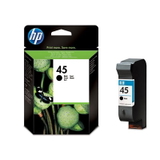
- Original OEM Ink Cartridge HP 45 (51645AE) (Black) – OEM black ink for users who prefer HP-branded supplies.
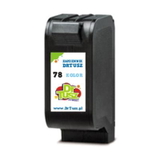
- Compatible Ink Cartridge 78 for HP (C6578AE / C6578DE) (Color) – vibrant color printing for photos, graphics, and home projects.
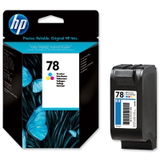
- Original OEM Ink Cartridge HP 78 (C6578AE) (Color) and Original OEM Ink Cartridge HP 78 (C6578DE) (Color) – original color cartridges for consistent photo output.
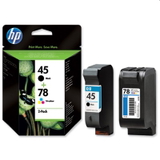
- Compatible Ink Cartridges 45 + 78 for HP (SA308AE) (multi pack) – a convenient set when you want to refresh both black and color at once.
- Original OEM Ink Cartridges HP 45 + 78 (SA308AE) (multi pack) – the OEM multipack option for the same purpose.
- Compatible Ink Cartridges 78 for HP (C6578AE-2) (Color) (2-pack) – great for photo lovers who print more color pages.
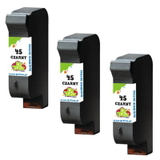
- Compatible Ink Cartridges 45 for HP (51645AE-3) (Black) (3-pack) or Compatible Ink Cartridges 45 for HP (SA294AE) (Black) (2-pack) – smart choices for heavy text printing and better cost per page.
Thanks to this variety, you can easily tailor your purchase—single cartridge for immediate replacement, or a multi pack for better value and uninterrupted printing. How to choose the right ink and avoid common issues To pick the best ink cartridge for HP Photosmart 1300 Series, we recommend a quick checklist: - Match the code: black is usually 51645AE (HP 45); color is C6578AE or C6578DE (HP 78).
- Choose based on usage: for frequent printing, consider a compatible multipack; for occasional printing, a single cartridge may be enough.
- Think in sets: if one cartridge is empty, the other may be close—multi packs help maintain consistent color balance in photos.
Common user concerns with HP Photosmart 1300 printers include faded colors, missing lines, or messages suggesting the cartridge isn’t printing properly. In many cases, the solution is simple: replace an empty cartridge, run the printer’s cleaning/alignment routine, and make sure you’re using the correct cartridge model. If you’re unsure which ink for HP Photosmart 1300 to choose, we’re here to help—just tell us whether you print mainly text, photos, or a mix. Choose your ink for HP Photosmart 1300 and start printing We encourage you to explore our full range of compatible and Original OEM ink cartridges for HP Photosmart 1300. Whether you want an OEM cartridge or a cost-effective compatible replacement that performs like the original, you’ll find the right option here—plus practical multipacks to keep printing uninterrupted. CTA: Add the right HP 45 and HP 78 cartridges to your basket today, or contact us for quick support in choosing the best ink for printer HP Photosmart 1300. We’ll help you print with confidence and get your photos and documents looking exactly the way you want. |