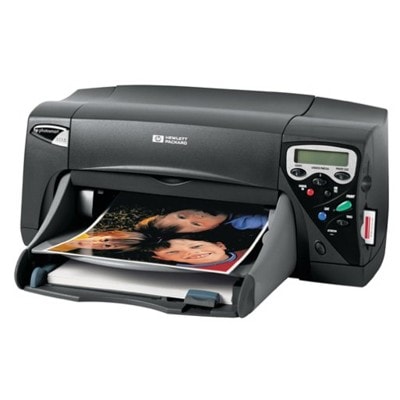
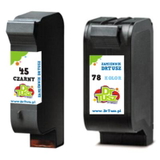
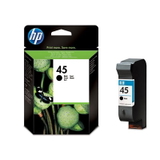
HP Photosmart 1115 – a classic printer that still delivers great photos If you use the HP Photosmart 1115 (also searched as HP 1115 or HP Photosmart 1100 Series), you already know why this model has stayed popular for so long: it’s reliable, easy to operate, and capable of producing vivid photo prints as well as crisp everyday documents. To keep that quality consistent, choosing the right ink cartridge for HP Photosmart 1115 is essential—especially when you want predictable results on photo paper and clean black text on plain sheets. What ink cartridges does the HP Photosmart 1115 use? This category is dedicated to ink cartridges for HP Photosmart 1115 in two options: Original OEM and Compatible. The most common references you’ll meet when searching include C8639A (printer series reference) and cartridge codes like 51645AE and C6578AE / C6578DE. In practical terms, this printer works with: - HP 45 (51645AE) – black ink cartridge for HP Photosmart 1115
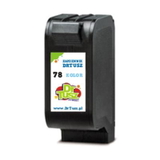
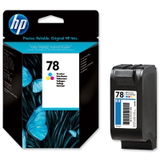
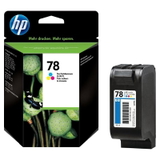
- HP 78 (C6578AE / C6578DE) – color ink cartridge for HP Photosmart 1115
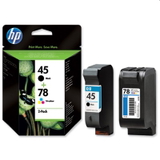
- HP 45 + 78 (SA308AE) – convenient multipack for replacing both at once
Whether you print homework, invoices, or photo memories, selecting the correct ink for HP Photosmart 1115 ensures accurate colors, smooth gradients, and sharp edges—without streaks or faded areas. Original OEM vs Compatible – how to choose the best option We offer both Original OEM ink cartridges and carefully selected compatible ink cartridges for HP Photosmart 1115, so you can match your choice to your printing habits and budget. - Original OEM cartridges are made by HP and designed specifically for this series. They’re a great pick if you want to stick to manufacturer-branded supplies and maintain the most “factory” approach to printing.
- Compatible cartridges from DrTusz.pl are a smart alternative when you want excellent print quality at a more attractive price. Our compatible options are built to fit and work properly with the printer, delivering results that are as good as originals in everyday use—both for black text and color prints.
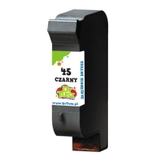
If you print often, a compatible ink cartridge for HP 1115 can significantly reduce cost per page. If you print occasionally, consider a multipack to have both colors ready when you need them. Popular ink cartridges in this category – singles and multipacks To make shopping easier, we stock the most frequently chosen configurations for ink for HP Photosmart 1115—from single replacements to economical bundles: - Compatible Ink Cartridge 45 for HP (51645AE) (Black) – a dependable choice for sharp text and clear outlines.
- Original OEM Ink Cartridge HP 45 (51645AE) (Black) – OEM black ink for customers who prefer HP-branded supplies.
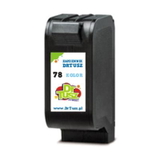
- Compatible Ink Cartridge 78 for HP (C6578AE) (Color) and Compatible Ink Cartridge 78 for HP (C6578DE) (Color) – vivid colors for photos, graphics, and everyday color documents.
- Original OEM Ink Cartridge HP 78 (C6578AE) (Color) and Original OEM Ink Cartridge HP 78 (C6578DE) (Color) – OEM color cartridges for the Photosmart 1100 Series.
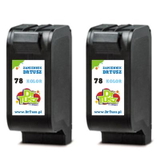
- Compatible Ink Cartridges 78 for HP (C6578AE-2) (Color) (2-pack) – a great option if you print a lot of color and want to stock up.
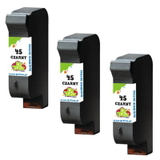
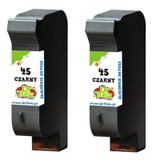
- Compatible Ink Cartridges 45 for HP (SA294AE) (Black) (2-pack) and Compatible Ink Cartridges 45 for HP (51645AE-3) (Black) (3-pack) – ideal for frequent black printing and best value per cartridge.
- Compatible Ink Cartridges 45 + 78 for HP (SA308AE) (multi pack) or Original OEM Ink Cartridges HP 45 + 78 (SA308AE) (multi pack) – the easiest way to refresh both black and color in one order.
Thanks to this variety, you can choose exactly what you need—one cartridge, a backup set, or an economical multipack for long-term use. Helpful tips and common issues with the HP Photosmart 1115 With older yet dependable printers like the HP Photosmart 1115, a few practical habits make a big difference. Here’s what we recommend when selecting and using an ink cartridge for HP Photosmart 1115: - Match the code, not just the printer name: if you see 51645AE (black) or C6578AE / C6578DE (color), you’re in the right place.
- Streaks or missing lines? This is often caused by dried nozzles—run the printer’s cleaning cycle and make sure the printer is used at least occasionally.
- Faded photos or dull colors? Replace the color cartridge (HP 78) and use appropriate paper settings—photo printing needs correct driver options to look its best.
- Printing mostly text? Choose a black multipack (2-pack or 3-pack) to lower cost per page and avoid running out at the wrong time.
- Infrequent printing? Consider buying what you’ll use soon and store spare cartridges properly to keep them in good condition.
And if you’re unsure whether you need C6578AE or C6578DE, or whether a multipack like SA308AE is the best fit, we’re here to help you choose the right ink for HP 1115 quickly and confidently. Choose your ink today – we’ll help you print with confidence We encourage you to explore our full selection of compatible and Original OEM ink cartridges for HP Photosmart 1115. Whether you want the security of OEM supplies or the excellent value of DrTusz.pl compatible cartridges (with print quality as good as the originals), you’ll find the right option here. Call to action: Choose your ink cartridge for HP Photosmart 1115 now—pick a single cartridge or a cost-saving multipack, place your order, and if you have any questions, contact us. We’ll gladly help you match the correct cartridge code and get your printer back to perfect printing as soon as possible. |