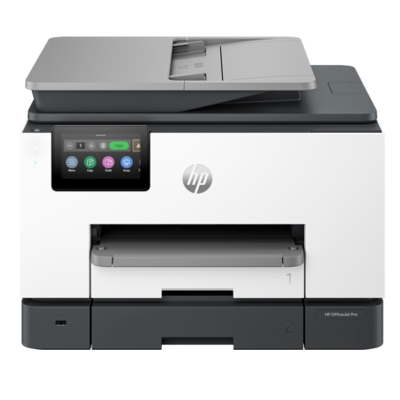
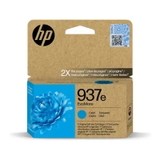
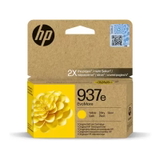
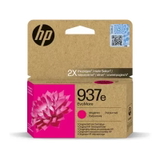
Ink that keeps your HP OfficeJet Pro 9135e performing at its best The HP OfficeJet Pro 9135e from the HP OfficeJet Pro 9000 Series is designed for fast, reliable office printing—whether you run a home office, a small business, or simply print a lot at home. It combines high print speeds with sharp text and vivid colour, so choosing the right ink for HP OfficeJet Pro 9135e is essential for keeping everyday work smooth: invoices, reports, shipping labels, presentations, and colour graphics. In this category we’ve gathered dedicated ink cartridges for HP OfficeJet Pro 9135e (also searched as HP 9135, 9135e, 9135E, or HP OfficeJet Pro 9000 Series) so you can quickly find a cartridge that fits your printer and your printing style. What to expect from ink for HP OfficeJet Pro 9135e Well-matched ink for printer HP OfficeJet Pro 9135e means consistent print quality and fewer interruptions. With the correct cartridges, you can count on crisp black text for documents and rich CMYK colours for charts and marketing materials. These ink cartridges are built to work seamlessly with the printer’s printhead system, helping you maintain stable results from the first page to the last. When you choose the right ink for HP 9135e, you gain: - clear, professional-looking documents for day-to-day office printing,
- vibrant colour for graphics, presentations, and mixed media prints,
- smooth installation and reliable recognition by the printer,
- better workflow continuity—fewer “out of ink” surprises when you keep a spare set.
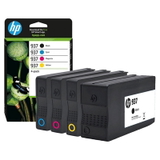
Our selection: Original OEM HP 937 and HP 937e cartridges We focus on proven, printer-dedicated solutions—so in this category you’ll find Original OEM ink cartridges designed for the HP OfficeJet Pro 9135e. If you want the safest, manufacturer-tested option for office workloads, OEM is a great choice. We offer both standard and “e” variants, as well as convenient sets, so you can buy exactly what you need. Popular choices include: - Original OEM Ink Cartridges HP 937 CMYK (6C400NE) (multi pack) – a practical option when you want the full colour set ready to go.
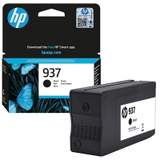
- Original OEM Ink Cartridge HP 937 (4S6W5NE) (Black) – ideal for heavy text printing.
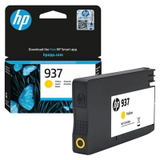
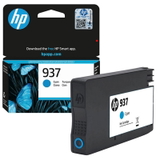
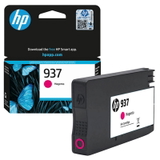
- Original OEM Ink Cartridge HP 937 (4S6W2NE) (Cyan), HP 937 (4S6W3NE) (Magenta), HP 937 (4S6W4NE) (Yellow) – for accurate colour reproduction.
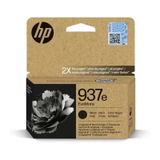
- Original OEM Ink Cartridge HP 937e (4S6W9NE) (Black) and HP 937e colour cartridges: (4S6W6NE) (Cyan), (4S6W7NE) (Magenta), (4S6W8NE) (Yellow) – a strong choice for users who print frequently and want reliable, repeatable output.
Not sure whether to choose a single cartridge or a multi pack? If you print a balanced mix of text and colour, the CMYK pack is usually the most convenient. If you print mainly documents, keeping an extra black cartridge on hand can save you downtime. How to choose the right cartridge (and avoid common printing headaches) When shopping for ink for HP OfficeJet Pro 9135e, the simplest method is to match the cartridge series and code. For this printer, look for HP 937 or HP 937e and double-check the product code (for example 4S6W5NE for black or 6C400NE for the multi pack). This helps you avoid ordering a similar-looking cartridge intended for a different model in the OfficeJet Pro family. Common issues reported by users of office-class inkjet printers like the HP OfficeJet Pro 9135e usually come from simple causes—wrong cartridge, improper seating, or printing after long breaks. Our practical tips: - Printer doesn’t recognise the cartridge – remove and reinsert it firmly; make sure all protective elements are removed and the cartridge clicks into place.
- Faded blacks or uneven colour – run the printer’s maintenance/cleaning cycle and print a test page; replace the colour that is actually depleted (CMYK works independently).
- Frequent replacement – consider keeping a spare black or choosing a set; office printing can drain one colour faster than expected (often black or cyan).
- Streaks after a long break – print a few pages in colour periodically to keep ink circulation stable.
Many customers also ask us about original vs compatible cartridges. In general, Original OEM ink cartridges are the manufacturer’s solution, designed for maximum compatibility and predictable results. At DrTusz.pl we also offer high-quality compatible alternatives in other categories—our compatibles are designed to be as good as the originals in everyday use—but in this specific subpage you’ll find the Original OEM range dedicated to this printer model. Order ink for HP OfficeJet Pro 9135e with confidence We want you to get the right ink cartridge for HP OfficeJet Pro 9135e the first time—quickly, clearly, and without guesswork. Browse the products listed above, choose the colours you need (or the CMYK multi pack), and keep your HP OfficeJet Pro 9135e ready for every print job. Call to action: We encourage you to explore the available HP 937 and HP 937e cartridges in this category and stock up before your ink runs out. If you have any doubts about compatibility (HP 9135 / 9135e / 9135E), write to us—we’ll help you select the best option and arrange fast, convenient delivery. |