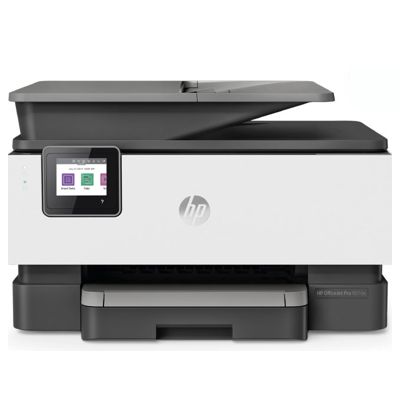
HP OfficeJet Pro 9010e (257G4B) – a smart all-in-one built for everyday business The HP OfficeJet Pro 9010e (also searched as HP 9010e, 9010 e, 9010E or HP OfficeJet Pro 9000 Series) is a fast, reliable all-in-one inkjet designed for busy home offices and small businesses. It prints sharp documents, handles scanning and copying with ease, and supports mobile printing—so you can keep work moving whether you’re at your desk or on the go. To get the best from this device, you simply need the right ink for HP OfficeJet Pro 9010e—and that’s exactly what we offer in this category. Color ink cartridges for HP 9010e – what they do and why quality matters Choosing the correct ink for HP OfficeJet Pro 9010e affects everything: text sharpness, color consistency, drying time, and even printer reliability. The OfficeJet Pro 9010e uses the HP 963 / HP 963 XL family, designed for crisp black text and vivid color output (cyan, magenta, yellow). Whether you print invoices, school materials, presentations, or color charts, the right color ink cartridges help you maintain professional results. With well-matched cartridges, you can expect: - clean, readable text for contracts and reports,
- balanced color reproduction for graphics and business presentations,
- stable performance for frequent printing (less risk of streaks and fading),
- options for standard and high-yield printing needs (963 vs 963 XL).
Original OEM HP 963 and HP 963 XL – popular choices in our range In this category you’ll find a carefully selected mix of Original OEM ink cartridges and devices, so you can stock up on supplies or even pick up the printer itself. Many customers choose multipacks to keep every color ready and avoid downtime. Popular products for HP OfficeJet Pro 9010e ink include: - Original OEM Ink Cartridges HP 963 XL CMYK (3YP35AE) (multi pack) – high-yield set for frequent printing,
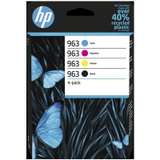
- Original OEM Ink Cartridges HP 963 CMYK (6ZC70AE) (multi pack) – standard-yield set for balanced everyday use,
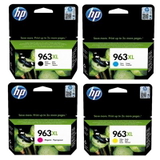
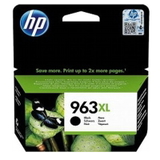
- Original OEM Ink Cartridge HP 963 XL (3JA30AE) (Black) – ideal when you print lots of text,
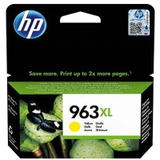
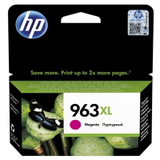
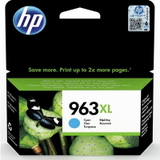
- Original OEM Ink Cartridge HP 963 XL (3JA27AE) (Cyan), 3JA28AE (Magenta), 3JA29AE (Yellow) – for consistent color output,
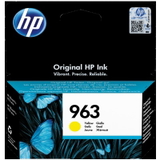
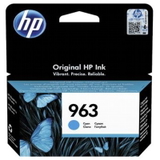
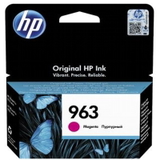
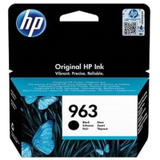
- Original OEM Ink Cartridge HP 963 (3JA26AE) (Black) and colors: 3JA23AE (Cyan), 3JA24AE (Magenta), 3JA25AE (Yellow) – great for moderate printing volumes,
- All-In-One Printer HP OfficeJet Pro 9010e – if you’re upgrading your setup or adding another workstation.
Thanks to this variety, you can choose the exact cartridge you need (single color replacement) or secure the full CMYK set for uninterrupted work. How to choose ink for HP OfficeJet Pro 9010e – simple tips that save time Dear Customer, if you’re not sure which ink for printer HP OfficeJet Pro 9010e to pick, we recommend a quick checklist: - Match the series: look for HP 963 or HP 963 XL (the 9010e / HP OfficeJet Pro 9000 Series family).
- Choose yield: 963 XL is better for frequent printing and typically reduces cost per page; 963 is a solid choice for occasional printing.
- Buy by usage: if you mostly print documents, prioritize black; if you print charts, photos, or marketing materials, keep CMY stocked too.
- Consider a multipack: CMYK sets help prevent the common “one color ran out” interruption.
Original vs compatible cartridges – what’s the difference and what we recommend In this category, you’ll see Original OEM options, and in our wider DrTusz.pl range you’ll also find compatible cartridges for many printer families. Customers often ask whether a compatible cartridge can match OEM quality. Our answer is clear: compatible cartridges from DrTusz.pl are as good as the originals—they’re designed to deliver reliable printing, strong color, and consistent results at an attractive price point. In practice, the choice comes down to your preferences: - Original OEM ink for HP 9010e – ideal if you want to stay strictly with manufacturer supplies and keep everything within the OEM ecosystem.
- Compatible ink for HP OfficeJet Pro 9010e (DrTusz.pl offer) – a smart alternative for customers who want excellent quality and value without compromising everyday performance.
Common issues with HP OfficeJet Pro 9010e ink – and how to avoid them The most frequent printing problems are usually supply-related and easy to prevent with the right habits. For the HP OfficeJet Pro 9010e, users commonly mention: - Printer not recognizing a cartridge: verify the cartridge code (HP 963/963 XL), reinstall it firmly, and keep contacts clean and dry.
- Streaks or faded colors: replace the depleted color, run the printer’s cleaning utility, and avoid leaving cartridges unused for long periods.
- Unexpected “low ink” warnings: keep a spare (or choose a multipack) so your workflow isn’t interrupted mid-job.
- Mixed printing needs: if you print both text and color charts, a CMYK multipack is often the most convenient solution.
If you ever feel unsure which ink for HP OfficeJet Pro 9010e will fit your exact setup, we’re here to help you choose quickly and correctly. Order HP OfficeJet Pro 9010e ink cartridges with confidence We encourage you to explore our selection of color ink cartridges for HP OfficeJet Pro 9010e—from single cartridges to practical multipacks, plus the HP OfficeJet Pro 9010e all-in-one printer itself. Add the right supplies to your cart today and keep your printing smooth, sharp, and ready for every task. If you have questions about compatibility, choosing 963 vs 963 XL, or stocking up for the HP OfficeJet Pro 9000 Series, contact us—we’ll gladly guide you and help you place the best order. We also offer convenient delivery options so your ink arrives quickly and you can get back to printing without delay. |