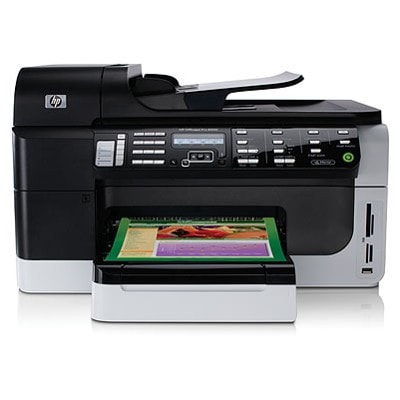
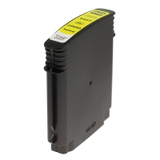
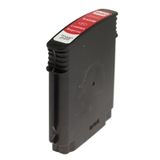
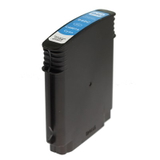
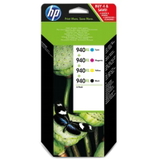
HP OfficeJet Pro 8500 A909a – a workhorse for home and office printing If you use the HP OfficeJet Pro 8500 A909a (also found under names like HP A909a, HP Officejet Pro 8000 Series, CB793A, or simply 8500), you already know why it’s so popular: fast document printing, crisp text, and reliable colour output for everyday business needs. To keep this printer performing at its best, it’s worth choosing the right ink for HP OfficeJet Pro 8500 A909a—and making sure you always have the correct cartridges and printheads on hand. Ink for HP OfficeJet Pro 8500 A909a – what you need to know This model uses the HP 940 / HP 940 XL ink system (CMYK: black, cyan, magenta, yellow). In practice, that means you can match your purchase to how you print: - HP 940 XL ink cartridge for higher page yield and fewer replacements—ideal for frequent printing.
- Single colours (C/M/Y) when one colour runs out first—common in office charts, logos and presentations.
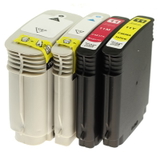
- Convenient multi packs (CMYK) when you want everything ready at once.
In this category you’ll find both Original OEM and Compatible solutions, so you can choose the option that fits your priorities: brand-original consistency or maximum value for money. Either way, the goal is the same: dependable prints, clear text, and stable colour reproduction. Original OEM and Compatible – one printer, two smart ways to buy Many customers ask us which is better: original ink for HP OfficeJet Pro 8500 A909a or a compatible option. The truth is you can print great results with both—if you choose proven products. Our compatible cartridges available at DrTusz.pl are designed to match the printer’s requirements just as effectively as originals, giving you a reliable alternative when you want to lower printing costs without sacrificing quality. - Original OEM ink cartridges are a great choice when you want the manufacturer’s solution and highly predictable colour output.
- Compatible ink cartridges are perfect when you print a lot and want a cost-effective way to keep the HP A909a running day after day—without compromising on everyday print quality.
Popular products in this category (HP 940 XL CMYK and more) We keep this category focused and practical—only the supplies that match your device. Here are some of the most frequently chosen items for ink for HP OfficeJet Pro 8500 A909a: - Compatible Ink Cartridges 940 XL CMYK for HP (C2N93AE) (multi pack) – an excellent all-in-one set when you want to replace all colours at once and keep costs under control.
- Original OEM Ink Cartridges HP 940 XL CMYK (C2N93AE) (multi pack) – the manufacturer’s CMYK set, ideal for customers who prefer OEM consumables.
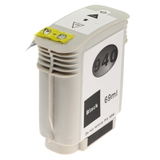
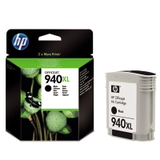
- Original OEM Ink Cartridge HP 940 XL (C4906AE) (Black) – a top pick for heavy text printing, invoices and reports.
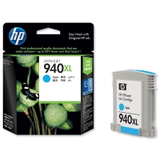
- Original OEM Ink Cartridge HP 940 XL (C4907AE) (Cyan) and Compatible Ink Cartridge 940 XL for HP (C4907AE) (Cyan) – great when your printer is used for colour graphics and charts.
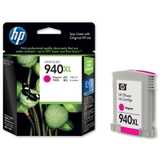
- Original OEM Ink Cartridge HP 940 XL (C4908AE) (Magenta) and Compatible Ink Cartridge 940 XL for HP (C4908AE) (Magenta)
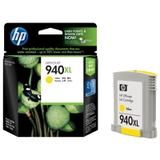
- Original OEM Ink Cartridge HP 940 XL (C4909AE) (Yellow) and Compatible Ink Cartridge 940 XL for HP (C4909AE) (Yellow)
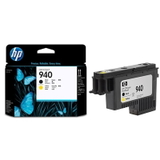
Thanks to this selection, you can easily buy exactly what you need—one colour, a full CMYK set, Original OEM or Compatible—without wasting time comparing unrelated items. Printheads for HP OfficeJet Pro 8500 A909a – when cartridges aren’t the whole story Sometimes print quality problems are not caused by the ink cartridge itself but by the printhead. That’s why this category also includes dedicated OEM parts: - Original OEM Printhead HP 940 (C4900A)
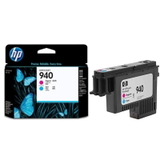
- Original OEM Printhead HP 940 (C4901A)
If you notice persistent streaks, missing lines, or colour dropouts even after replacing ink, a printhead may be the correct fix. Choosing the proper printhead for the HP OfficeJet Pro 8500 A909a can restore sharp, even printing and reduce wasted paper and ink during repeated cleaning cycles. How to choose the right ink for HP A909a – practical tips and common issues We encourage you to select ink based on your real usage. Here’s a simple checklist that helps most customers: - Print volume: If you print often, choose HP 940 XL cartridges for better efficiency and fewer replacements.
- Colour usage: If one colour runs out quickly, buy that specific cartridge (C4907AE / C4908AE / C4909AE) instead of a whole set.
- Budget vs. preference: Choose Original OEM for the manufacturer’s solution, or choose Compatible when you want excellent value with dependable performance.
- Printer symptoms: Faded colours, banding or missing lines may point to a maintenance need—or a printhead replacement (C4900A / C4901A) rather than another cartridge.
Common user issues for the HP OfficeJet Pro 8500 A909a include “black prints faded,” “colours missing,” or “streaks/banding.” In many cases, the right fresh cartridge solves the problem immediately; when it doesn’t, the dedicated HP 940 printhead is often the next step. If you’re unsure which part you need, we’re here to help you choose confidently. Order today – keep your HP OfficeJet Pro 8500 A909a ready to print We encourage you to explore our full range of ink for HP OfficeJet Pro 8500 A909a: Original OEM cartridges, high-quality compatible cartridges, and OEM printheads—everything matched to your device and listed clearly by code (such as C2N93AE, C4906AE, C4907AE, C4908AE, C4909AE, C4900A, C4901A). Add the right supplies to your cart and enjoy fast, convenient delivery. If you have any questions about compatibility with the HP Officejet Pro 8000 Series or choosing between OEM and compatible, contact us—we’ll guide you to the best option for your printing needs. CTA: Check the products in this category now, choose your preferred OEM or compatible option, and keep your HP A909a printing smoothly—without interruptions. |