Haven't found what you were looking for? Click here! ▼
Describe below exactly what you are looking for and we will see how we can help. You will receive a reply to your e-mail address by 09:15 on monday (26 October 2026) at the latest
Ink cartridges for HP OfficeJet Pro 8210 - compatible and original OEM
Keep your HP OfficeJet Pro 8210 performing at its best with a complete selection of ink supplies—both Original OEM and reliable compatible ink cartridges. This category is built for the HP 8210 / HP Officejet Pro 8000 Series (D9L63A) and includes everything from standard-yield and XL cartridges to multi-packs for everyday home and office printing.
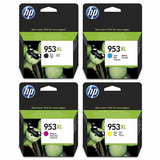
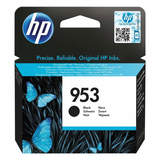
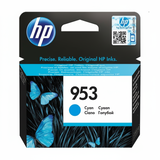
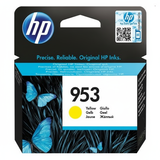
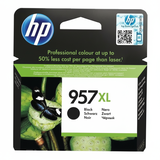
Choose from HP 953 and high-capacity HP 953 XL color inks (Cyan, Magenta, Yellow) plus sharp, durable black with HP 953/953 XL and HP 957 XL options. For best value and convenience, you’ll also find CMYK multi-packs and 3-packs—ideal for high-volume printing and consistent color output. Every option is selected for dependable compatibility with your printer model and for clean, professional-looking results page after page.
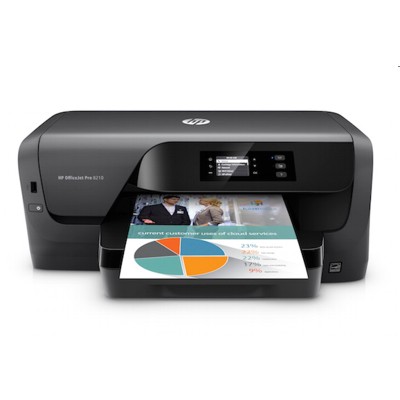
Need more than cartridges? This range also includes the Printer HP OfficeJet Pro 8210 itself and the Original OEM Printhead HP M0H91A, so you can restore print quality fast if streaks or fading appear. Pick your preferred OEM quality or cost-saving compatible alternative and order today—then explore the full offering to find the perfect match for your printing needs.
Product Number: D9L63A Other names: Printer HP OfficeJet Pro 8210
HP OfficeJet Pro 8210 – a fast office printer that deserves reliable ink
HP OfficeJet Pro 8210 (also searched as HP 8210, HP Officejet Pro 8000 Series, or by code D9L63A) is a popular inkjet printer designed for efficient everyday work. It combines high print speed, sharp text, and vibrant color output, making it a great fit for home offices, small businesses, and anyone who prints documents, invoices, offers, and occasional marketing materials. To keep this model performing at its best, choosing the right ink for HP OfficeJet Pro 8210 is key—and that’s exactly what we help you do.
Ink for HP OfficeJet Pro 8210: what matters most in daily printing
In this category, we offer ink cartridges for HP OfficeJet Pro 8210 in both Original OEM and Compatible versions, plus a dedicated printhead when it’s time for maintenance. The HP 8210 uses the well-known HP 953/953XL system (and also supports the higher-yield black option 957XL). This means you can tailor your setup to your workload—standard cartridges for occasional printing, XL cartridges for frequent printing, and multipacks for the best cost-per-page.
When you select ink for HP 8210, you’re typically looking for:
Consistent black text for contracts and business documents (Black / K).
Accurate colors for charts, presentations, and graphics (Cyan, Magenta, Yellow).
High yield options (XL) to reduce cartridge changes and downtime.
Reliable operation and clean printing—especially important in busy office environments.
Compatible vs Original OEM: choose what fits your needs (without compromising quality)
Dear Customer, we know the most common question is whether compatible cartridges are “safe” and “good enough.” Our answer: yes—our compatible ink for HP OfficeJet Pro 8210 is designed to deliver results that are as good as originals in everyday use, while helping you control printing costs. If you print a lot, compatible cartridges can be the smartest way to keep expenses predictable without giving up professional output.
Here’s a practical comparison to help you choose:
Original OEM ink for HP OfficeJet Pro 8210 – perfect if you want to stick to manufacturer-branded supplies, prioritize brand consistency, or follow internal procurement policies.
Compatible ink for HP 8210 – a great option for cost-effective printing, especially with XL cartridges and multipacks; ideal for frequent printing and office workflows.
Multipacks (CMYK) – convenient and often the most economical way to buy ink cartridges for HP OfficeJet Pro 8210, ensuring you always have every color on hand.
Popular cartridges and sets for HP 8210 available in our offer
We keep this category focused and practical: you’ll find the most-used cartridges, XL options, multipacks, and a printhead for the HP OfficeJet Pro 8210. Customers often choose these proven products:
Compatible Ink Cartridges 953 XL CMYK for HP (3HZ52AE) (multi pack) – a complete XL set for everyday office printing with excellent value.
Original OEM Ink Cartridges HP 953 XL CMYK (3HZ52AE) (multi pack) – OEM quality and convenience in one full XL bundle.
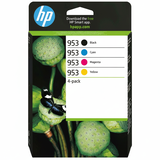
Original OEM Ink Cartridges HP 953 CMYK (6ZC69AE) (multi pack) – a standard-capacity set, ideal for moderate monthly printing.
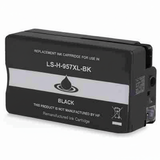
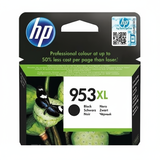
Original OEM Ink Cartridge HP 953 XL (L0S70AE) (Black) and Compatible Ink Cartridge 953 XL for HP (L0S70AE) (Black) – the most commonly replaced cartridge for document-heavy users.
Original OEM Ink Cartridge HP 957 XL (L0R40AE) (Black) and Compatible Ink Cartridge 957 XL for HP (L0R40AE) (Black) – higher-yield black for those who print a lot and want fewer replacements.
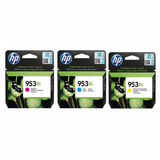
Original OEM Ink Cartridges HP 953 XL CMY (1CC21AE) (3-pack) – a handy option if you already have black and need only color.
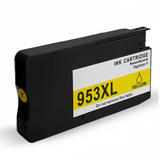
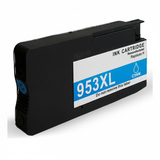
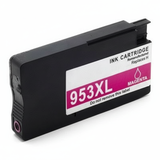
Single colors in OEM and compatible versions: HP 953 XL Cyan (F6U16AE), HP 953 XL Magenta (F6U17AE), HP 953 XL Yellow (F6U18AE) and their compatible equivalents.
We also include the device itself for anyone building a full setup: Printer HP OfficeJet Pro 8210.
Printhead for HP OfficeJet Pro 8210: when replacing ink isn’t enough
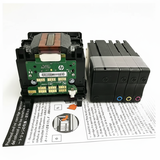
Even the best ink for HP OfficeJet Pro 8210 won’t help if the print system needs servicing. If you notice missing lines, uneven colors, or repeated “print quality” issues after cleaning cycles, the printhead may be the key component. That’s why we offer the dedicated solution: Original OEM Printhead HP M0H91A (M0H91A). Replacing a worn printhead can restore crisp text and smooth, consistent color output—especially in older or heavily used printers.
Common HP OfficeJet Pro 8210 printing issues—and how to solve them
Because we specialize in inks and printers, we regularly help customers with typical questions related to ink cartridges for HP OfficeJet Pro 8210. Here are practical tips that often solve problems quickly:
Faded black or grayish text: choose a fresh black cartridge (often 953 XL Black or 957 XL Black), run a nozzle/printhead cleaning, and print a test page.
Colors missing or streaky: check if a specific color (C/M/Y) is low, replace that cartridge, and run alignment. If the issue persists, consider the HP M0H91A printhead.
Frequent cartridge replacement: switch to XL or a CMYK multipack—often the easiest way to lower cost per page.
Unexpected pauses in office work: keep a spare black and a color multipack; this is especially useful if you print invoices or shipping labels daily.
How to choose the right ink for HP 8210 (quick checklist)
We encourage you to choose based on how you print, not just what you printed last time:
If you print a lot of documents: pick 953 XL Black or consider 957 XL Black.
If you want the best convenience: choose a 953 XL CMYK multipack (OEM or compatible).
If you print occasionally: the standard HP 953 CMYK set may be enough.
If quality problems persist despite new cartridges: consider the printhead HP M0H91A.
Order ink cartridges for HP OfficeJet Pro 8210 with confidence
We make it easy to match the right ink for HP OfficeJet Pro 8210 to your needs—whether you prefer Original OEM supplies or want to save with high-quality compatible ink for HP 8210. Browse the products in this category, select an XL or multipack for better efficiency, and keep your printer working at full speed.
CTA: We encourage you to explore the available cartridges, colors, and printheads above. If you’re unsure which option is best for your printing volume, contact us—we’ll help you choose quickly and accurately. We also offer fast delivery options so you can get back to printing without unnecessary downtime.