Haven't found what you were looking for? Click here! ▼
Describe below exactly what you are looking for and we will see how we can help. You will receive a reply to your e-mail address by 09:15 at the latest
Ink cartridges for HP OfficeJet Pro 7730 - compatible and original OEM
Keep your HP OfficeJet Pro 7730 (HP 7730 / HP OfficeJet Pro 7000 Series, Y0S19A) running at its best with the right supplies—whether you prefer Original OEM cartridges for factory-grade consistency or compatible ink cartridges for a smart, cost-effective alternative. This category brings together everything you need for crisp text and vibrant color output in everyday office printing.
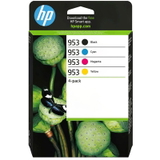
Choose from HP 953 and high-yield HP 953XL ink cartridges in Black, Cyan, Magenta, and Yellow, available as single colors or convenient CMYK multipacks (including 3HZ52AE, 6ZC69AE, and 1CC21AE). You’ll also find the Original OEM HP printhead M0H91A to help maintain clean, reliable printing when it’s time for servicing—plus the HP OfficeJet Pro 7730 all-in-one device option if you’re upgrading or replacing your printer.
All items are selected to match the HP OfficeJet Pro 7730 ink cartridges requirements, helping ensure dependable compatibility and consistent print quality—page after page. Pick your preferred Original OEM or compatible option and stock up today—then explore the full range to find the best fit for your printing needs.
Product Number: Y0S19A Other names: All-In-One Printer HP OfficeJet Pro 7730
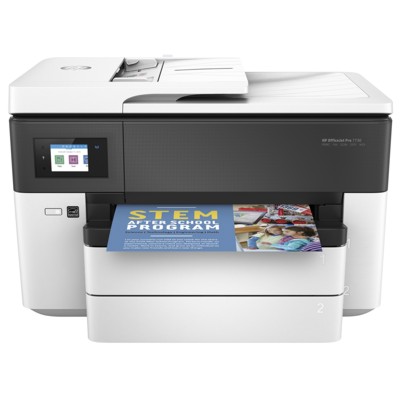
HP OfficeJet Pro 7730 – wide-format performance for home and office
HP OfficeJet Pro 7730 (also searched as HP 7730, HP OfficeJet Pro 7000 Series or model code Y0S19A) is a versatile all-in-one inkjet printer designed for everyday business tasks and larger, eye-catching prints. It’s appreciated for fast document printing, reliable scanning/copying, and the convenience of handling A4 work as well as larger formats—perfect for reports, offers, school materials, and color graphics.
To keep this device working at its best, you need the right ink for HP OfficeJet Pro 7730—and in this category we offer both Original OEM and high-quality Compatible ink cartridges, plus a dedicated printhead for users who want to restore top print quality.
Ink for HP OfficeJet Pro 7730 – what you get with the right cartridge set
The HP OfficeJet Pro 7730 uses the HP 953 and HP 953 XL ink cartridge family (black and CMY colors). Choosing the correct ink cartridge for HP 7730 affects not only color accuracy and sharp text, but also page yield and the overall cost per print.
Everyday documents – crisp black text for invoices, assignments and contracts.
Color materials – clear charts, presentations, simple photos and marketing prints.
XL efficiency – HP 953 XL options help reduce cartridge changes and downtime.
If you print frequently, an XL cartridge (or a multi pack) is usually the most practical solution. If you print occasionally, standard HP 953 cartridges can be a good fit—especially when you want to replace only the color that’s actually running out.
Popular choices in our range – compatible and Original OEM
We make it easy to buy the exact ink for printer HP OfficeJet Pro 7730 you need—whether you prefer Original OEM supplies or a proven compatible alternative. Here are some of the most popular products from this category:
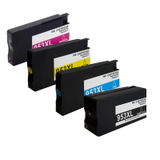
Compatible Ink Cartridges 953 XL CMYK for HP (3HZ52AE) (multi pack) – a convenient full set for heavy printing.
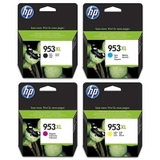
Original OEM Ink Cartridges HP 953 XL CMYK (3HZ52AE) (multi pack) – OEM reliability for users who want the manufacturer’s solution.
Original OEM Ink Cartridges HP 953 CMYK (6ZC69AE) (multi pack) – standard-yield OEM set for balanced printing needs.
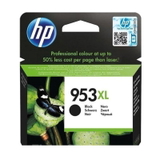
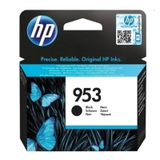
Compatible Ink Cartridge 953 XL for HP (L0S70AE) (Black) and Original OEM Ink Cartridge HP 953 XL (L0S70AE) (Black) – strong, sharp black text in XL yield.
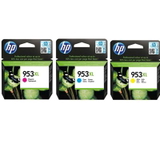
Original OEM Ink Cartridges HP 953 XL CMY (1CC21AE) (3-pack) – an OEM color bundle for practical replenishment.
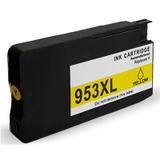
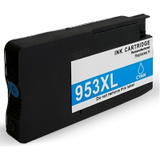
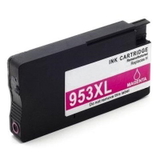
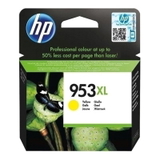
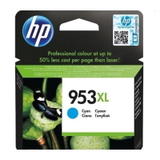
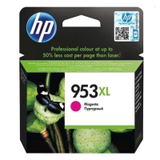
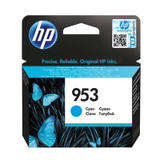
Single colors in both versions: 953 XL Cyan (F6U16AE), 953 XL Magenta (F6U17AE), 953 XL Yellow (F6U18AE) – ideal when only one color runs low.
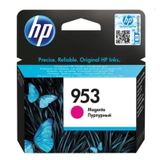
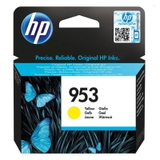
Standard OEM colors: HP 953 Cyan (F6U12AE), HP 953 Magenta (F6U13AE), HP 953 Yellow (F6U14AE), and HP 953 Black (L0S58AE).
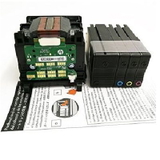
Original OEM Printhead HP M0H91A (M0H91A) – a dedicated option when print quality problems point to the printhead, not the cartridge.
All-In-One Printer HP OfficeJet Pro 7730 – if you’re building a complete setup or replacing a device, you can do it in one place.
Thanks to this variety, you can buy a multi pack for the whole office, choose XL for high volume, or simply replace one color—always matching the way you print.
How to choose: Original OEM vs compatible ink for HP 7730
When selecting an ink cartridge for HP OfficeJet Pro 7730, start with your printing habits and expectations:
Choose Original OEM if you want the manufacturer’s cartridge, consistent results, and a straightforward “install and print” experience.
Choose Compatible if you want excellent value without compromising quality. Our compatible cartridges are designed to be just as dependable in everyday use—sharp text, vivid colors, and stable performance—while helping you reduce running costs.
Pick XL if you print frequently (lower cost per page, fewer replacements).
Pick a multi pack (CMYK) if you want the most convenient refill plan and balanced stock.
If you’re unsure whether you need HP 953 or HP 953 XL ink for HP OfficeJet Pro 7730, check what you used previously or look at the cartridge symbol inside the printer. You can also match the exact codes listed here (for example L0S70AE for black XL or 3HZ52AE for the XL CMYK multi pack).
Common user issues with HP OfficeJet Pro 7730 – and what usually helps
This printer is robust, but like any inkjet, it can show typical symptoms over time—especially with irregular printing. Here’s what we recommend most often:
Faded colors or streaks – run the printer’s cleaning/aligning utility; if the issue persists, consider whether the printhead may need attention. The Original OEM Printhead HP M0H91A is the right choice when cartridges alone don’t solve the problem.
One color missing – replace only that color (C/M/Y) instead of buying a full set; this is why single cartridges are so useful.
Frequent cartridge changes – switch to HP 953 XL to improve efficiency and reduce interruptions.
Smudging or inconsistent density – use the correct paper type setting and make sure cartridges are properly seated; for heavy office use, XL cartridges help maintain stable output over time.
We focus on solutions that are practical and cost-effective—because the best ink for HP OfficeJet Pro 7730 is the one that fits both your print quality needs and your monthly print volume.
Order ink and printheads for HP OfficeJet Pro 7730 with confidence
In this category you’ll find everything needed to keep your device running: Compatible and Original OEMHP 953 / HP 953 XL ink cartridges, color sets and multi packs, and the dedicated printhead. We encourage you to explore the full selection and choose the version that matches your priorities—maximum savings or OEM preference.
CTA: Add your selected ink for printer HP OfficeJet Pro 7730 to the cart today, or contact us if you want help matching the right cartridge code (3HZ52AE, 6ZC69AE, L0S70AE, F6U16AE, F6U17AE, F6U18AE). We’re here to help you print more, worry less, and get your order delivered quickly.