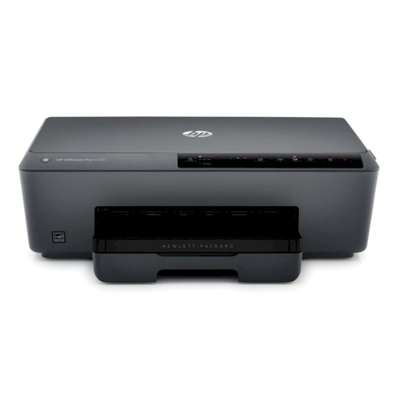
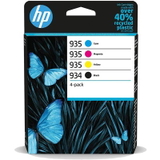
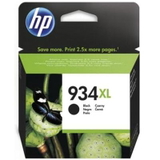
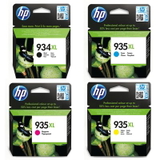
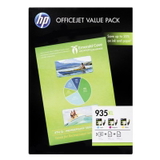
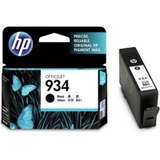
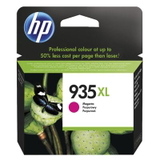
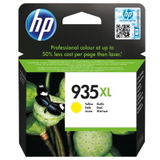
Reliable printing with the HP OfficeJet Pro 6230e (E3E03A) HP OfficeJet Pro 6230e is a popular business inkjet printer designed for fast, everyday printing at home and in small offices. It’s valued for sharp text, solid graphics, and convenient wireless printing. To keep this model running smoothly, it’s worth choosing the right ink for HP OfficeJet Pro 6230e—matched to your real print volume and the quality you expect. In this category we’ve gathered dedicated ink cartridges for HP 6230e (also searched as: HP OfficeJet Pro 6000, 6230E, 6230 e, E3E03A) so you can quickly find the correct cartridge and get back to printing without stress. What you gain with the right ink for HP 6230e The HP OfficeJet Pro 6230e uses the HP 934/935 ink family: black (934) and three colors (935: cyan, magenta, yellow). Choosing the proper ink cartridge for HP OfficeJet Pro 6230e impacts not only color accuracy, but also page yield, drying time, and overall reliability. With the right set, you can expect: - Crisp documents for invoices, contracts, and reports (especially with black HP 934/934 XL).
- Vivid color prints for charts, presentations, and marketing materials (HP 935 CMY).
- Stable performance with fewer interruptions and consistent print quality from the first page to the last.
- Better cost control when you choose XL versions for higher workloads.
If you print frequently, we strongly recommend considering ink for HP OfficeJet Pro 6230e XL versions—higher yield means fewer replacements and less downtime. Original OEM ink cartridges available in this category We focus on a broad, practical selection so you can buy exactly what you need—one color, a full set, or a cost-effective multipack. Here are some of the most frequently chosen Original OEM ink cartridges for HP OfficeJet Pro 6230e: - HP 934 BK + 935 CMY (6ZC72AE) – convenient multipack for everyday home/office printing.
- HP 934 XL Black (C2P23AE) – a top pick if you print lots of text documents.
- HP 934 XL BK + 935 XL CMY (X4E14AE) – high-yield multipack for frequent printing and fewer cartridge changes.
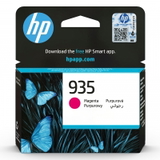
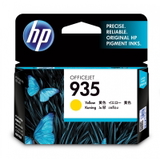
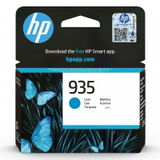
- HP 935 (C2P20AE / C2P21AE / C2P22AE) – individual cyan, magenta, or yellow cartridges when you only need one color.
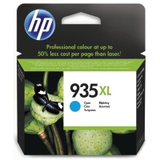
- HP 935 XL (C2P24AE / C2P25AE / C2P26AE) – XL cyan, magenta, or yellow for higher print volumes.
- HP 935 XL CMY (F6U78AE) – a practical 3-pack when color runs out faster than black.
- HP 934 Black (C2P19AE) – standard capacity for lighter printing needs.
This way you can easily tailor your order to your workflow—without paying for colors you don’t need. How to choose: standard vs XL, black vs CMY, and common user issues When selecting ink for printer HP OfficeJet Pro 6230e, start with two simple questions: how much do you print, and what do you print most often? If you print mainly text, prioritize HP 934 XL black ink. If you print charts and graphics, consider an XL set or a CMY bundle. - Standard cartridges (e.g., HP 934, HP 935) are ideal for occasional printing and lower upfront cost.
- XL cartridges (HP 934 XL, HP 935 XL) are best for frequent printing and lower cost per page.
Typical issues reported by users of the HP OfficeJet Pro 6230e include: printing fading after long breaks, uneven colors, or messages about cartridge recognition. In many cases, the solution is straightforward: replace an empty color (often just one), run a cleaning cycle, and always use cartridges intended for the 934/935 series. If you’re unsure which ink cartridge for HP 6230e will fit your printer or buying scenario, we’re here to help you choose quickly and correctly. And if you’re considering compatible options in general: in our DrTusz.pl offer, compatible cartridges are as good as the originals in everyday use—many customers choose them for their excellent value. In this particular category, however, you’ll find Original OEM cartridges dedicated to the HP OfficeJet Pro 6230e, ensuring maximum manufacturer-level consistency. Order your ink for HP OfficeJet Pro 6230e with confidence We encourage you to choose the best-matched ink cartridges for HP OfficeJet Pro 6230e from the list above—single colors, XL versions, or convenient multipacks. Add your selected cartridges to the cart and enjoy dependable printing again. If you need help identifying the right product code (for example C2P23AE or X4E14AE) or you’re not sure whether to pick standard or XL, contact us—we’ll guide you so you can order the right ink for HP 6230e the first time. Fast delivery and friendly support are part of what we do every day. CTA: Browse the available cartridges now, choose the capacity that fits your printing habits, and place your order—or ask us for quick assistance before you buy. |