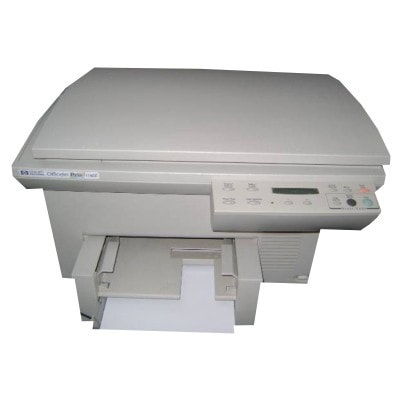
Reliable printing with the HP OfficeJet Pro 1175cxi HP OfficeJet Pro 1175cxi (also known as HP 1175cxi, HP Officejet Pro 1100 Series or 1175CXI) is a proven all-in-one printer designed for everyday office documents and home-business tasks. It’s valued for straightforward operation and solid print quality—provided you use the right ink cartridge for HP OfficeJet Pro 1175cxi. In this category we bring together both Original OEM and carefully selected Compatible ink cartridges, so you can match your choice to your budget and printing habits. Ink for HP OfficeJet Pro 1175cxi: what matters most Choosing ink for printer HP OfficeJet Pro 1175cxi isn’t only about “black or color”. The right cartridge influences text sharpness, color balance, drying time, and the reliability of the printing system. This model works with classic HP cartridge standards widely recognized by their codes—especially HP 45 (51645AE) for black and HP 23 (C1823DE) for color. Whether you print invoices, shipping labels, school materials or presentations, a fresh, well-matched cartridge helps keep output clean and readable from the first page to the last. - Black ink (HP 45 / 51645AE) – for crisp text, forms and everyday documents.
- Color ink (HP 23 / C1823DE) – for charts, graphics and color elements in reports.
- Multipacks – ideal if you print regularly and want fewer replacements and better cost control.
Compatible vs Original OEM: choose the way you print We know our customers’ needs differ—some want the manufacturer’s cartridge, others want the best value without sacrificing quality. That’s why we offer both options in one place. - Original OEM ink cartridges – made by HP, designed specifically for your device. A great choice if you prefer staying with the manufacturer’s solution.
- Compatible ink cartridges – a smart alternative for everyday printing. Our compatible cartridges from DrTusz.pl are built to deliver results that are as good as the originals, while helping you reduce printing costs.
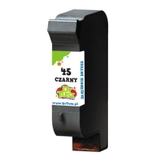
If you print often, a compatible ink cartridge for HP OfficeJet Pro 1175cxi can be the most economical route. If you print occasionally and want to keep everything strictly OEM, we’ve got you covered as well. Popular cartridges in this category (black & color) To make your choice easier, here are some customer favorites you’ll find on this page—covering single cartridges and convenient sets: - Compatible Ink Cartridge 45 for HP (51645AE) (Black) – a cost-effective solution for frequent black printing.
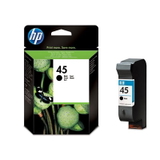
- Original OEM Ink Cartridge HP 45 (51645AE) (Black) – OEM black cartridge for those who prefer HP-branded consumables.
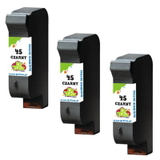
- Compatible Ink Cartridges 45 for HP (51645AE-3) (Black) (3-pack) – a practical stock-up option for offices and heavy users.
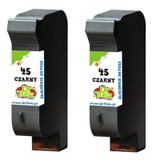
- Compatible Ink Cartridges 45 for HP (SA294AE) (Black) (2-pack) – a balanced set for regular document printing.
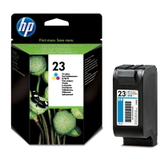
- Original OEM Ink Cartridge HP 23 (C1823DE) (Color) – OEM color cartridge for reliable color output.
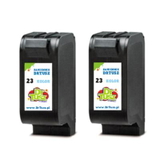
- Compatible Ink Cartridge 23 for HP (C1823DE) (Color) – strong everyday alternative for color documents and graphics.
- Compatible Ink Cartridges 23 for HP (C1823T) (Color) (2-pack) – convenient for users who print color more often or want a backup ready.
How to pick the right ink cartridge for HP 1175cxi Before adding to cart, we encourage you to check two things: the printer name (HP OfficeJet Pro 1175cxi / HP Officejet Pro 1100 Series) and the cartridge code. For this model the key references are 51645AE (black) and C1823DE (color). If you’re unsure, choose based on your printing style: - Mostly text and invoices? Pick black HP 45 / 51645AE, ideally in a 2-pack or 3-pack.
- Color charts and graphics? Add HP 23 / C1823DE so you don’t run out mid-project.
- Want fewer interruptions? Multipacks are the simplest way to stay prepared.
Common user issues with the HP OfficeJet Pro 1175cxi—and how ink helps This printer is a classic, and typical issues are often cartridge-related rather than hardware-related. The most frequent situations include: - Faded prints or missing lines – usually a sign the cartridge is running low or has dried slightly after long downtime.
- Irregular black density – often solved by replacing the black cartridge with a fresh ink for HP OfficeJet Pro 1175cxi.
- Color looks dull – a worn or empty color cartridge (HP 23) can cause muted graphics.
- Long breaks between printing – if you print rarely, keeping a spare cartridge on hand is a good idea to avoid surprises when you need urgent documents.
If you tell us what you print and how often, we’ll help you choose the best option—Original OEM or Compatible—so your HP 1175cxi stays ready for work. Order your ink today—fast, simple, and with support Dear Customer, we encourage you to explore our full selection of ink cartridges for HP OfficeJet Pro 1175cxi—both Compatible and Original OEM. We focus on clear product labeling, proven replacements, and practical multipacks so you can print confidently and control costs. CTA: Choose your ink for HP OfficeJet Pro 1175cxi now—add a black cartridge, a color cartridge, or a multipack to your cart. If you have any doubts about compatibility (HP 1175 cxi / 1175CXI / C5367A), contact us—we’ll respond quickly and help you pick the right cartridge. We also offer convenient delivery options so you can get back to printing without delay. |