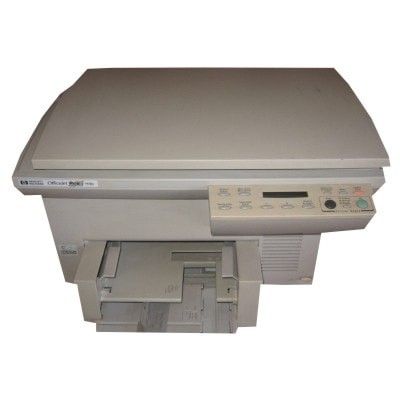
Reliable printing with HP OfficeJet Pro 1100 Series If you use the HP OfficeJet Pro 1100 (also searched as HP 1100 or HP Officejet Pro 1100 Series), you already know it’s a practical, business-oriented inkjet device designed for everyday documents, forms and color materials. To keep it running smoothly, the key is choosing the right ink for HP OfficeJet Pro 1100—one that delivers sharp text, consistent color and trouble-free operation from the first to the last page. Ink cartridges for HP 1100 – what matters most In this category we offer ink cartridges dedicated to your printer, both Original OEM and proven Compatible options. The HP OfficeJet Pro 1100 typically works with two main cartridge families: a black ink cartridge for crisp, readable documents and a tri-color cartridge for graphics and color prints. With the right ink for HP 1100, you can expect: - clear, dense black for invoices, contracts and everyday office printing,
- well-balanced colors for charts, presentations and mixed documents,
- stable results across longer print breaks (important in home offices),
- predictable performance for both occasional and frequent printing.
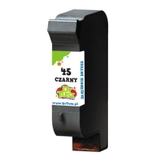
Whether you print mostly text or need color for business materials, choosing the correct ink cartridge for HP OfficeJet Pro 1100 helps avoid faded output, streaks and wasted pages. Compatible and Original OEM – one place, many choices We know different customers have different priorities, so we built a range that makes it easy to match your needs and budget. In this category you’ll find popular, frequently chosen products such as: - Compatible Ink Cartridge 45 for HP (51645AE) (Black) – a cost-effective option for sharp text and daily printing,
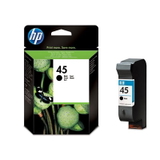
- Original OEM Ink Cartridge HP 45 (51645AE) (Black) – the manufacturer’s cartridge for users who prefer OEM supplies,
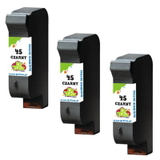
- Compatible Ink Cartridges 45 for HP (51645AE-3) (Black) (3-pack) – a convenient set for higher volume printing and fewer reorders,
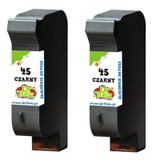
- Compatible Ink Cartridges 45 for HP (SA294AE) (Black) (2-pack) – a practical choice for office workflows,
- Compatible Ink Cartridge 23 for HP (C1823DE) (Color) – reliable color for charts, logos and everyday graphics,
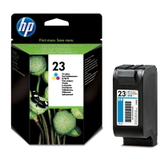
- Original OEM Ink Cartridge HP 23 (C1823DE) (Color) – OEM tri-color for consistent color output,
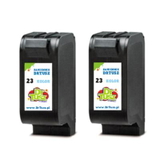
- Compatible Ink Cartridges 23 for HP (C1823T) (Color) (2-pack) – a smart way to keep color printing uninterrupted.
Thanks to this mix, you can choose exactly the ink for HP OfficeJet Pro 1100 Series that fits your print habits—single cartridges or multi-packs, black-only or black + color. How to choose the right ink for printer HP OfficeJet Pro 1100 When selecting an ink cartridge for HP 1100, start with the cartridge code. This printer line uses the well-known HP 45 (black) and HP 23 (color) standards, so matching the symbol on your old cartridge is the simplest and safest method. - Print mostly documents? Choose black and consider a 2-pack or 3-pack to lower cost per page and reduce downtime.
- Print color occasionally? A single color cartridge may be enough, but a 2-pack is ideal if you don’t want to risk running out mid-project.
- Prefer OEM supplies? Pick Original OEM HP 45 / HP 23 cartridges.
- Want great value without compromise? Our compatible ink for HP OfficeJet Pro 1100 from DrTusz.pl is designed to be just as good as the originals in everyday use—clean prints, reliable operation and a quality you can trust.
Original vs compatible cartridges – what’s the difference? Original OEM ink for HP OfficeJet Pro 1100 is produced by HP and is often chosen by users who want to stick with the manufacturer’s ecosystem. Compatible ink cartridges for HP OfficeJet Pro 1100 are an excellent alternative for customers who want to reduce printing costs while keeping high quality. In our store we focus on compatibility and repeatable results—our compatible cartridges are tested so you can print confidently. If your goal is a strong balance between price and performance, a compatible ink cartridge for HP 1100 is typically the most economical choice. Common issues with HP OfficeJet Pro 1100 inks – and how to avoid them Many users of the HP OfficeJet Pro 1100 Series encounter similar, easy-to-solve problems. Here’s what usually helps: - Streaks or missing lines: run the printer’s cleaning cycle and ensure the cartridge is correctly seated.
- Faded color print: check if the color cartridge is low; tri-color cartridges may fade when one color runs out.
- Cartridge not recognized: remove and reinstall the cartridge, clean contacts gently, and confirm you’re using the correct HP 45 / HP 23 type.
- Prints after a longer break: occasional nozzle cleaning and storing cartridges properly helps maintain ink flow.
And if you’re unsure which ink for HP OfficeJet Pro 1100 to choose, we’re here to help—tell us what you print and how often, and we’ll recommend the best option. Choose your ink today and keep printing without interruptions We encourage you to browse our selection of ink cartridges for HP OfficeJet Pro 1100—both compatible and Original OEM. Order a single cartridge or stock up with a multi-pack and enjoy a smoother workflow, predictable print quality and hassle-free shopping. Add your chosen ink for HP 1100 to the cart or contact us—together we’ll make sure you get the perfect cartridge and fast, convenient delivery. |