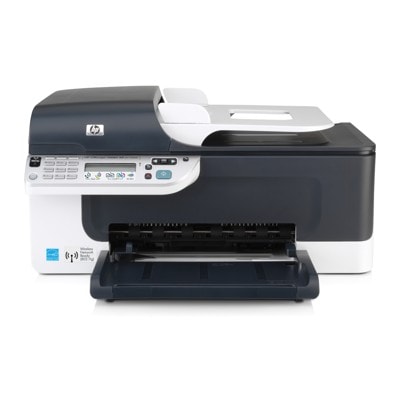
Reliable printing with the HP OfficeJet J4680 Dear Customer, the HP OfficeJet J4680 (also searched as HP J4680 or HP Officejet J4600 Series, e.g. CB783A) is a popular all-in-one printer designed for everyday home and small-office work. It combines printing, scanning and copying in one compact device—perfect for invoices, school materials, forms and colour documents. To keep this model working smoothly and delivering crisp text and vivid graphics, choosing the right ink for HP OfficeJet J4680 matters more than it may seem. What makes ink for HP OfficeJet J4680 important? Cartridges used in this series are built for clear black text and solid colour coverage, but their performance depends on the cartridge condition and ink quality. Good ink for printer HP OfficeJet J4680 helps maintain: - Sharp black print for documents, contracts and shipping labels,
- Clean colour output for charts, presentations and photos on plain paper,
- Stable page yield that matches your real printing habits,
- Less risk of streaks and missing lines caused by drying or poor ink flow.
In this category we focus on ink cartridges in both Original OEM and Compatible versions—so you can choose what suits your needs and budget best without compromising day-to-day reliability. Original OEM and Compatible cartridges—two smart ways to print We offer both Original OEM ink cartridge options and carefully selected compatible ink for HP OfficeJet J4680. Originals are designed by the printer manufacturer and are a great choice when you want a familiar, brand-native solution. At the same time, our compatible cartridges from the DrTusz.pl offer are made to match the printer’s requirements—so you can expect print quality and reliability comparable to OEM cartridges, while often paying less per page. - Original OEM – ideal if you prefer manufacturer cartridges and consistent, predictable results.
- Compatible – a budget-friendly alternative that still delivers excellent everyday print quality (documents, colour graphics, home-office printing).
Popular ink cartridges in this category To make shopping easier, we stock the most frequently chosen cartridges for the J4680/J4600 Series family. You’ll find both black and colour options, plus high-yield solutions for heavier printing. - Original OEM Ink Cartridge HP 300 (CC640EE) (Black) – solid choice for crisp text and office documents.
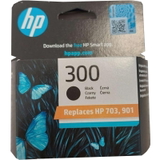
- Original OEM Ink Cartridge HP 300 (CC643EE) (Color) – for colour printing, charts and everyday graphics.
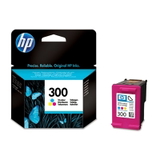
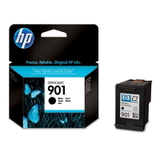
- Original OEM Ink Cartridge HP 901 (CC653AE) (Black) – a common selection for the J4680 series depending on the region/version.
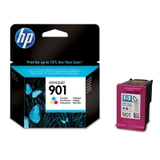
- Original OEM Ink Cartridge HP 901 (CC656AE) (Color) – colour companion cartridge for balanced results.
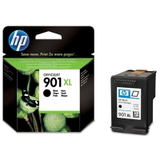
- Original OEM Ink Cartridge HP 901 XL (CC654AE) (Black) – higher yield for frequent printing and fewer replacements.
- Original OEM Ink Cartridges HP 901 XL BK + 901 C (SD519AE) (multi pack) – convenient set for users who print both black and colour regularly.
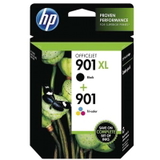
- Compatible Ink Cartridge 901 XL for HP (CC654AE) (Black) – high-yield compatible option for cost-effective black printing.
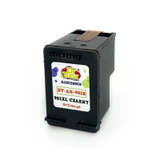
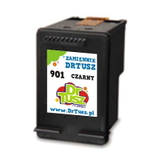
- Compatible Ink Cartridge 901 for HP (CC653AE) (Black) – practical compatible black cartridge for everyday use.
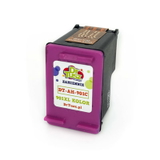
- Compatible Ink Cartridge 901 for HP (CC656AE) (Color) – compatible colour cartridge for home and small office work.
If you searched for a cartridge by code (such as CC653AE, CC656AE, CC654AE, CC640EE or CC643EE), you’re in the right place—this category is built specifically to help you match the cartridge to your printer quickly and safely. How to choose the right ink for HP J4680 When selecting ink for HP OfficeJet J4680, we recommend focusing on three practical points: - Match the cartridge symbol/code – the fastest way to ensure compatibility is to choose the exact cartridge number used by your device.
- Choose yield based on your printing volume – if you print often, an XL black cartridge typically reduces cost per page and saves time.
- Decide between OEM and Compatible – OEM is a classic choice; compatible cartridges from our offer are a smart, high-quality alternative for everyday printing.
Common issues reported by users of the HP OfficeJet J4680 and the HP Officejet J4600 Series include fading prints, streaks after longer breaks in printing, or the printer showing low-ink messages earlier than expected. In many cases, replacing the cartridge with a fresh one and printing a test page helps restore smooth output. If you’re unsure which cartridge to pick, we encourage you to contact us—we’ll help you select the correct ink for printer HP OfficeJet J4680 for your exact device version. Order your cartridges and get back to hassle-free printing We encourage you to browse the full selection of ink cartridges for HP OfficeJet J4680—both Original OEM and Compatible. Whether you need dependable black for documents, vibrant colour for everyday use, or an XL option for higher volume, we’ve prepared this category to make your choice quick and confident. CTA: Choose your next ink for HP OfficeJet J4680 from the list above, add it to your cart, and if you have any questions about compatibility (HP J4680 / CB783A / J4600 Series), contact us—we’re here to help. We provide fast, convenient delivery options so you can replace your cartridge and print again without delays. |