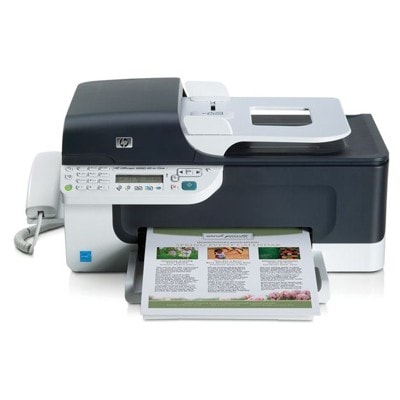
| The HP OfficeJet J4660 (also searched as HP J4660, HP Officejet J4600 Series or CB786A) is a practical all‑in‑one device designed for everyday home and small office work. It combines printing, copying, scanning and faxing in one compact machine—so it’s often used for invoices, forms, school materials and documents that simply must look clean and professional. To keep this printer reliable and cost-effective, choosing the right ink for printer HP OfficeJet J4660 is key. Ink for HP OfficeJet J4660 – what matters in daily printing When you buy ink for HP J4660, you’re investing in print quality, trouble-free operation and predictable results. A good cartridge gives you crisp black text, consistent line thickness (important for forms), and vivid colors for charts and occasional photos. In this category we offer both Original OEM and Compatible ink cartridges—so you can match your choice to your budget and printing style. Typical applications where the right ink cartridge for HP OfficeJet J4660 makes a difference include: - documents and contracts (sharp black, no smudging),
- emails, drafts and notes (efficient everyday printing),
- color charts, school projects and graphics (stable color reproduction),
- mixed workloads (black + color used regularly, fewer interruptions).
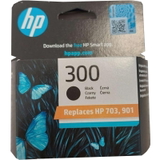
Original OEM and Compatible – our full cartridge range We know that some customers want only manufacturer supplies, while others prefer savings without compromising quality. That’s why we stock both. In our offer you’ll find popular, proven models such as: - Original OEM Ink Cartridge HP 300 (CC640EE) (Black) – a classic choice for clear text and everyday office printing.
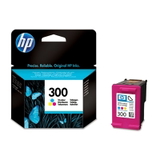
- Original OEM Ink Cartridge HP 300 (CC643EE) (Color) – for consistent color documents and graphics.
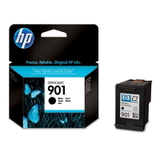
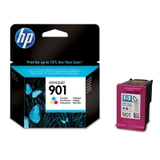
- Original OEM Ink Cartridge HP 901 (CC653AE) (Black) and Original OEM Ink Cartridge HP 901 (CC656AE) (Color) – reliable OEM cartridges for the HP Officejet J4600 Series.
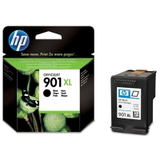
- Original OEM Ink Cartridge HP 901 XL (CC654AE) (Black) – higher capacity for those who print more and want fewer replacements.
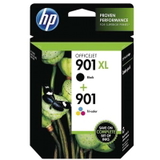
- Original OEM Ink Cartridges HP 901 XL BK + 901 C (SD519AE) (multi pack) – a convenient set to keep both black and color ready.
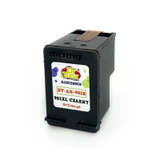
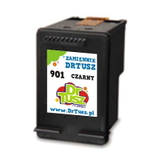
- Compatible Ink Cartridge 901 XL for HP (CC654AE) (Black) – a high-yield compatible option for cost-conscious users.
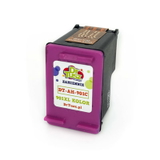
- Compatible Ink Cartridge 901 for HP (CC653AE) (Black) and Compatible Ink Cartridge 901 for HP (CC656AE) (Color) – everyday compatible choices when you want to optimize printing costs.
Thanks to this variety, you can easily select ink for HP OfficeJet J4660 whether you print occasionally or handle regular office tasks. How to choose the right cartridge: HP 300 vs HP 901, standard vs XL To choose the best ink cartridge for HP OfficeJet J4660, start by checking what your printer currently uses (the cartridge symbol is printed on the label and often shown in the printer software). In this category you’ll see models from the HP 300 and HP 901 families—both commonly searched with codes like CC640EE, CC643EE, CC653AE, CC654AE and CC656AE. If you print frequently, consider the XL version (higher capacity), especially for black ink, which is typically consumed fastest. Original OEM vs compatible—what’s the difference? - Original OEM ink for HP OfficeJet J4660 is made by the printer manufacturer and is often chosen for maximum predictability and brand preference.
- Compatible ink for HP OfficeJet J4660 is a cost-effective alternative. Our compatible cartridges from DrTusz.pl are designed to deliver print quality and reliability comparable to originals—so you can print with confidence while keeping costs under control.
Common user issues with the HP OfficeJet J4660 and how the right ink helps The HP OfficeJet J4660 is known for dependable everyday work, but like any inkjet, it can run into typical consumable-related issues. Customers often report: - faded prints – usually a low or drying cartridge; replacing with fresh ink for HP J4660 solves it quickly,
- streaks or missing lines – often improved after a cartridge change and a printhead cleaning cycle,
- the printer not recognizing a cartridge – reseating the cartridge and gently cleaning contacts can help; choosing a proven cartridge model also reduces this risk,
- fast black ink usage – switching to HP 901 XL black (CC654AE) or a compatible XL equivalent can reduce replacement frequency.
We encourage you to keep a spare black cartridge on hand—especially if you use the J4660 for urgent documents or fax printouts. Order ink for HP OfficeJet J4660 with confidence We make it simple to choose the right ink for printer HP OfficeJet J4660: clear product names, popular OEM and compatible options, and practical multipacks for convenience. Browse the cartridges listed above, pick the version that fits your printing habits, and enjoy smooth day-to-day operation of your HP Officejet J4600 Series device. CTA: We invite you to explore our selection of ink cartridges for HP OfficeJet J4660—and if you’re unsure which cartridge code is right (CC640EE, CC643EE, CC653AE, CC654AE, CC656AE), contact us. We’ll help you match the perfect Original OEM or Compatible cartridge and arrange fast delivery. |