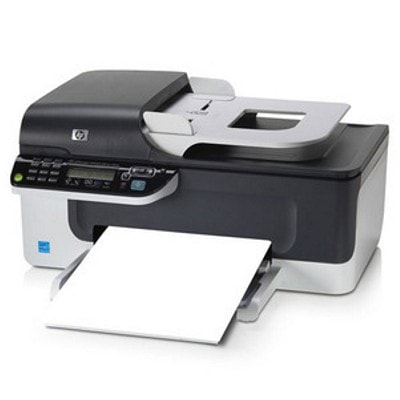
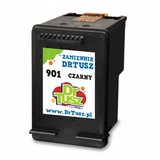
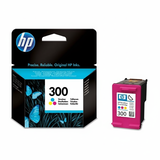
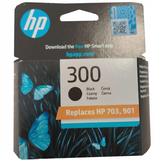
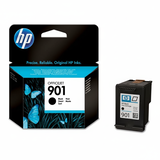
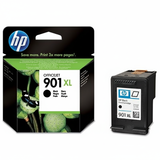
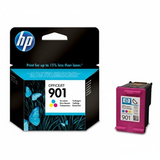
| The HP OfficeJet J4585 (also known as HP J4585 or HP OfficeJet J4500 Series) is a popular all‑in‑one inkjet printer designed for everyday home and small-office work. It combines printing, scanning and copying in one compact device, and it’s valued for simple operation and reliable results. To keep it performing at its best, you need the right ink for HP OfficeJet J4585—matched to the printer and to your real printing habits. Ink for HP OfficeJet J4585: what you can expect Choosing the right ink cartridge for HP OfficeJet J4585 directly affects text sharpness, color accuracy and overall print comfort. For this model, black ink is typically used for documents, invoices and school materials, while tri-color ink supports charts, graphics and photos on everyday paper. With well-selected cartridges, your ink for HP J4585 provides consistent coverage, good readability and smooth color transitions for typical office prints. In this category we focus on two key needs: dependable black prints and practical color output. Whether you print occasionally or every day, we help you pick the cartridge type and capacity that fits your workflow—without guesswork. Original OEM and Compatible cartridges—two smart ways to print We offer both Original OEM and Compatible options for HP OfficeJet J4585 ink, so you can decide what matters most: brand-original supply or maximum cost efficiency. Original cartridges are produced by the printer manufacturer and are a safe choice for users who want a familiar, factory-standard solution. At the same time, our compatible cartridges from DrTusz.pl are made to deliver printing quality that is as good as the originals—clear black text, reliable color output, and trouble-free everyday use—while helping you reduce the cost per page. If you print frequently, compatible ink for HP Officejet J4500 Series is often the most budget-friendly choice. Popular cartridges available in this category We keep a wide range of best-selling cartridges for the J4585 series, including standard and high-yield options. In this category you’ll find, among others: - Original OEM Ink Cartridge HP 300 (CC640EE) (Black) – a proven black cartridge for crisp everyday documents.
- Original OEM Ink Cartridge HP 300 (CC643EE) (Color) – tri-color cartridge for graphics and color printing.
- Original OEM Ink Cartridge HP 901 (CC653AE) (Black) – classic black for the J4500 family.
- Original OEM Ink Cartridge HP 901 (CC656AE) (Color) – reliable color cartridge for mixed printing.
- Original OEM Ink Cartridge HP 901 XL (CC654AE) (Black) – high-yield black for users who print more and want fewer replacements.
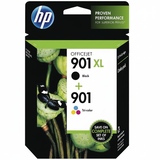
- Original OEM Ink Cartridges HP 901 XL BK + 901 C (SD519AE) (multi pack) – a convenient set for balanced black + color printing.
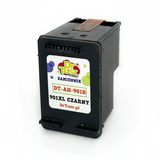
- Compatible Ink Cartridge 901 XL for HP (CC654AE) (Black) – a cost-effective, high-capacity alternative for frequent printing.
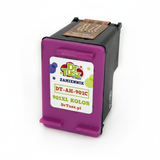
- Compatible Ink Cartridge 901 for HP (CC653AE) (Black) and Compatible Ink Cartridge 901 for HP (CC656AE) (Color) – practical options for everyday users who want to save without compromising quality.
If you search by codes like CB805B or by printer series name, you’re in the right place—this category is built specifically for ink for HP OfficeJet J4585 and its close variants. How to choose the best ink cartridge for your needs When you select an ink cartridge for HP OfficeJet J4585, consider these simple points: - What do you print most? Text-heavy work means you’ll benefit from black cartridges—often the 901 XL version for better efficiency.
- How often do you print? Regular printing supports smooth ink flow and reduces the risk of drying; occasional printing may favor smaller cartridges replaced more frequently.
- Do you want maximum savings? Choose compatible cartridges—our DrTusz.pl compatibles are designed to be as good as the originals in everyday performance.
- Do you want a convenient set? A multipack like SD519AE is ideal if you use both black and color.
Common HP OfficeJet J4585 printing issues—and quick tips This printer series is straightforward, but users sometimes report a few typical ink-related problems. Here’s how we recommend handling them: - Faded print or streaks – run the printer’s cleaning utility and make sure the cartridge is correctly seated; replacing an old cartridge usually resolves the issue quickly.
- Printer doesn’t recognize the cartridge – remove and reinsert the cartridge, check protective tape is fully removed, and gently clean contacts if needed.
- Color prints look uneven – print a test page and run alignment; tri-color cartridges may need a short calibration after replacement.
- Ink dries out with rare use – print a small test page once in a while to keep nozzles clear, especially for color.
If you’re unsure which cartridge you need—HP 300, HP 901, or HP 901 XL—we’re here to help you match the right ink for HP J4585 to your exact printer variant and printing style. Order ink for HP OfficeJet J4585 with confidence We encourage you to explore our full selection of ink cartridges for HP OfficeJet J4585—Original OEM for brand-standard reliability and Compatible options for excellent quality at a better price per page. Add the right cartridge to your cart and keep your HP Officejet J4500 Series ready for everyday work. CTA: Choose your cartridge now—if you have any questions about compatibility (for example CC640EE, CC643EE, CC653AE, CC656AE, CC654AE), contact us and we’ll help you pick the best ink quickly. We also offer fast delivery options so you can get back to printing without delay. |