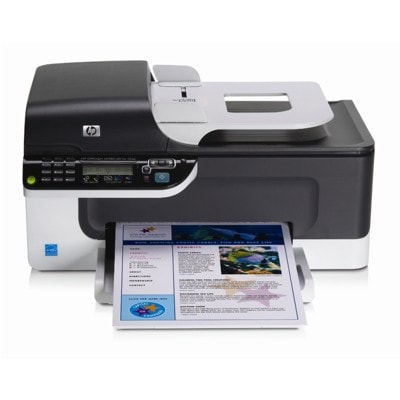
| The HP OfficeJet J4580 (also searched as HP J4580, HP Officejet J4500 Series or CB780A) is a popular all-in-one inkjet device designed for everyday printing, copying, scanning and faxing. It’s valued for practicality and low running costs—provided you choose the right ink for HP OfficeJet J4580. In this category we’ve gathered both Original OEM and Compatible ink cartridges, so you can match your purchase to your budget, print volume and quality expectations. Ink for HP OfficeJet J4580 – what you can expect Ink cartridges for HP OfficeJet J4580 are built for clear text documents, sharp graphics and vivid color prints. Whether you print invoices, school materials, forms, photos for presentations or occasional marketing leaflets, the right ink for HP J4580 helps keep output consistent and helps avoid common problems like streaks or faded colors. When you select a cartridge for this model, pay attention to: - Color vs. Black – black ink is best for office documents; color cartridges are used for graphics and photos.
- Standard vs. XL yield – XL options are ideal when you print frequently and want fewer replacements.
- Compatibility – the HP Officejet J4500 Series uses dedicated cartridge families (e.g., HP 901 / HP 300 depending on version and region), so matching the code matters.
Original OEM and Compatible cartridges – flexible choice, same goal: reliable printing We know customers choose differently: some prefer the manufacturer’s solution, others want the best cost-per-page. That’s why we offer both Original OEM ink cartridges for HP OfficeJet J4580 and carefully selected compatible ink cartridges for HP OfficeJet J4580. - Original OEM cartridges are made by the printer manufacturer and are a great choice if you want a straightforward, “install and print” experience and predictable results.
- Compatible cartridges from our DrTusz.pl offer are designed to deliver quality that is as good as the originals—while helping you reduce printing costs, especially with everyday documents.
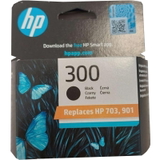
Popular products in this category To make shopping easier, we keep the offer broad and clearly labeled. Here are some of the most frequently chosen items for ink for HP OfficeJet J4580: - Original OEM Ink Cartridge HP 300 (CC640EE) (Black) – crisp black text for everyday office printing.
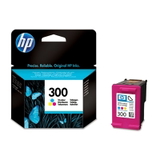
- Original OEM Ink Cartridge HP 300 (CC643EE) (Color) – solid color output for graphics and mixed documents.
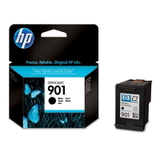
- Original OEM Ink Cartridge HP 901 (CC653AE) (Black) – a popular black cartridge option for the J4500 family.
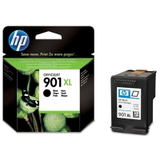
- Original OEM Ink Cartridge HP 901 XL (CC654AE) (Black) – higher yield for frequent printing.
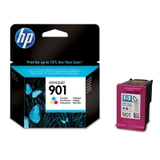
- Original OEM Ink Cartridge HP 901 (CC656AE) (Color) – everyday color printing and charts.
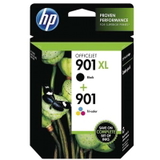
- Original OEM Ink Cartridges HP 901 XL BK + 901 C (SD519AE) (multi pack) – a convenient set for people who want to stock up at once.
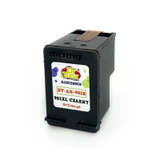
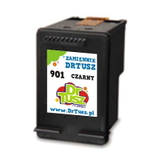
- Compatible Ink Cartridge 901 (CC653AE) (Black) – budget-friendly black printing without giving up quality.
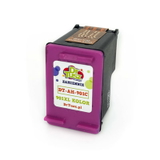
- Compatible Ink Cartridge 901 for HP (CC656AE) (Color) – dependable color prints for home and small office use.
- Compatible Ink Cartridge 901 XL for HP (CC654AE) (Black) – a great option when you print more and want better efficiency.
How to choose the right ink cartridge for HP J4580 When buying ink for HP OfficeJet J4580, we recommend checking the cartridge code printed on your current cartridge or referenced in the printer documentation. In this category you’ll find cartridges marked with codes such as CC640EE, CC643EE, CC653AE, CC654AE, CC656AE and SD519AE. Choosing by code is the fastest way to ensure a perfect match. If you’re deciding between Original OEM and Compatible, here’s a practical rule: - Choose Original OEM if you want the manufacturer’s cartridge line and you print occasionally but want maximum predictability.
- Choose Compatible ink for HP OfficeJet J4580 if you print regularly and want to lower costs—without sacrificing the print quality you need for daily work.
- Choose XL if you print often and prefer fewer cartridge changes and better economy over time.
Common printing issues with the HP Officejet J4500 Series – and what helps Over time, users of the HP OfficeJet J4580 may encounter typical inkjet challenges. The right cartridge and a few simple habits often solve them quickly: - Faded prints or missing lines – may happen when ink runs low or the printhead nozzles need cleaning. Replacing the cartridge and running a cleaning cycle usually helps.
- Printer not recognizing the cartridge – often resolved by reinstalling the cartridge, gently cleaning contacts, or making sure you selected the correct code (e.g., CC653AE vs. CC656AE).
- Frequent cartridge replacement – consider an XL version (e.g., CC654AE) to improve efficiency.
- Color imbalance – replacing the color cartridge and printing a test page can restore proper color output.
Order ink for HP OfficeJet J4580 with confidence We make it easy to choose the right ink cartridge for HP OfficeJet J4580—whether you prefer Original OEM or a high-quality Compatible alternative from our offer. We encourage you to browse the products listed above, compare standard and XL variants, and pick the option that best fits how you print. CTA: Add your selected ink for HP J4580 to the cart and place your order today. If you’re unsure which cartridge code is right for your device, contact us—we’ll help you match the correct cartridge quickly, so you can get back to printing without stress. |