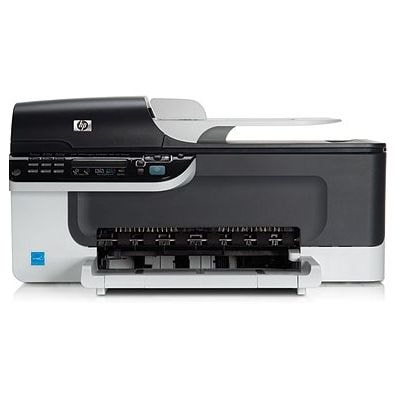
Reliable printing with the HP OfficeJet J4550 The HP OfficeJet J4550 (also searched as HP J4550 or HP Officejet J4500 Series) is a popular all‑in‑one printer designed for everyday home and small office tasks. It’s valued for simple operation and practical functions—printing documents, occasional colour graphics, and daily paperwork. To keep it performing at its best, it’s worth choosing the right ink for HP OfficeJet J4550: reliable cartridges that deliver clear text, consistent colours, and trouble‑free operation. Ink cartridges for HP OfficeJet J4550 – what matters most When you buy ink for printer HP OfficeJet J4550, you’re investing in print quality and the comfort of daily use. The right ink cartridge for HP J4550 should provide sharp black text for contracts and invoices, and stable colour output for charts, school materials, and simple photos. In our category you’ll find both Original OEM and Compatible solutions—so you can match the cartridge to your expectations and your budget. Key benefits you can expect from well‑selected ink for HP Officejet J4500 Series: - clean, readable printouts with crisp edges,
- consistent colour transitions and solid fills,
- smooth installation and dependable printer recognition,
- options for higher yield with XL cartridges to reduce replacement frequency.
Original OEM and compatible cartridges – freedom of choice We offer two proven paths for your ink for HP OfficeJet J4550: - Original OEM ink cartridges – designed by the printer manufacturer for maximum predictability and repeatable results. They’re a great choice if you want factory‑spec performance and you print regularly.
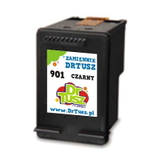
- Compatible ink cartridges – a smart alternative for cost‑effective printing. Our compatible cartridges from DrTusz.pl are designed to be just as good as the originals in everyday use: reliable, efficient, and ideal for frequent document printing.
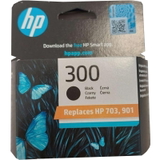
This way, you can decide whether you prioritise OEM solutions or want to lower your cost per page with compatible options—without giving up on quality. Popular cartridges in this category (HP 300 and HP 901 series) To help you choose quickly, here are some of the most frequently selected products for HP OfficeJet J4550 ink: - Original OEM Ink Cartridge HP 300 (CC640EE) (Black) – dependable black for everyday office documents.
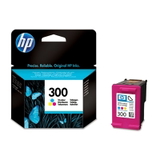
- Original OEM Ink Cartridge HP 300 (CC643EE) (Color) – colour prints for graphics, forms and learning materials.
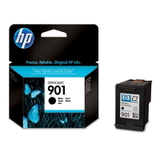
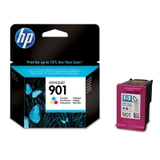
- Original OEM Ink Cartridge HP 901 (CC653AE) (Black) and Original OEM Ink Cartridge HP 901 (CC656AE) (Color) – popular OEM choices for balanced, consistent printing.
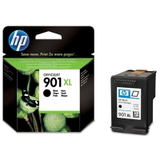
- Original OEM Ink Cartridge HP 901 XL (CC654AE) (Black) – higher yield for users who print more and want fewer replacements.
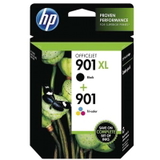
- Original OEM Ink Cartridges HP 901 XL BK + 901 C (SD519AE) (multi pack) – a convenient set for those who want to stock up and stay ready.
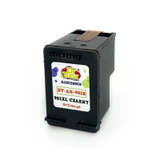
- Compatible Ink Cartridge 901 XL for HP (CC654AE) (Black) – an efficient option when you need more pages at a better price.
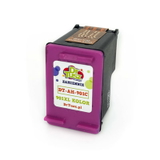
- Compatible Ink Cartridge 901 for HP (CC653AE) (Black) and Compatible Ink Cartridge 901 for HP (CC656AE) (Color) – practical everyday alternatives for economical printing.
Thanks to this range, it’s easy to find the right ink cartridge for HP OfficeJet J4550 whether you print mostly text, need colour for graphics, or simply want an XL option for higher volume. How to choose the right ink for HP OfficeJet J4550 When selecting ink for HP J4550, we recommend focusing on a few simple points: - Check the cartridge code – the safest way to match your printer is by selecting the exact symbol (e.g., CC640EE, CC643EE, CC653AE, CC656AE, CC654AE).
- Decide between standard and XL – if you print often, XL can be more convenient and cost‑effective.
- Match the cartridge to your usage – for mostly documents, a strong black cartridge matters most; for mixed printing, keep both black and colour on hand.
- Choose OEM or Compatible – OEM offers factory consistency; our compatible cartridges offer excellent everyday quality and savings, making them a great alternative for most users.
Common issues with the HP OfficeJet J4550 – and how to avoid them Users of the HP Officejet J4500 Series sometimes report typical ink‑related problems, especially when a printer is used irregularly. The most common are faded printouts, missing colours, or the printer not printing despite having ink. In many cases, the solution is simple: - print a small test page regularly to prevent ink drying,
- run the printer’s built‑in cleaning/alignment utilities when lines appear,
- replace the cartridge when prints become pale or streaky,
- store spare cartridges properly and install them soon after opening.
If you’re unsure which ink for printer HP OfficeJet J4550 will be the best match, we’re here to help—our team will guide you to the correct product quickly. Choose your cartridge and start printing today We encourage you to explore our selection of ink cartridges for HP OfficeJet J4550—both Original OEM and Compatible. Whether you need a single black cartridge, a colour refill, or an XL multipack for more efficient printing, we’ve prepared a range that fits real everyday needs. CTA: Add the right ink for HP OfficeJet J4550 to your cart or contact us for help choosing—together we’ll make sure your printer is ready for clean, reliable printing. We offer fast order processing and convenient delivery options, so you can get back to work without unnecessary downtime. |