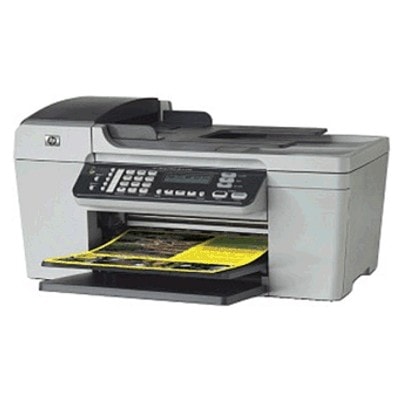
| If you use an HP OfficeJet J4535 (also found under names like HP J4535, HP Officejet J4500 Series or device code CB805A), you probably appreciate it for one simple reason: it’s a practical all-in-one built for everyday printing at home and in small offices. To keep this model working smoothly, you need reliable ink for HP OfficeJet J4535—with the right cartridge symbol, the right capacity, and consistent print quality from the first page to the last. In this category we’ve gathered both Original OEM and carefully selected Compatible ink cartridges for HP OfficeJet J4535. Thanks to that, you can choose exactly what you need: maximum manufacturer consistency (OEM) or a budget-friendly alternative that performs just as well in everyday use (compatible cartridges from our DrTusz.pl offer). Ink for HP OfficeJet J4535 – what these cartridges are built for The HP OfficeJet J4535 uses inkjet cartridges designed for clear text, readable business documents, and vivid color prints. Choosing the correct ink cartridge for HP OfficeJet J4535 affects not only color saturation and sharpness, but also printing comfort—fewer interruptions, fewer cleaning cycles, and fewer surprises when you need an urgent print. These cartridges are a great fit if you print: - everyday documents: invoices, forms, school materials, shipping labels,
- color graphics: charts, simple marketing materials, presentations,
- photos for home use (best results with proper paper settings and photo paper).
When searching, the most important thing is cartridge compatibility. For ink for HP J4535, the commonly used series include HP 300 and HP 901 / 901 XL—depending on the printer region/version and what is currently installed. If you’re unsure, we encourage you to compare the symbol printed on your old cartridge (e.g., CC653AE, CC656AE, CC654AE) with the product names in our offer. Original OEM and Compatible – one place, many options We know customers have different expectations: some want only manufacturer supplies, while others want the best cost per page. That’s why our selection includes both Original OEM ink cartridges for HP OfficeJet J4535 and proven compatible cartridges that are safe, dependable, and deliver excellent prints. - Original OEM – for users who want the manufacturer’s solution and predictable results, especially in mixed black/color printing.
- Compatible – for users who print more and want to reduce costs without sacrificing quality; our compatible cartridges from DrTusz.pl are as good as the originals in everyday use.
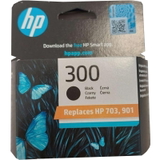
Popular ink cartridges for HP OfficeJet J4535 in this category To make your choice easier, here are some of the most frequently selected items for ink for HP OfficeJet J4535: - Original OEM Ink Cartridge HP 300 (CC640EE) (Black) – dependable black text and strong everyday performance.
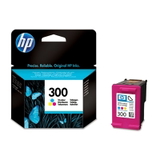
- Original OEM Ink Cartridge HP 300 (CC643EE) (Color) – for color documents and graphics in one convenient cartridge.
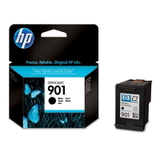
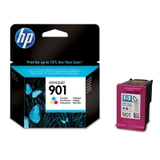
- Original OEM Ink Cartridge HP 901 (CC653AE) (Black) and Original OEM Ink Cartridge HP 901 (CC656AE) (Color) – a popular pairing for regular home/office printing.
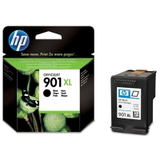
- Original OEM Ink Cartridge HP 901 XL (CC654AE) (Black) – higher capacity for users who print more and want fewer cartridge swaps.
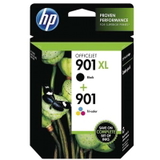
- Original OEM Ink Cartridges HP 901 XL BK + 901 C (SD519AE) (multi pack) – a practical set for keeping both black and color ready.
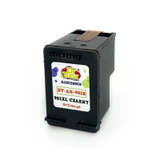
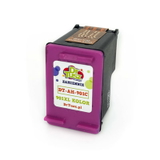
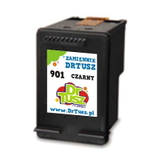
- Compatible Ink Cartridge 901 for HP (CC653AE) (Black) and Compatible Ink Cartridge 901 for HP (CC656AE) (Color) – cost-effective choices for day-to-day printing.
- Compatible Ink Cartridge 901 XL for HP (CC654AE) (Black) – great when you print a lot and want the best price per page.
How to choose the right ink for your HP OfficeJet J4535 Before adding a cartridge to your cart, we recommend a quick check. It prevents the most common ordering mistakes and helps you get the best results from your printer. - Match the code from your old cartridge – look for symbols like CC653AE, CC656AE, CC654AE, CC640EE, CC643EE.
- Choose capacity based on your printing volume – standard cartridges are fine for occasional printing; XL is ideal for frequent printing and fewer replacements.
- Decide on Original OEM vs Compatible – if you want the manufacturer’s cartridge, pick OEM; if you want savings with excellent results, choose our compatible option.
Common issues reported by users of the HP Officejet J4500 Series often relate to everyday maintenance rather than the printer itself. If you see messages like “cartridge not recognized” or notice faded prints, these steps help: - remove and reinsert the cartridge (it must “click” into place),
- gently clean electrical contacts (dry, lint-free cloth),
- run the printer’s head cleaning/alignment from the menu,
- make sure print settings match your paper type (plain vs photo).
Order ink for HP OfficeJet J4535 with confidence We encourage you to choose the best ink cartridge for HP OfficeJet J4535 from our carefully prepared selection—whether you prefer Original OEM supplies or a high-quality compatible cartridge. We focus on clear product descriptions, a wide range of options, and support when you need it. CTA: Browse the products in this category, pick the black or color cartridge (or a convenient multipack), and place your order today. If you’re not sure which ink for HP OfficeJet J4535 fits your printer, contact us—we’ll help you match the correct cartridge quickly. We also provide fast delivery options so you can get back to printing without delays. |