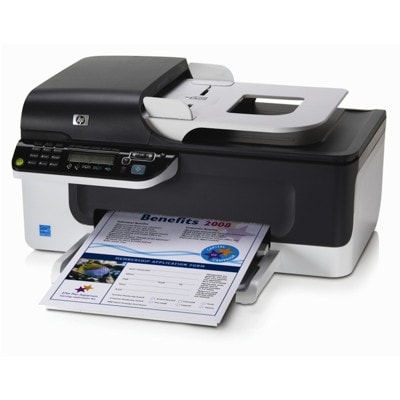
Reliable printing with the HP OfficeJet J4524 (HP Officejet J4500 Series) HP OfficeJet J4524 (also found as HP J4524, HP Officejet J4500 Series or by the code CB855A) is a practical all-in-one inkjet designed for everyday home and small-office tasks. It handles documents, forms, school prints and occasional color graphics—so choosing the right ink for printer HP OfficeJet J4524 is essential if you want consistent quality and trouble-free operation. In this category you will find carefully selected ink cartridges for HP OfficeJet J4524 in two proven options: Original OEM cartridges and Compatible cartridges. Thanks to this, you can match the cartridge to your printing style, expected page yield and budget—without compromising reliability. Ink cartridges for HP OfficeJet J4524: what they do and why the right choice matters The HP OfficeJet J4524 uses separate cartridges for black and tri-color printing, which makes it easier to manage costs: you replace only the color that runs out. A properly selected ink for HP OfficeJet J4524 helps keep text crisp, graphics balanced, and colors natural—especially important for invoices, letters, school materials, and simple marketing prints. When you choose a cartridge from a trusted source, you reduce common problems such as streaks, faded prints or frequent cleaning cycles. Our offer includes popular capacities (including XL), so you can decide whether you prefer a lower entry cost or a higher page yield for frequent printing. - Black ink cartridges — for sharp text, fast everyday document printing.
- Color ink cartridges — for charts, logos, photos and color highlights.
- XL versions — ideal when you print more and want fewer replacements.
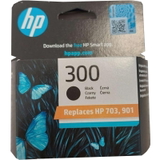
Original OEM and Compatible: a wide, practical selection We stock both Original OEM ink cartridges for HP OfficeJet J4524 and high-quality compatible ink cartridges for HP OfficeJet J4524. If you value maximum brand consistency and predictability, OEM is a great fit. If you want to lower printing costs while keeping great results, our compatibles from DrTusz.pl are a smart alternative—designed to deliver print quality and reliability comparable to originals. Popular choices in this category include: - Original OEM Ink Cartridge HP 300 (CC640EE) (Black) — a classic solution for clean, readable text.
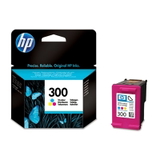
- Original OEM Ink Cartridge HP 300 (CC643EE) (Color) — everyday color prints in one tri-color cartridge.
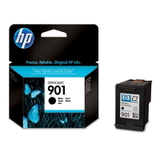
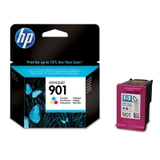
- Original OEM Ink Cartridge HP 901 (CC653AE) (Black) and Original OEM Ink Cartridge HP 901 (CC656AE) (Color) — reliable OEM set for the J4500 family.
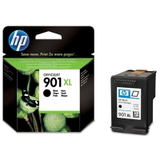
- Original OEM Ink Cartridge HP 901 XL (CC654AE) (Black) — higher yield for frequent black printing.
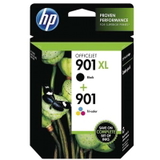
- Original OEM Ink Cartridges HP 901 XL BK + 901 C (SD519AE) (multi pack) — convenient set for balanced black + color usage.
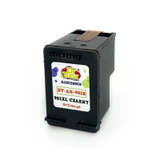
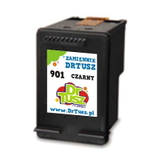
- Compatible Ink Cartridge 901 XL for HP (CC654AE) (Black) — cost-effective, high-yield printing for busy users.
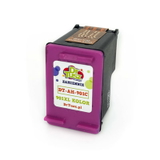
- Compatible Ink Cartridge 901 for HP (CC653AE) (Black) and Compatible Ink Cartridge 901 for HP (CC656AE) (Color) — great everyday value for home and office.
To help you search faster, remember the key phrases: HP OfficeJet J4524, HP J4524, HP Officejet J4500 Series, CB855A, J4524. Using these terms makes it easier to find the exact ink for HP OfficeJet J4524 you need. How to choose the best ink for HP OfficeJet J4524 We encourage you to start with your printing habits: - Mostly text documents: choose a black cartridge, ideally an XL option (e.g., HP 901 XL CC654AE or its compatible equivalent) to print more pages with fewer swaps.
- Regular color printing: add a tri-color cartridge (e.g., HP 901 CC656AE) or consider a multi pack to keep both black and color ready.
- Occasional printing: a standard-capacity cartridge can be more practical, as it reduces the risk of ink sitting unused for long periods.
Original OEM vs Compatible: OEM cartridges are made by the printer manufacturer and are a safe, classic choice. Our compatible ink cartridges for HP OfficeJet J4524 are an equally sensible option when you want to reduce costs—without giving up quality. We focus on dependable compatibles that provide clear text, stable color and reliable performance comparable to original cartridges. Common user issues with HP OfficeJet J4524 and how the right cartridge helps Users of the HP OfficeJet J4524 (J4500 Series) most often report issues that are easy to prevent with the right routine and a fresh cartridge: - Streaks or missing lines: usually caused by partially clogged nozzles or an almost empty cartridge. Replacing the cartridge and running a cleaning cycle often solves it.
- Faded black text: can appear when the black cartridge is low or ink has dried due to long breaks between prints. An XL cartridge can help if you print frequently.
- Color looks “off”: a tri-color cartridge may be nearing its end even if one color is depleted first. Replacing the color cartridge restores balance.
- Printer not recognizing the cartridge: ensure you selected the correct model (e.g., CC653AE / CC656AE / CC654AE) and that protective seals are removed before installation.
If you ever feel unsure which ink cartridge for HP OfficeJet J4524 will be the best match, we are here to help you choose quickly and correctly. Order your ink cartridges today—fast, convenient, and supported by our expertise Dear Customer, we invite you to explore our selection of ink cartridges for HP OfficeJet J4524—both Original OEM and high-quality Compatible options. Choose a single black or color cartridge, go for an XL version for higher yield, or pick a convenient multi pack to stay prepared. CTA: Add the right cartridge to your cart and enjoy dependable printing again. If you need assistance matching a cartridge to CB855A or the HP Officejet J4500 Series, contact us—we will gladly help you select the best ink for HP OfficeJet J4524 and arrange quick delivery. |