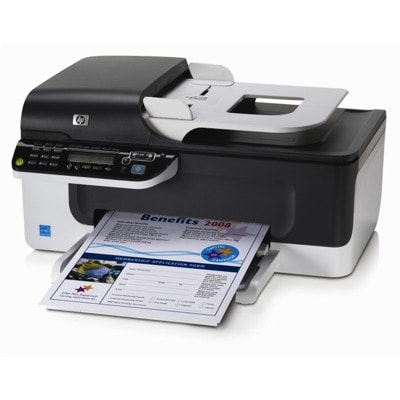
| The HP OfficeJet J4500 (also found as HP J4500 or HP Officejet J4500 Series) is a practical all-in-one device designed for everyday office and home-office tasks: printing invoices and documents, copying, scanning, and sending faxes. To keep this model working reliably and to maintain clear, professional-looking prints, choosing the right ink for printer HP OfficeJet J4500 is essential. In our category you will find both Original OEM and Compatible ink cartridges—so you can match your choice to your budget, print volume, and expectations. Reliable printing with the right ink for HP OfficeJet J4500 Ink cartridges for the HP OfficeJet J4500 are designed to deliver sharp black text and well-balanced color output for everyday use. Whether you print forms, school materials, emails, or color graphics, the right ink for HP OfficeJet J4500 helps you avoid common issues like faded text, streaks, or uneven colors. With properly selected cartridges, you gain: - crisp black prints for documents and correspondence,
- clean, consistent color for charts and basic marketing materials,
- smooth operation with fewer interruptions during printing,
- better control of printing costs with standard or XL options.
If you print frequently, consider higher-capacity cartridges such as XL versions—an excellent way to reduce the cost per page and minimize cartridge changes in your HP OfficeJet J4500 Series. Original OEM and Compatible ink cartridges—choose what suits you best We offer two proven paths for your ink for printer HP J4500: - Original OEM ink cartridges – manufacturer cartridges designed for maximum compatibility, stable quality, and predictable results.
- Compatible ink cartridges – cost-effective alternatives that deliver print quality comparable to originals. Our compatible cartridges from DrTusz.pl are carefully selected so you can print confidently without overpaying.
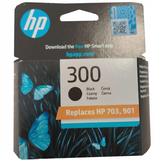
In practice, the choice depends on your priorities: if you want to stick strictly to OEM, we have a wide range of originals; if you want to reduce costs while maintaining strong performance, our compatible cartridges are a smart option for daily printing. Popular cartridges for HP OfficeJet J4500 available in our offer To make it easy to find the right product, we stock the most commonly used cartridges for this series—both black and color, including multipacks and XL capacity. In this category you will find, among others: - Original OEM Ink Cartridge HP 300 (CC640EE) (Black)
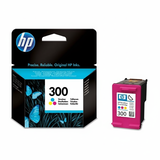
- Original OEM Ink Cartridge HP 300 (CC643EE) (Color)
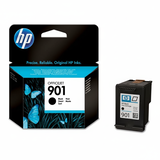
- Original OEM Ink Cartridge HP 901 (CC653AE) (Black)
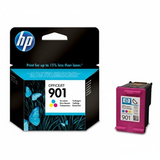
- Original OEM Ink Cartridge HP 901 (CC656AE) (Color)
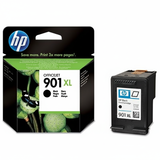
- Original OEM Ink Cartridge HP 901 XL (CC654AE) (Black)
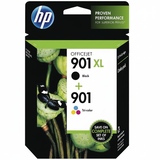
- Original OEM Ink Cartridges HP 901 XL BK + 901 C (SD519AE) (multi pack)
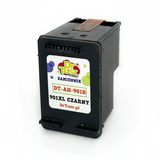
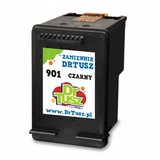
- Compatible Ink Cartridge 901 for HP (CC653AE) (Black)
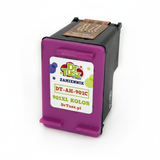
- Compatible Ink Cartridge 901 for HP (CC656AE) (Color)
- Compatible Ink Cartridge 901 XL for HP (CC654AE) (Black)
Thanks to this variety, you can easily select a single cartridge, build your own set, or choose a multipack for convenient replenishment of both black and color ink for HP OfficeJet J4500. How to pick the best ink for printer HP OfficeJet J4500 When choosing ink for HP Officejet J4500 Series, we recommend focusing on a few simple points: - Match the cartridge code – always compare the symbol on your current cartridge or printer manual (e.g., 300 or 901 / 901 XL).
- Choose black, color, or a set – black is ideal for heavy document printing; color is perfect for graphics and mixed content.
- Consider XL for higher volume – if you print often, an XL cartridge can be more economical and more convenient.
- Decide between OEM and compatible – OEM for brand consistency, compatible for excellent value with quality comparable to originals.
Common user issues with HP J4500 and how the right cartridge helps Users of the HP OfficeJet J4500 sometimes report problems such as the printer not recognizing a cartridge, faded prints after longer breaks, or streaks in black or color. Very often these issues are linked to an empty cartridge, a mismatched cartridge version, or ink drying out after infrequent use. Our advice: - make sure you select the correct cartridge number (300 vs 901 / 901 XL),
- if you print occasionally, run a test page from time to time to keep ink flowing,
- keep a spare black cartridge on hand—most J4500 printers are used primarily for documents,
- if you need help confirming compatibility, contact us and we will guide you to the right ink for printer HP OfficeJet J4500.
Order today—fast support, clear choice, great value We encourage you to explore our full selection of ink for HP OfficeJet J4500—including Original OEM and high-quality Compatible cartridges. Choose a single cartridge, an XL version for more pages, or a convenient multipack and keep your printer ready whenever you need it. If you have any doubts, we are here to help—message us with your printer name (HP OfficeJet J4500) or cartridge symbol, and we will recommend the best option. Check the available cartridges and place your order now to get back to smooth, worry-free printing with quick delivery. |