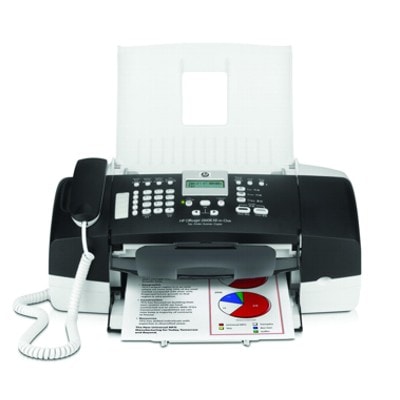
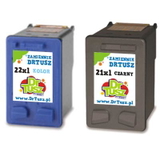
Reliable printing with the HP OfficeJet J3680 The HP OfficeJet J3680 (also found as HP J3680, HP Officejet J3600 All in One Series or model code CB071A) is a practical all‑in‑one device built for everyday home and small office work. It handles printing, copying, scanning and faxing, so it’s often used for invoices, forms, school materials and color documents. To keep this versatile machine running smoothly, you need the right ink for HP OfficeJet J3680—and that’s exactly what we focus on in this category: original OEM and high-quality compatible ink cartridges. Ink cartridges for HP OfficeJet J3680 – what you need to know This printer uses two cartridges: one black and one tri‑color. Choosing the correct ink cartridge for HP OfficeJet J3680 directly affects text sharpness, color quality and the number of pages you can print. In our offer you’ll find standard versions and higher-yield XL options, ideal when you print more frequently. - Black ink for HP J3680 – best for crisp documents, contracts and everyday office printing.
- Color ink for HP OfficeJet J3680 – designed for graphics, charts, photos in documents and vibrant handouts.
- XL ink cartridges – more ink, fewer replacements and better convenience for regular printing.
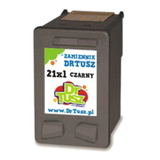
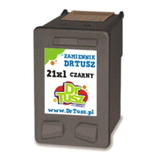
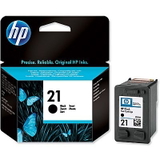
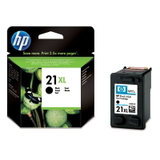
If your prints start looking faded, lines appear, or colors seem off, it’s usually time for a replacement cartridge—or a quick printhead cleaning from the printer maintenance menu. With fresh ink cartridges, the J3680 returns to clear, consistent output. Original OEM and compatible cartridges – one category, more choice We know every customer has different priorities, so we offer both Original OEM ink cartridges for HP OfficeJet J3680 and trusted compatible alternatives. OEM cartridges are produced by HP and are a straightforward choice for those who prefer manufacturer-branded supplies. Our compatible cartridges are carefully selected to deliver results that are as good as the originals—strong blacks, balanced colors and dependable everyday performance—while often offering a more budget-friendly cost per page. Popular products in this category To make shopping easier, we stock the most frequently chosen items for ink for printer HP OfficeJet J3680, including single cartridges and convenient multipacks: - Original OEM Ink Cartridge HP 21 (C9351AE) (Black) – dependable black for clean text and office documents.
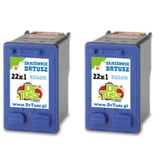
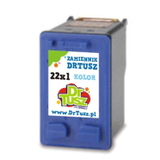
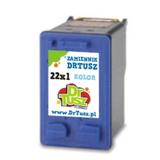
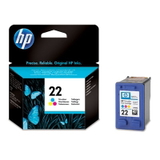
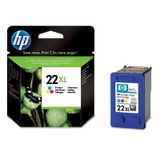
- Original OEM Ink Cartridge HP 22 (C9352AE) (Color) – solid everyday color for charts and graphics.
- Original OEM Ink Cartridge HP 21 XL (C9351CE) (Black) and Original OEM Ink Cartridge HP 22 XL (C9352CE) (Color) – higher yield for frequent printing.
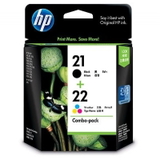
- Original OEM Ink Cartridges HP 21 XL + 22 XL (SD367AE) (multi pack) – a practical set when you want to replace both at once.
- Compatible Ink Cartridge 21 XL for HP (C9351CE) (Black) – high-yield black at an attractive running cost.
- Compatible Ink Cartridge 22 XL for HP (C9352CE) (Color) – strong color output for everyday use.
- Compatible Ink Cartridges 21 XL + 22 XL for HP (SD367AE) (multi pack) – a balanced choice for home and office.
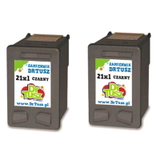
- Compatible Ink Cartridges 21 XL for HP (CC627AE) (Black) (2-pack) and Compatible Ink Cartridges 22 XL for HP (C9352AE-2) (Color) (2-pack) – extra convenience and fewer reorders.
- Compatible Ink Cartridge 21 for HP (C9351AE) (Black) / Compatible Ink Cartridge 22 for HP (C9352AE) (Color) – standard capacity options for lighter printing.
- Compatible Ink Cartridge 21 for HP (C9351AE-S) (Black) (starter) – a good pick when you need a quick replacement for basic printing.
How to choose the right ink for HP OfficeJet J3680 When selecting an ink cartridge for HP OfficeJet J3680, we recommend thinking about three simple points: - What you print – mostly text? Choose a black cartridge (often XL). For colorful documents, keep the color cartridge fresh as well.
- How often you print – if you print regularly, XL cartridges or multipacks reduce downtime and are more economical.
- Your budget preferences – Original OEM offers the manufacturer brand; our compatible cartridges offer excellent quality comparable to originals and a very favorable cost per page.
Common user issues with the HP OfficeJet J3680 include “cartridge not recognized,” streaks after long breaks, or faded color. In many cases, reseating the cartridge, cleaning the contacts, running a cleaning cycle, or replacing an empty cartridge resolves the problem quickly. If you’re unsure which cartridge version fits your device, we’re here to help—just share the model name (J3680 / CB071A) or the cartridge code you currently use. Order today and keep your OfficeJet J3680 ready for anything We encourage you to explore our full range of ink for HP OfficeJet J3680—from Original OEM cartridges to proven compatible options that print as well as the originals. Choose a single cartridge, an XL version, or a multipack and enjoy a smooth purchasing process, fast delivery options, and helpful customer support. Add your cartridges to the cart now, or contact us if you want a quick recommendation tailored to your printing habits. |