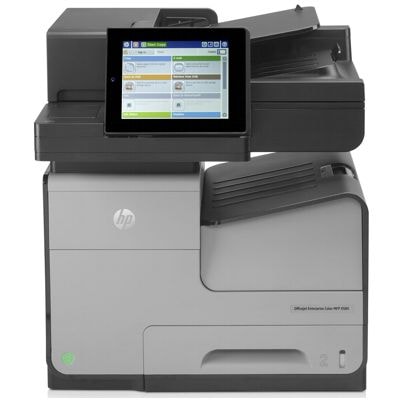
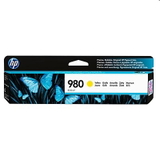
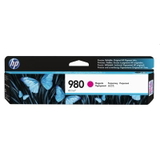
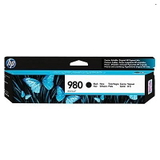
HP OfficeJet Enterprise Color X585z – built for fast, reliable business color HP OfficeJet Enterprise Color X585z (also searched as HP X585z, X585Z, X585 z or by the code B5L06A) is a workgroup printer designed for high-speed, high-volume printing with professional color output. If you use this device in an office, reception area, school, or service point, you know one thing: downtime is not an option. That’s why choosing the right ink for HP OfficeJet Enterprise Color X585z and keeping maintenance parts on hand is essential for uninterrupted daily work. Ink for HP X585z – consistent color, sharp text, and predictable costs In this category we focus on Original OEM ink cartridge solutions dedicated to the X585z platform, designed to deliver stable results from the first page to the last. The right ink for printer HP OfficeJet Enterprise Color X585z helps maintain: - Professional quality – crisp black text and vivid graphics for invoices, presentations, and marketing materials,
- Reliable high-volume printing – stable performance in busy environments,
- Clean operation – fewer interruptions caused by poor-quality consumables,
- Device protection – cartridges and maintenance components matched to the printer’s requirements.
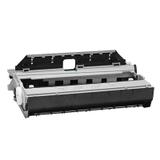
Alongside ink supplies, you’ll also find the waste ink tank for HP OfficeJet Enterprise Color X585z, an important consumable that supports proper printer operation and helps prevent unexpected service messages during intense printing periods. Popular Original OEM products for HP OfficeJet Enterprise Color X585z We stock a practical selection of the most frequently used items, so you can quickly complete your set and get back to work. In this category you’ll find: - Original OEM Ink Cartridge HP 980 (D8J10A) (Black) – for sharp text, barcodes, and everyday office documents,
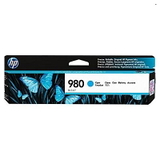
- Original OEM Ink Cartridge HP 980 (D8J07A) (Cyan) – clean blues and smooth gradients in charts and graphics,
- Original OEM Ink Cartridge HP 980 (D8J08A) (Magenta) – vibrant accents for color documents and presentations,
- Original OEM Ink Cartridge HP 980 (D8J09A) (Yellow) – strong highlights and well-balanced color mixes,
- Original OEM Waste Ink Tank HP B5L09A (B5L09A) – supports maintenance cycles and helps keep the printer running reliably.
If you’re searching for ink for X585z or ink for HP OfficeJet Enterprise, these are the dedicated OEM options designed specifically for this printing system. How to choose the right cartridge and avoid common X585z printing problems When ordering ink for HP X585z, start with two simple steps: confirm the printer name (HP OfficeJet Enterprise Color X585z / B5L06A) and match the cartridge code (HP 980 series). For best workflow continuity, many offices keep at least one spare black cartridge and a backup set of color cartridges. Common issues users report with high-use devices like the X585z often include: - “Cartridge low” during busy periods – solved by planning stock and replacing cartridges proactively,
- Faded color or uneven output – usually related to running cartridges too long or using mismatched supplies,
- Maintenance or waste tank alerts – the waste ink tank HP B5L09A is worth keeping ready to minimize downtime.
Original OEM vs compatible – what to choose? In this subcategory we focus on Original OEM ink cartridge products, which are a great choice if you want manufacturer-certified performance and a straightforward replacement process. At the same time, many customers ask us about compatible options. Our answer is simple: when you choose a proven compatible solution from our offer, it can perform as well as the original while helping optimize printing costs. If you’d like, we can help you pick the best route for your workload—OEM for maximum standardization, or compatible for strong value without compromising quality. Order ink for HP OfficeJet Enterprise Color X585z with confidence We make it easy to find the right ink for printer HP OfficeJet Enterprise Color X585z using popular search phrases like HP X585z, X585 Z, X585z or B5L06A. Add the cartridges and the waste ink tank to your basket, and keep your office printing smooth and predictable. Call to action: We encourage you to browse the available HP 980 cartridges and the HP B5L09A waste ink tank in this category. If you’re unsure which product you need or want to plan supplies for a larger team, contact us—we’ll help you choose the best solution and arrange fast delivery. |