Haven't found what you were looking for? Click here! ▼
Describe below exactly what you are looking for and we will see how we can help. You will receive a reply to your e-mail address by 15:19 at the latest
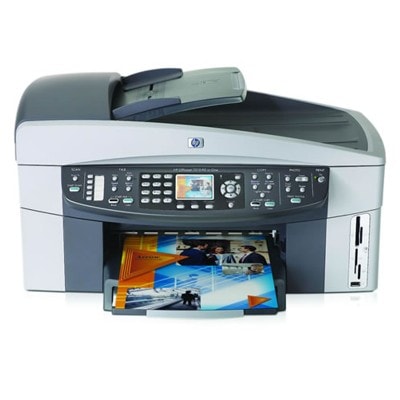
Ink cartridges for HP OfficeJet 7310xi - compatible and original OEM
Keep your HP OfficeJet 7310xi printing sharp and reliable with the right ink for everyday documents and vibrant color output. This category brings together ink cartridges for HP OfficeJet 7310xi across the HP Officejet 7300 Series, covering the most searched references like 7310xi / 7310 XI / Q5563B.
Choose from Compatible and Original OEM ink cartridges in the most popular options: Black (HP 338, HP 339), Color (HP 343, HP 344), and Photo (HP 348). Whether you need a single replacement or a convenient multipack or 2-pack (like 338 + 343), you’ll find the format that fits your printing volume. All options are designed for smooth installation and consistent performance in your HP 7310xi.
Get the print quality you expect—crisp black text, clean color graphics, and dependable page-to-page results—while choosing the value of compatibles or the assurance of OEM. Stock up now and avoid downtime: pick your HP OfficeJet 7310xi ink cartridges today and explore the full selection to find your perfect match.
Product Number: Q5563B Other names: All-In-One Printer HP OfficeJet 7310xi, All-In-One Printer HP OfficeJet 7310 xi, All-In-One Printer HP OfficeJet 7310 XI, All-In-One Printer HP OfficeJet 7310XI
The HP OfficeJet 7310xi (also searched as HP 7310xi, 7310 XI, 7310xi or the HP Officejet 7300 Series, sometimes referenced with the device code Q5563B) is a reliable all-in-one built for everyday office and home-office work. It handles printing, copying and scanning with ease, so the right ink for HP OfficeJet 7310xi is essential if you want crisp text, clean graphics and predictable running costs.
Ink for HP OfficeJet 7310xi — what matters most in daily printing
Choosing an ink cartridge for HP OfficeJet 7310xi is not just about “black or color”. It’s also about matching your real usage: invoices and documents, school materials, web graphics or occasional photo printing. In this category we offer both Original OEM and Compatible solutions, so you can decide whether you prefer the manufacturer’s cartridge or a cost-effective alternative with excellent quality.
With properly selected ink for HP 7310xi you can expect:
sharp black text for emails, contracts and forms (ideal for frequent office output),
balanced color for charts, presentations and mixed documents,
stable print quality from the first page to the last when the cartridge is installed correctly,
convenient options like multipacks and 2-packs for better budgeting and fewer reorder “emergencies”.
Compatible and Original OEM cartridges — one printer, two smart paths
Many customers ask us which option is “safer” for the HP OfficeJet 7310xi. The truth is: it depends on your priorities. Original OEM ink cartridges are produced by HP and are the classic choice for users who want to stick with the manufacturer’s solution. On the other hand, our compatible ink cartridges are designed to match the printer’s requirements and deliver results that are as good as originals, while helping you reduce the cost per page.
Original OEM: predictable performance, manufacturer standard, great for those who prefer OEM-only supplies.
Compatible: excellent value, very strong everyday quality, and a smart choice for frequent printing where costs matter.
Whichever route you choose, we focus on offering cartridges that fit the HP Officejet 7300 Series and your workflow—so you spend less time troubleshooting and more time printing.
Popular ink cartridges for HP OfficeJet 7310xi in our offer
To make shopping faster, here are some of the most popular choices in this category. You’ll find single cartridges, 2-packs and multipacks—perfect when you want to stock up:
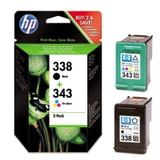
Compatible Ink Cartridges 338 + 343 for HP (SD449EE) (multi pack) and Original OEM Ink Cartridges HP 338 + 343 (SD449EE) (multi pack) – a practical set for everyday black + color printing.
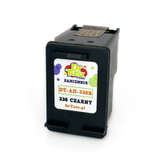
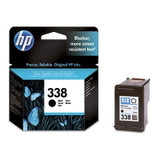
Compatible Ink Cartridge 338 for HP (C8765EE) (Black) and Original OEM Ink Cartridge HP 338 (C8765EE) (Black) – dependable black text output for documents.
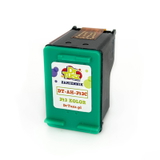
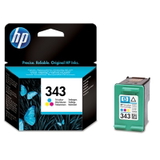
Compatible Ink Cartridge 343 for HP (C8766EE) (Color) and Original OEM Ink Cartridge HP 343 (C8766EE) (Color) – solid color for graphics and mixed pages.
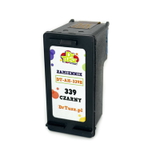
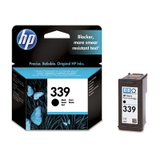
Compatible Ink Cartridge 339 for HP (C8767EE) (Black) and Original OEM Ink Cartridge HP 339 (C8767EE) (Black) – a popular option when you need stronger black coverage.
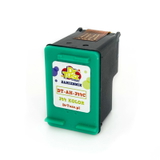
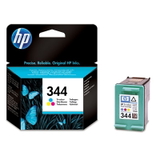
Compatible Ink Cartridge 344 for HP (C9363EE) (Color) and Original OEM Ink Cartridge HP 344 (C9363EE) (Color) – great for color documents and everyday images.
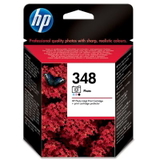
Original OEM Ink Cartridge HP 348 (C9369EE) (Foto) – a dedicated photo option for users who print pictures more often.
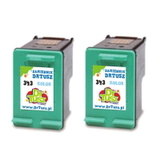
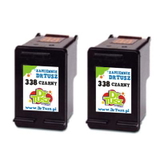
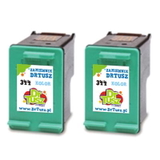
2-packs like Compatible Ink Cartridges 339 for HP (C9504EE) (Black) (2-pack), Compatible Ink Cartridges 338 for HP (CB331EE) (Black) (2-pack), Compatible Ink Cartridges 343 for HP (CB332EE) (Color) (2-pack), or Compatible Ink Cartridges 344 for HP (C9505EE) (Color) (2-pack) – ideal if you print regularly and want fewer reorders.
Because this subpage focuses on ink cartridges, you can quickly compare compatible vs Original OEM versions by code and color, and choose exactly the ink for printer HP OfficeJet 7310xi you need.
How to choose the right ink for HP 7310xi (and avoid common problems)
When selecting an ink cartridge for HP OfficeJet 7310xi, we recommend checking two simple things: the cartridge code and your printing style. If you mostly print text, prioritize black (and consider a 2-pack). If you print color charts, school materials or photos, add color and optionally photo ink.
Common issues reported by users of the HP OfficeJet 7310xi and how to handle them:
“The printer doesn’t recognize the cartridge” – remove and reinsert the cartridge firmly, check if protective tape was removed, and clean contacts gently if needed.
Streaks or faded prints – run the printer’s cleaning/alignment utility and make sure the cartridge is not empty; replacing an old cartridge often solves it immediately.
Color looks off – print a test page, perform alignment, and confirm you installed the correct color cartridge (e.g., 343/344) for your intended output.
Ink runs out too quickly – consider multipacks or 2-packs, and match the cartridge type to your real usage (heavy text printing typically benefits from the right black cartridge choice).
If you’re deciding between Original OEM ink and compatible ink for HP OfficeJet 7310xi, tell us what you print and how often—we’ll help you pick the most cost-effective option. And yes: the compatible cartridges available in our offer are made to deliver quality that is as good as the originals, so you can print confidently without overspending.
Order ink cartridges for HP OfficeJet 7310xi with confidence
We encourage you to explore the full selection of ink for HP OfficeJet 7310xi in this category—whether you prefer Original OEM cartridges or want a high-quality compatible ink cartridge solution. Choose a single cartridge when you need a quick replacement, or go for a 2-pack or multipack to keep your printer ready for anything.
CTA: Add the right ink cartridge for HP 7310xi to your cart now, or contact us if you want help matching cartridge codes to your printer and printing needs. We’re here to make your purchase fast, safe and convenient—plus we’ll get your order ready for quick delivery so you can get back to printing without delays.