Haven't found what you were looking for? Click here! ▼
Describe below exactly what you are looking for and we will see how we can help. You will receive a reply to your e-mail address by 09:15 on monday (5 October 2026) at the latest
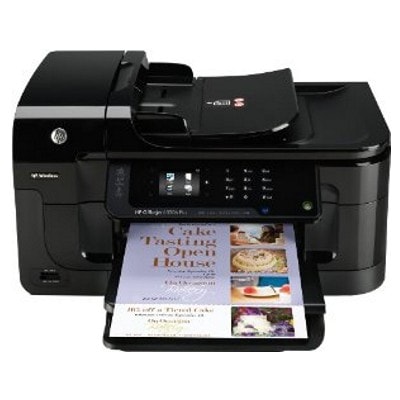
Ink cartridges for HP OfficeJet 6500A E710n - compatible and original OEM
Find the right ink for your HP OfficeJet 6500A E710n (HP Officejet 6500 Series / CN557A) with a complete range of inkjet supplies designed for sharp text and vibrant color. This category includes both Original OEM and compatible ink cartridges for everyday printing, home offices, and busy workdays.
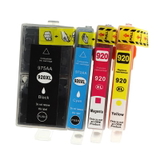
Choose from HP 920 and 920 XL options in Black, Cyan, Magenta, and Yellow, including convenient CMYK multipacks—available as compatible or Original OEM versions. Need to keep print quality consistent over time? You’ll also find the Original OEM HP CN643A printhead, ideal for maintaining clean, reliable output and smooth performance.
All items are selected to match your printer model precisely, helping you avoid mismatches and keep your device running efficiently. Stock up on HP 920 XL ink cartridges for your HP E710n today—pick your preferred option and print with confidence. Explore the full selection and choose the best fit for your needs.
Product Number: CN557A Other names: All-In-One Printer HP OfficeJet E710n, All-In-One Printer HP OfficeJet 6500 a, All-In-One Printer HP OfficeJet 6500 A, All-In-One Printer HP OfficeJet 6500a, All-In-One Printer HP OfficeJet 6500A
Reliable printing with the HP OfficeJet 6500A E710n (CN557A)
Dear Customer, the HP OfficeJet 6500A E710n (also searched as HP E710n, HP Officejet 6500 Series, 6500A, 6500a or CN557A) is a proven business-class inkjet all‑in‑one designed for everyday office work: clear text documents, colorful charts and presentations, and practical scanning/copying. To keep this model running smoothly, you need the right ink for HP OfficeJet 6500A E710n—and that’s exactly what we offer in this category: both Original OEM and Compatible ink cartridges, plus a dedicated printhead.
Ink cartridge 920 / 920 XL – what matters for quality and efficiency
The HP OfficeJet 6500A E710n uses the well-known HP 920 and HP 920 XL system. Choosing the correct ink cartridge for HP OfficeJet 6500A E710n impacts not only print quality, but also cost per page and reliability in daily use. For frequent printing, we especially recommend 920 XL versions—they typically deliver more pages and reduce how often you need to replace cartridges.
In this category you’ll find inks for the full CMYK set:
Black – sharp text and crisp lines for invoices, contracts and office documents,
Cyan, Magenta, Yellow – accurate color for graphics, charts and marketing materials.
If you want convenience and color consistency, a multipack is the easiest route—one purchase and you’re ready for a long printing cycle.
Compatible vs Original OEM – choose what fits your needs
We know that customers compare options. That’s why we stock both Original OEM ink for HP OfficeJet 6500A E710n and carefully selected compatible ink for HP OfficeJet 6500A E710n. Original OEM cartridges are made by HP and are a safe choice for users who prefer manufacturer-branded supplies. Our compatible cartridges, on the other hand, are designed to match performance expectations while helping you control printing costs—without compromising on everyday print quality.
Key differences you may consider:
Original OEM – manufacturer solution, consistent performance, ideal for those who prefer HP-branded consumables.
Compatible – excellent value for money; our DrTusz.pl compatible cartridges are as good as the originals for typical office and home printing, with strong blacks and vibrant colors.
Not sure which way to go? If you print a lot (reports, school materials, spreadsheets), compatible 920 XL is often the most economical choice. If you print occasionally and want to stick to the brand ecosystem, Original OEM may feel more comfortable.
Popular products in our offer for HP OfficeJet 6500A E710n
To make your choice simple, we highlight some of the most frequently selected items in this category. Each is precisely matched as ink for HP OfficeJet 6500A E710n:
Compatible Ink Cartridges 920 XL CMYK for HP (C2N92AE) (multi pack) – a practical all-in-one set for everyday printing and predictable running costs.
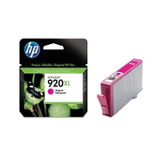
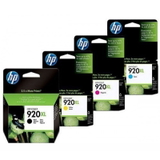
Original OEM Ink Cartridges HP 920 XL CMYK (C2N92AE) (multi pack) – the full HP set for users who prefer OEM supplies.
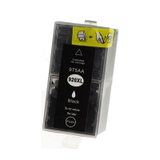
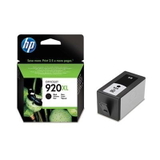
Compatible Ink Cartridge 920 XL for HP (CD975AE) (Black) and Original OEM Ink Cartridge HP 920 XL (CD975AE) (Black) – the most important cartridge for office work.
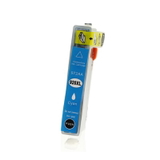
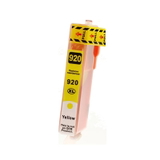
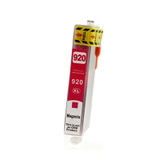
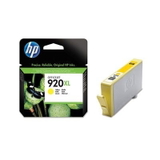
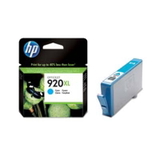
Compatible Ink Cartridge 920 XL for HP (CD972AE) (Cyan), Compatible Ink Cartridge 920 XL for HP (CD973AE) (Magenta), Compatible Ink Cartridge 920 XL for HP (CD974AE) (Yellow) – reliable color replacements when you don’t need a full multipack.
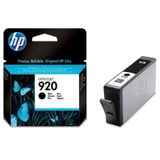
Original OEM Ink Cartridge HP 920 (CD971AE) (Black) – standard-capacity black for users who print less frequently.
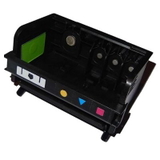
Original OEM Printhead HP CN643A (CN643A) – a crucial part when print quality issues aren’t caused by the cartridge itself.
How to choose the right ink (and solve common issues)
When selecting an ink cartridge for HP E710n, start with two checks: cartridge code and your printing volume. If you print often, choose 920 XL. If you print occasionally, the standard HP 920 can be enough.
Users of the HP Officejet 6500 Series sometimes report problems such as:
Faded prints or missing colors – often due to an empty color cartridge, air in the system after long breaks, or clogged nozzles.
Streaks or uneven lines – may indicate the need for cleaning or, in more serious cases, a printhead issue.
Printer doesn’t recognize a cartridge – typically solved by reseating the cartridge, cleaning contacts, or replacing with a fresh unit.
If cleaning cycles and cartridge replacement don’t help, the dedicated printhead HP CN643A can be the right solution—especially when you see persistent gaps in printouts or repeated quality errors.
Order your ink for HP OfficeJet 6500A E710n with confidence
We encourage you to explore our full selection of ink for HP OfficeJet 6500A E710n: compatible and Original OEM cartridges, XL options, multipacks, and the CN643A printhead. Choose the variant that matches your budget and printing habits, add it to your cart, and keep your printer ready for work.
If you’d like help picking the best cartridge (920 vs 920 XL, black only vs CMYK multipack, cartridge vs printhead), contact us—we’ll guide you quickly so you can print without interruptions. Order today and enjoy fast, convenient delivery and professional support from our team.